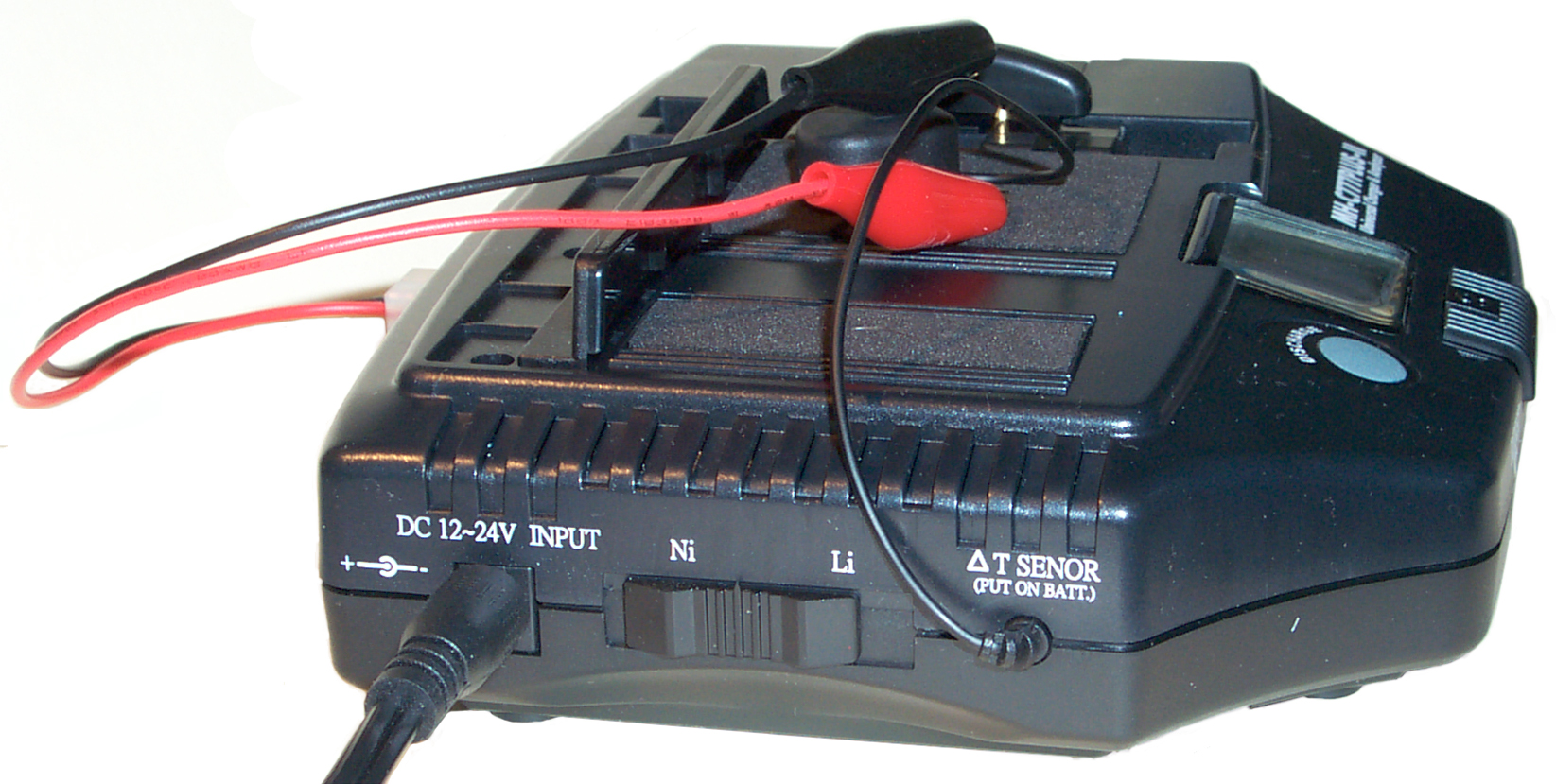
Maha MH-C777Plus-II Universal Battery Charger & Analyzer
© Brooke Clarke 2007
 |
|
using
clip leads
|
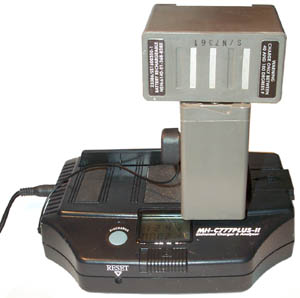
using
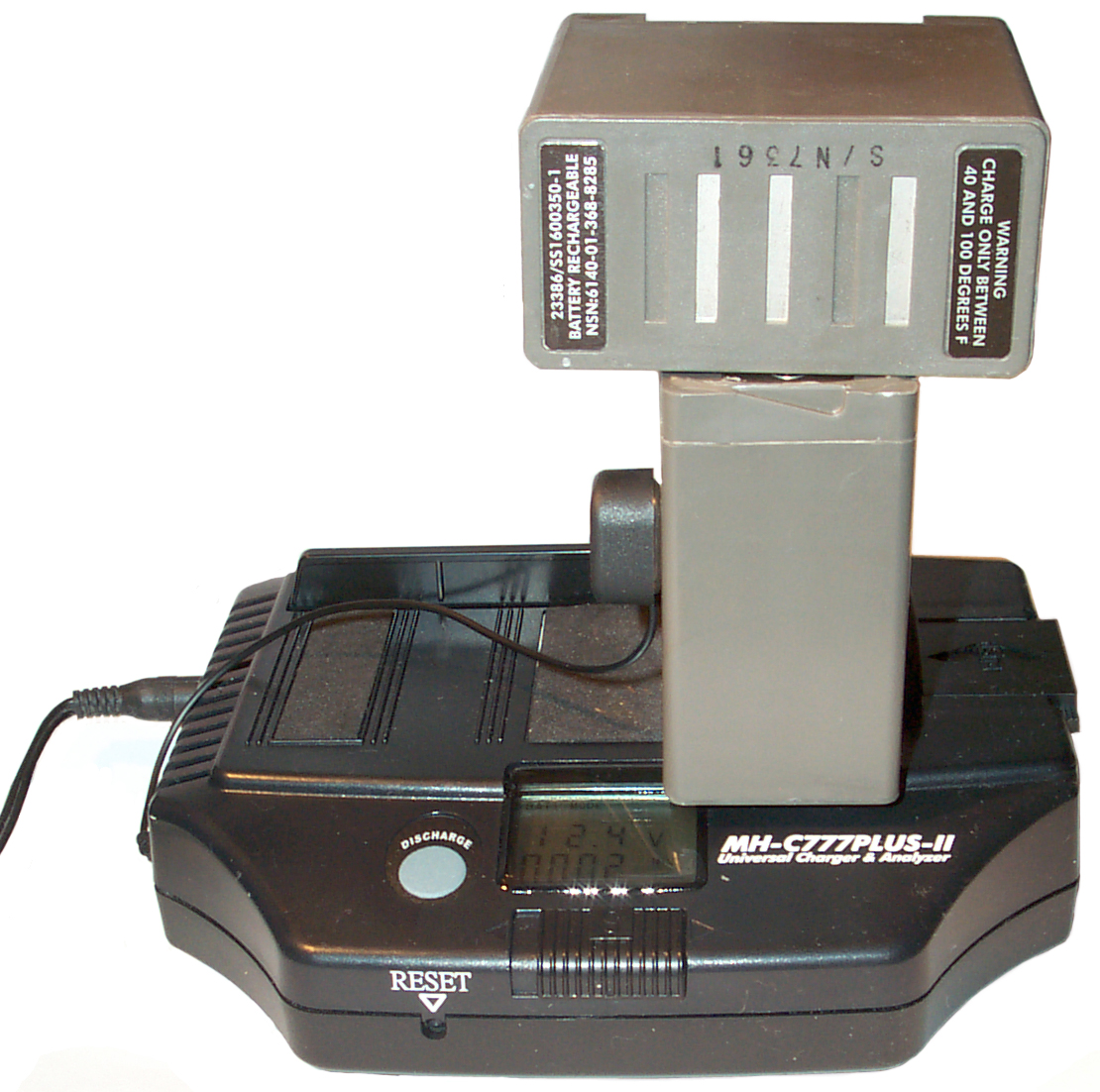
pogo pins to contact battery
|
Background
What you get
Operation
Importance of correct Number of Cells Determination
Do NOT charge 9 V batteries!
Battery Charged
Discharge then Charge
Analyze Function
Related
Links
Background
One of my early battery chargers was the C777Plus. It looks
very
similar to the Plus-II. The Plus-II has a recessed RESET
button
on the front panel that wasn't on the Plus and also behaves
differently
in how it works.
The reason I got the C777 was that it could charge packs containing
different numbers of cells. Most chargers are made to charge
only one pack configuration. Another feature of the C777
chargers
is that they can discharge. During both charge and discharge
the
LCD shows you the mAh put in or taken out of the battery pack.
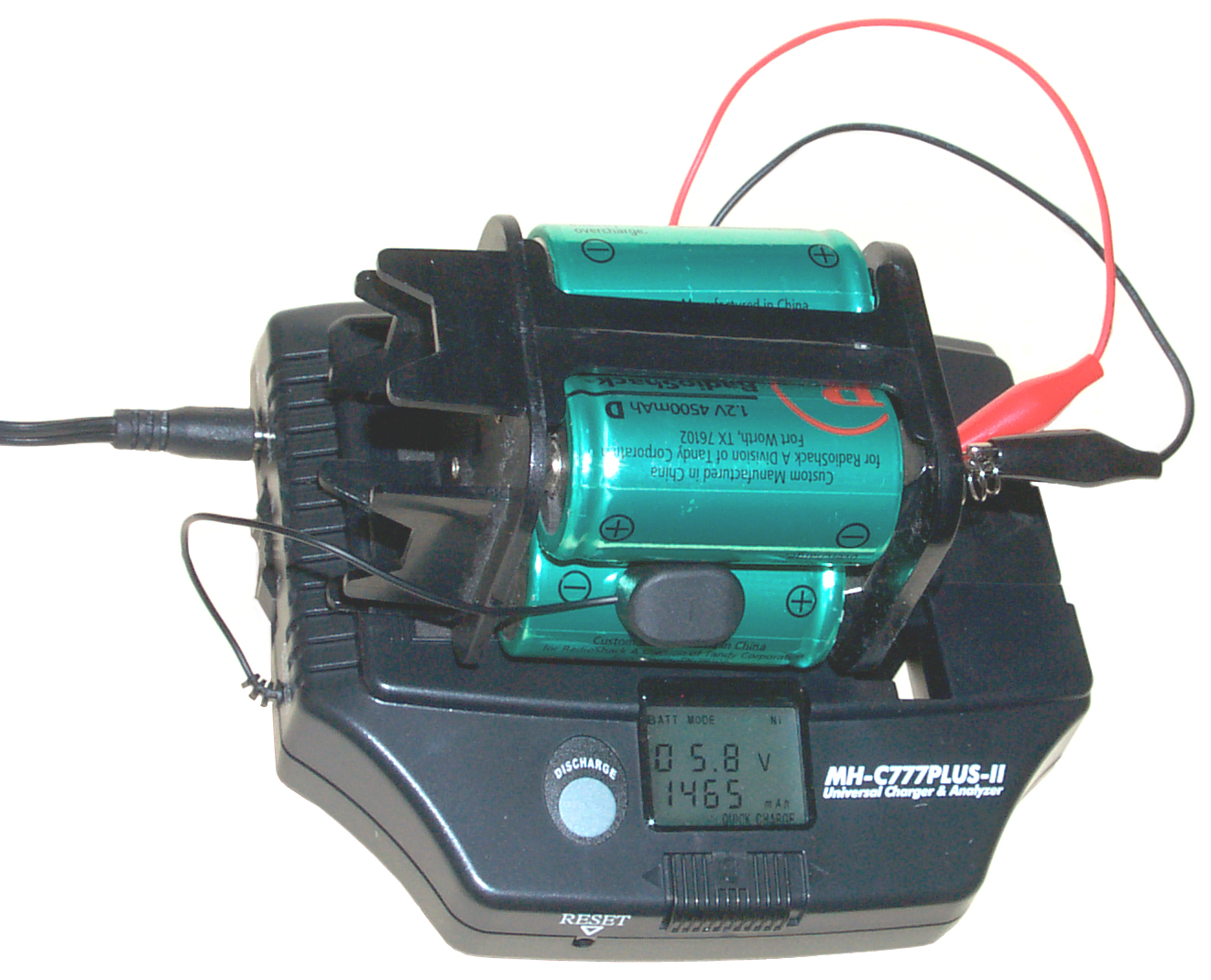
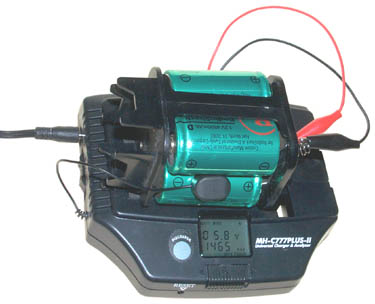
In the photo above the LCD is showing on the top line
BATT MODE Ni (there's a switch on the
left for Li or Ni chemistry), 05.8 V (the current battery voltage),
1465 mAh (the charge that's been put into the battery so far and on
the
bottom line QUICK CHARGE (CHARGE is
blinking indicating it's still charging).
What you get

In addition to the C777Plus-II unit there's a Cigarette Lighter DC
power cord, a laptop type brick power supply with a seperate two
prong
AC line cord, a short length battery connection cable with red and
black alligator clips, the manual and Supplemental Instructions
&
FAQ.
Operation
|
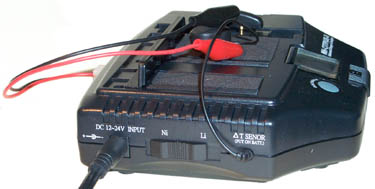
Input DC
On the left is the center positive 5.5x2.1 mm input power
jack. Note
the label above says 12 to 24 Volts and the icon shows
center
positive. When the AC brick power supply is used
the input is 22 to
27 VDC at 1.1 Amp max. (24 VDC typ).
But, when the cigarette lighter cord is used
the input will be in the 10 to 15 Volt range, most likely
around 13 or
14 Volts. To supply a constant current there needs to
be some headroom
above the fully charged battery voltage, so when you use the
cigarette
lighter cord the max Li voltage drops from 14.4 Volts to 7.2
Volts, and
for Ni the max voltage drops from 14.4 to 4.8 Volts.
Battery Chemistry
Set the switch for Nickel or Lithium.
|

|
Input Voltage
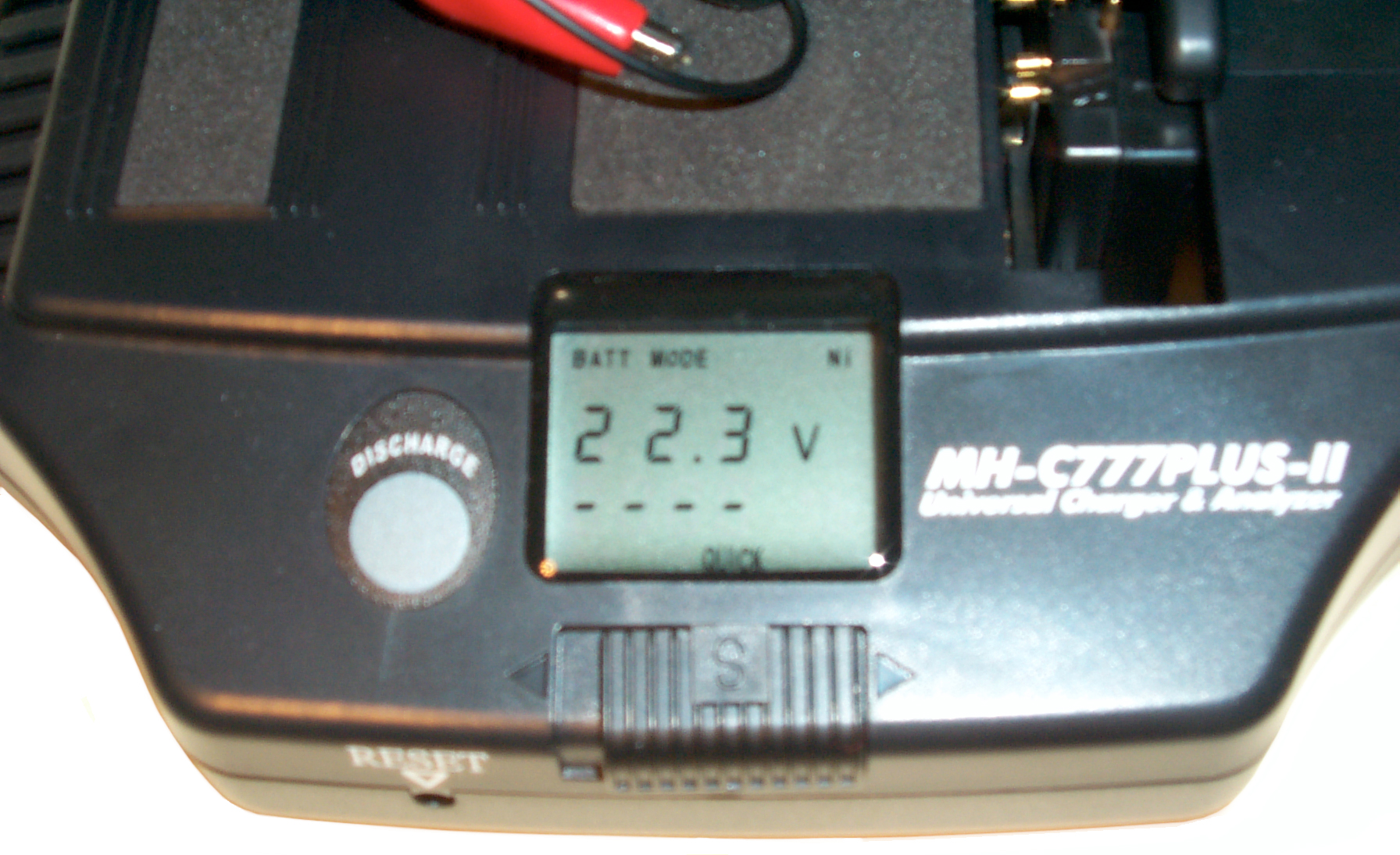
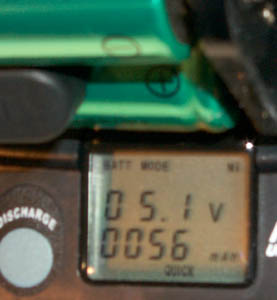
After power up with no battery connected the LCD shows the
input voltage.
The top line is: BATT MODE Ni,
then the supply voltage, in this case 22.3 V,
for the capacity - - - - it shows since there's no
battery, and the bottom line shows QUCIK.
If there's a problem this is the first thing to check.
Polarity Switch
Just in front of the LCD is a polarity switch. In the
photo it's
shown to the right. Just after taking this photo A 6
Volt battery
was connected and the display flashed ERR1 and the 777 was
beeping. After looking up that error in the manual
which said
battery fault most likely reverse polarity. I use the
alligator
clips and only once tried to use the contraption on the top
that's
designed to charge battery packs that only have flat metal
contact
patches. It can be done but is a balancing act.
If you use
the alligator leads it's easy to connect red to + and black
to - and so
you'll forget there is a polarity switch and what ERR1
means.
|
|
Temperature Sensor
See the photo at the top of this page. The temp sensor
MUST be
connected to the pack. It has a magnet and all
rechargeable
batteries (with an extremely small number of exceptions)
have enough
ferrous metal to hold the sensor. I like to put
it near the
center of a pack and if possible so there are two batteries
touching
it. The idea is the have it sense the hottest part of
the pack.
Surface Charge
Since this charger will work with battery packs made up of a
number of
cells it needs a way to know how many cells are in the
pack. To
do this it charges the pack for 3 minutes and at the end of
that time
makes a determination of how many cells are in the
pack. This is
an important step and was the problem I had with the
C777Plus (no
number).
For example a Ni-MH (or Ni-Cad) pack will have between 1.2
and 1.4
volts per cell so a 4 cell pack should show between 4.8 and
5.6 Volts
on the LCD. If after the 3 minute surface charge the
meter is
showing more than 1.4 V/cell there is a problem.
If the
voltage is less than 1.2 V/cell the battery may just be
starting out
very discharged. In that case you can remove it and
start over,
but in three minutes only a vary small amount of charge will
be put in,
so you may need to use another charger to get the voltage
up.
|
You can just let the C777
automatically go into Quick Charge mode. The charge current
is
controlled only by the Chemistry switch (800 ma for Ni and 400 ma
for
Li) so the number of cells is not a factor in the current.
The
charge will be terminated when any of a number of things happen,
either
the -dV/dt hits a trip point or there is a zero delta V or the max
temperature is reached. (There may also be a peak voltage
termination). This was a problem with the C777Plus and
Ni-MH, it always terminated with Err3 High Temp, not warm but hot.
If a battery has not been used for some months then it's a good
idea to
cycle it while paying attention to the mAh for both charge and
discharge. You can keep cycling as long as you're getting
more
mAh. But once the mAh flatten out then that's as good as
it's
going to get. If the final number is way below the label
capacity
then the battery is no good.
Importance of correct Number of Cells
Determination
The -dV/dt charge determination
value
depends on the number of cells in the battery and the Peak Voltage
charge termination depends on the number of cells..
When using Peak Voltage for termination the number of cells is a
first
order (major) factor. For example a 4 cell pack of Ni-MH
cells
would be fully charged when the peak voltage was about 5.6 with no
charge or load and maybe a little higher, say 5.8 V while under
charge.
When trying to understand the problem charging 4 eneloop
Ready-To-Use AA
cells held in a 10 AA battery holder where the discharge was
stopped
too soon and where the charge was stopped too soon and the 777
first
generation unit was showing a voltage that was higher than it
should
have been the effect of estimating the number of cells at 5
instead of
4 would be to over charge or over discharge. Maybe the
problem
was with resistance added by the battery holder?
Do NOT charge
9 V batteries!
The charge current is 800 mA!
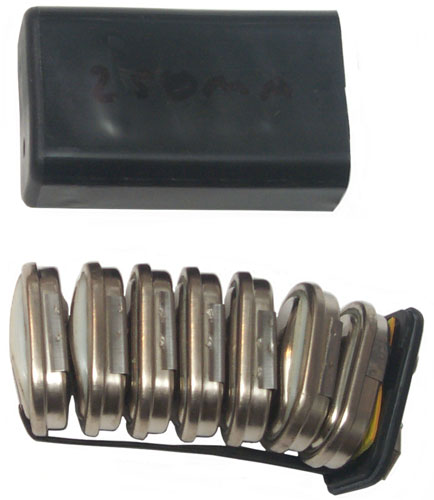
Note three cells have poped open expanding the size of the pack
and blowing off the top.
Battery Charged
There is a soft beeping when the charger is finished and the LCD
shows:
BATT MODE Ni
Full
05.6 V
3450 mAh alternating with 238 min
QUICK
The battery is warm but no hot and there's no error message.
This is a big improvement over the first generation charger.
These cells are rated 4500 mAh and had some charge in them so the
display is about right. Note that you need to put in
more
mAh than the battery rating. The normal C/10 charge for 16
hours
puts in 60% more than the rating. So in terms of efficiency
batteries are not that good.
Discharge then Charge
To discharge just press the Discharge button, but it's good to wait
for
the battery to reach room temperature first if it's hot. The
Full icon turns
off and in the lower left of the LCD DISCHG is blinking.
Discharge is about 300 ma for either battery chemistry so if these
cells are near 4500 mAh it will take 15 hours or 7 am tomorrow.
I just pressed Discharge until the C777Plus-II started the discharge
and DISCHG was blinking. This is the Discharge then Charge
mode
which was the only mode in the first generation unit. So this
morning the LCD is showing QUICK CHARGE and CHARGE is
blinking.
So I missed the discharge capacity.
Analyze Function
This is new with the C777Plus-II. To enter Analyze you must
PRESS
AND HOLD down DISCHARGE until the display stops blinking, about 3 or
4
seconds. You can recognize an analyze discharge since the
DISCHG
icon will NOT be blinking. When the analyze function gets to
end
of charge the LCD just stays in a state showing the capacity and
time
and does NOT automatically start charging the battery.
The
LCD will continue to display the capacity even after the battery has
been removed. This is a good thing because you may remove the
battery then realize that you haven't recorded the data. To
clear
the LCD and start another charge or discharge you need to press the
RESET button on the front panel using a small screw driver or other
tool. It's a good idea to recharge a battery after it's been
analyzed. It's not a good idea to put a discharged battery on
the
shelf.
14 Dec 2007 Noon - the charger beeped at the end of a charge
with
a dispaly of: 5.7 volts, 476 min , 6,900 mAh. Pressing and
holding Discharge for a few seconds resulted in a discharge icon on
the
LCD that was not blinking and the voltage changed to 5.5 Volts.
Observation: 476 minutes is close to
8
hours which would be 4 am instead of the 7 am I had
estimated.
That's short by 3 hours which times 300 ma is 900 mAh.
So
the capacity was about 4500 - 900 = 3,600 mAh.
Observation: the change in voltage is because of the total
resistance
in the circuit which includes the short wires and alligator clips,
contact resistances at all the contacts, the resistance of the
battery
holder and the internal resistance of the cells. So: (5.7 V-
5.5
V) = R * (300 ma + 70 ma) or R is 0.54 Ohms. 300 ma because
that's the charging current and 70 ma because that's the trickle
charge
current that's applied after a charge has ended. The two
currents
are added because they have opposite polarity. If you were
watching the voltage when a charge ended the voltage should drop
because the charge current changes from 800 ma to 70 ma.
At 20 minutes past midnight the 777 beeped a few
times. The LCD shows:
BATT MODE Ni
0 4.5 V
0759 minutes alternating with 4377 mAh
DISCHG is on solid and QUICK is blinking.
Why the zero space then 4.5 Volts?
759 minutes is 12.65 hours * .3 amps = 3.8 Ah, yet the 777 says
4.377 AH, why?
Also the analyze was started at 12:20 and exactly 12 hours
later it beeped. 12 hrs * .3 amps = 3.6 AH.
12:30 pressed reset, removed a clip lead to clear error, reset
again and it's not on quick charge.
15 Dec 2007 7:45 - FULL 5.4 Volts, 188 min 2743 mAh
It may be that the 777P2 is using some kind of pulse during charge,
discharge or both and it that's the case the duty cycle would effect
a
clock time analysis.
The Plus 2 version is much better at terminating the charge than the
first one
Related
Batteries
Battery Adapters I make & Sell
- eBay
Battery Chargers
Battery Testers
Battery Patents
Leclanché Battery Short History of the
Flashlight Battery
Links
Back to Brooke's PRC68, Alphabetical web page list, Products
for Sale, Batteries, Battery Chargers, Battery
Patents, Battery Test, Military
Information, Personal Home
[an error occurred while processing this directive] page created Dec 13,
2007.