Photographic Studio Strobe System
Digital Photography 204: Flash
© Brooke Clarke 2011Components
Pocket Wizard Hot-Shoe Transcievers
Einstein 640 Monolight Strobe Flash
Vagabond Battery Power for E640
Pocket Wizard PowerMC2 interface for the E640
Nikon SB-900 Speedlight
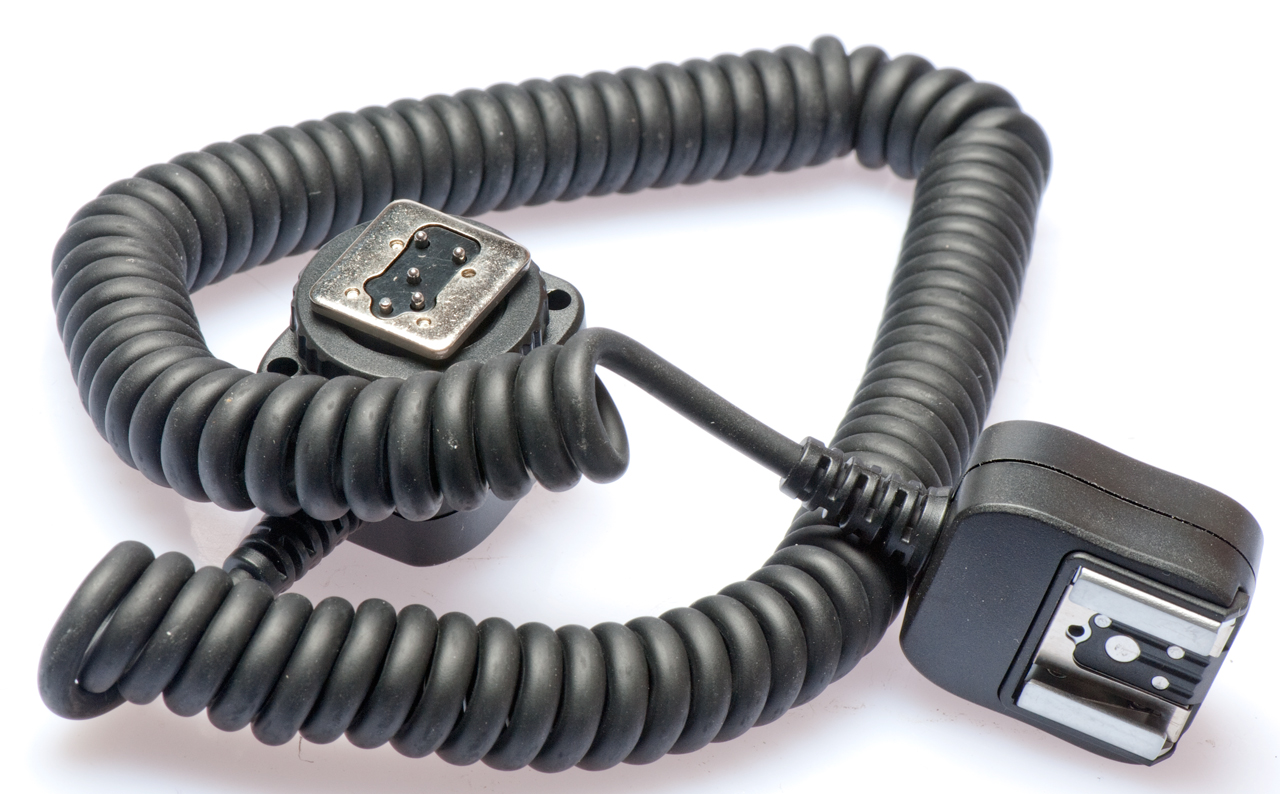
SC-28 Extension Cord
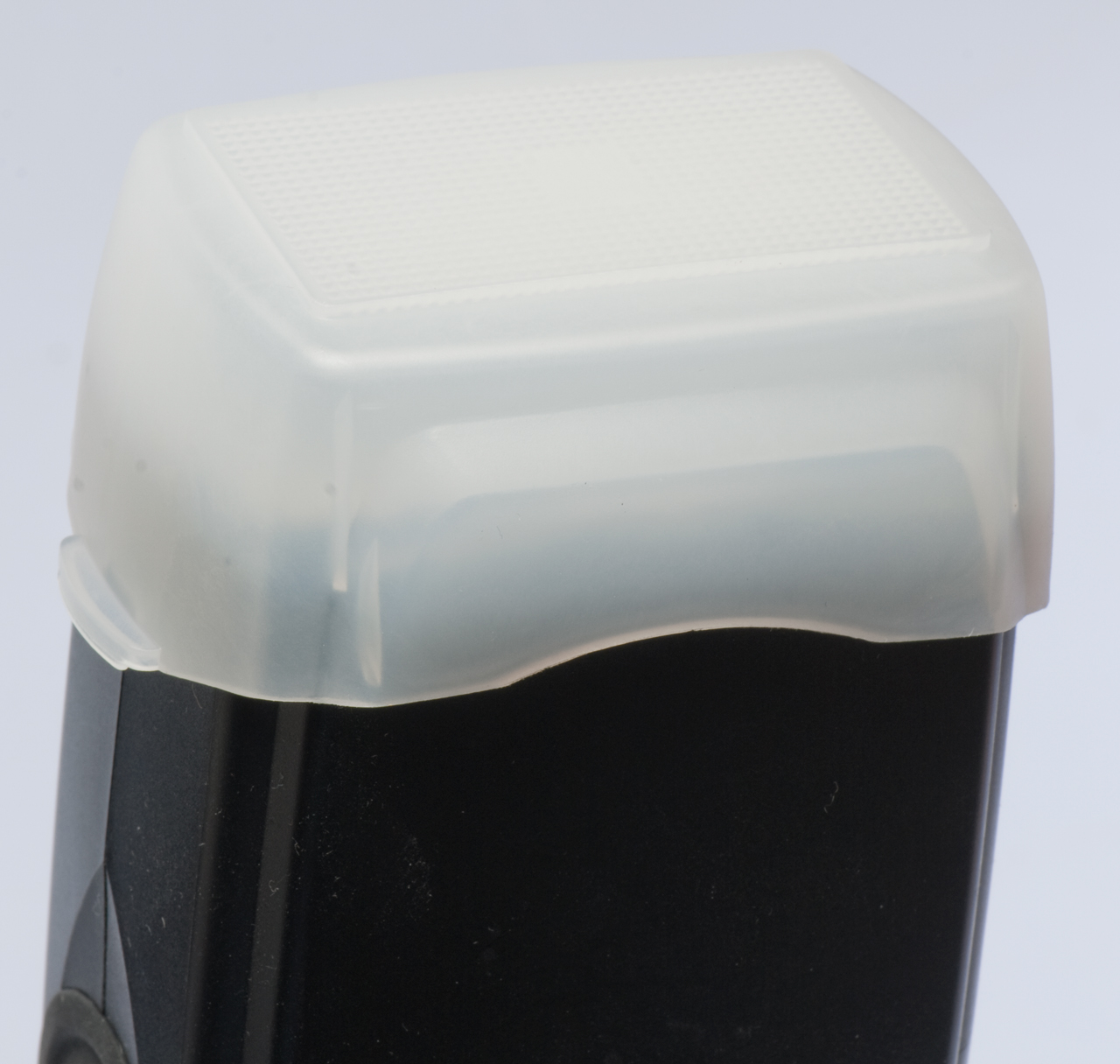
Diffuser
Yongnuo YN-565EX Flash
Light Modifiers
PLM Unbrella system
54" PLM Umbrella
86" PLM Umbrella
8.5-inch High Output Reflector
22-inch Retro Laser
Light Table
Accessories
Background
Balancing Flash & Other Illumination
Metering
Patents
Thomas Strobemeter Model 1B
GR 1501 Light Meter
Related
Foot Notes
Links
Background
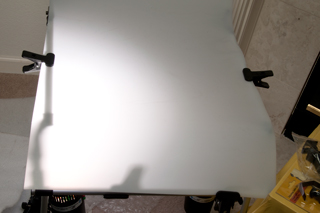
Setting up a small photo studio in the living room where there's a shooting table with a translucent surface that can be back lighted not only makes for a clean background but also for a background that does not need to be manually erased.
The next step was to get a few cheap monolights (studio strobe lights which are all in one package). This is a big improvement over using hot-shoe type strobes in a studio. There are a number of problems with this system:
- Dead AA batteries because I forgot to turn off
something.
- Weak flash power and light control that's not as good as what's possible with studio lights.
- The Nikon Creative Lighting System (CLS) does not work with these first generation strobes.
- The camera settings are different than what's used with
the SB-900.
- Dead cheap strobe light (made in China with poor workmanship and no after sales service or warranty)
Components
Pocket Wizard Hot-Shoe Transcievers
 |
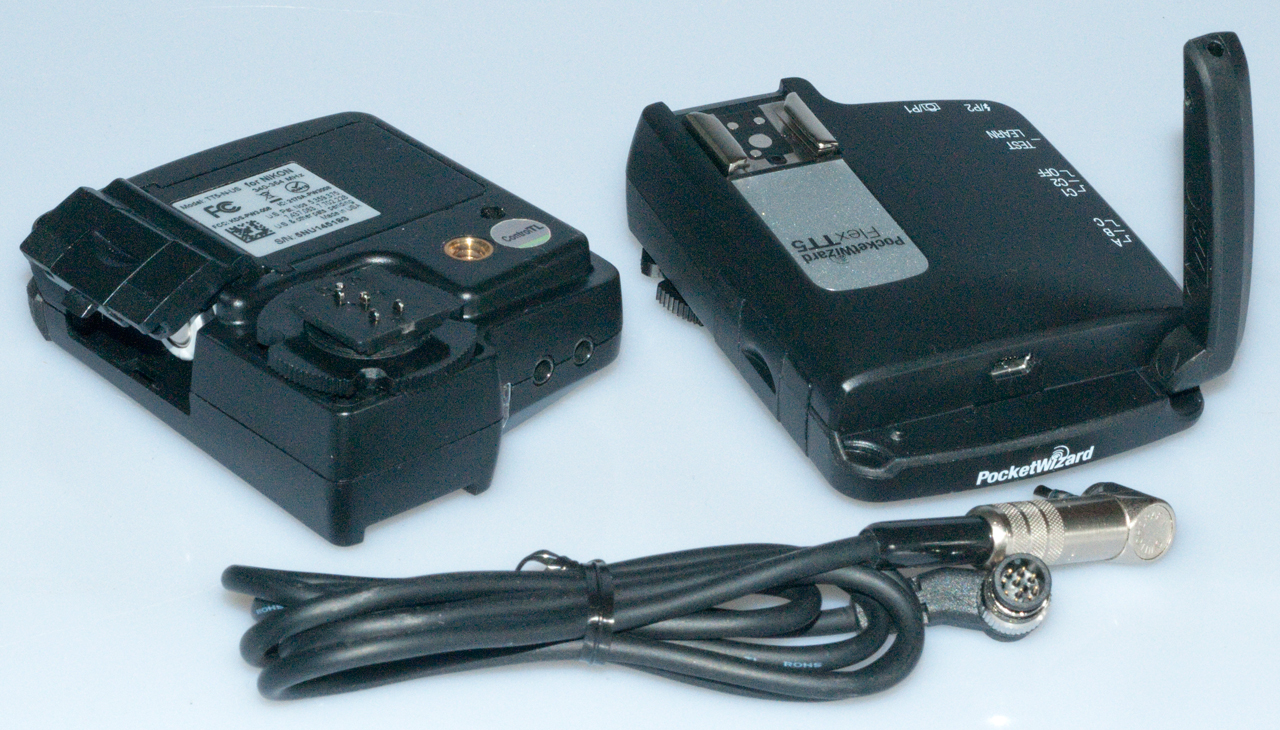 |
With one unit on the camera and the other on the SB-900 not only do you have remote flast triggering, but also the FP flash sync mode works, i.e. you can use all the shutter speeds including 1/8000 second. So far I have not been able to use them as a wireless remote shutter release.
| IMPORTANT
- Open Antenna The antenna on the Flex TT5 must be opened fully in order to have a useful range. With the antenna in the closed position the range from a Flex TT5 to the MC2 is about 5 feet, with it open it's much greater. |
| IMPORTANT -
Wheel retracts locking pin The wheel that clamps the FlexTT5 to the camera also raises and lowers the locking pin. If you couple two FlexTT5 units together the locking pin is spring loaded and will snap into the other unit and they will not come apart until you retrace the locking pin by turning the wheel to the right on the top unit. You can see how this works by turning the wheel on the bottom unit |
Working Setup
| Camera
Top Used for Remote Shutter Release |
Camera
Top Used For Normal Shutter Release Power Tracking on E640 |
| Channel
1 |
Channel
2 |
| ControlTL
Transmit Ch 1 |
ControlTL Transmit Ch 2 |
| Standard Transmit Ch 2 | Standard Transmit Ch 2 |
| ControlTL Receive Ch 1 | ControlTL Receive Ch 2 |
| Standard
Receive Ch 1 |
Standard Receive Ch 32 |
| On:
Basic Trigger |
Off:
Basic Trigger |
| Power
Tracking: Full Manual |
Power
Tracking Center on ISO & Aperture w/First Shot |
| Remote Flex TT5 is in
default config Hold TEST while power on, wait for: 1, 2, 4 LED blinks. |
If the E640 is set to plain CH 2 and the MC2 is installed the E640 manual flash power up/dn buttons do not work.
If the E640 is set to control C-TL 02 then the power can be adjusted from the camera or using the E640 buttons.
| Note: You can fire the E640 by pressing the TEST button on the FlexTT5. BUT sometimes it takes a strong press of the TEST buttom to make contact. That's to say the quality of the TEST button is not as good as it could be. |
Channels
There are two channels on each unit (OFF - Ch1 - Ch2). Each channel can be configured using the Utility software, a computer and USB-A to USB-Bmini cable.The parameters are:
Channel numbers
ControlTL Transmit
Standard Transmit
ControlTL Receive
Flash
Speedlight: Trigger or i-TTL
Remote Studio Controls
Remote Beeper: no change on wakeup (disable on wakeup, enable on wakeup)
Remote Optical Trigger: no change on wakeup (disable on wakeup, enable on wakeup)
HyperSync/HSS
On/Off HyperSync Only (Diable HSS/FP)
HSS/FP Begins at (HyperSync Ends): (1/250 to 1/1250)
HyperSync Flash Duration for Standard Channels: (1:Fast to 10:Slow)
On/Off Manual HyperSync for Standard Channels
Manual HyperSync Offset
-1600 to 0 to +200 slider
HyperSync for this FlexTT5 as Receiver
AC9 Flash: (list of model numbers)
P2 HyperSync Flash Duration (1-Fast to 10-Slow)
Power Tracking
Mode:
Full Manual,
Center on ISO & Aperture w/First Shot,
Center on ISO & Aperture - Set Both Below
Center on Aperture Only - Set Aperture Below (aperture selection box)
Center of ISO Only - Set ISO Below (ISO selection box)
No Change (Trigger Only)
Modeling
On/Off Modeling Light Control
Control Mode: (Camera Wake, AF Assist)
Modeling Light Auto Track (active or some % of full brightness)
Modeling Light Sleep (always on or sleep after nn seconds after cameera sleeps at % brightness)
Sleep
On/Off Remote TTL flash sleep Mode (always awake or nn seconds delay)
On/Off Local Flash sleep mode (always awake or nn seconds delay)
Misc
On/Off: Basic Trigger
On/Off: Transmitter Only
On/Off Disable Shoe Communications
On/Off: SpeedCycler
Tools (gear icon in lower left)
Utility Updates
On/Off: Check for new PW Utility updates every [14] days
Firmware Updates
Check for FW updates every [14] days
Select:
Auto Download
Notify when available
Never download
Yes/No: Beta Test
Device Inventory
Device Serial Version Loader
MC2 US M2Unnnnnn 2 (build 200) 3 (build 0)
TT5N US 5NUnnnnnn 3 (build3) 2 (build 7)
TT5N US 5NUnnnnnn 3 (build3) 2 (build 7)
Broken Foot
Dropping the camers+Pocket Wizard on the carpeted floor
resulted in cracking the plastic foot on the bottom of the
TT5 Pocket Wizard. This is an assembly (probably
there are different versions for Nikon and Canon flash
hot-shoes) so can easily be replaced. By rotating
the knurled knob used to lock the foot to a camera 4 (+)
screws can be removed, then the assembly can be moved a
little but it is still restrained by the flex flat cable.
The two black ears clamping the flex cable need to be
moved away from the assembly to free the cable.
 |
Adjusting Exposure at Camera
This is a great feature. After turning on the Pocket Wizard then the camera and making the first exposure (in manual exposure control mode) fixed shutter speed and f/stop) and looking at the image on the back of the camera, you may want to change the exposure. This can be done by pressing the exposure compensation button just behind the shutter release and while holding it down turning the rear knob to change the EV correction. As the knob is moved the camera changes it's aperature by 1/3 f/stop AND the strobe changes it's light output in the same direction by 1/3 f/stop. So each click of the knob results in a 2/3 f/stop change in exposure.Patents
5359375 Microprocessor programmable digital remote radio photographic control, James E. Clark (Lab Partners Associates, Inc.), Dec 3, 1992, 396/56 -While in receive mode wait for hardware trigger event (camera hot shoe commade to flash, TEST button, External contact closure) and then switch LO to Tx freq.
Einstein 640 Monolight Strobe Flash
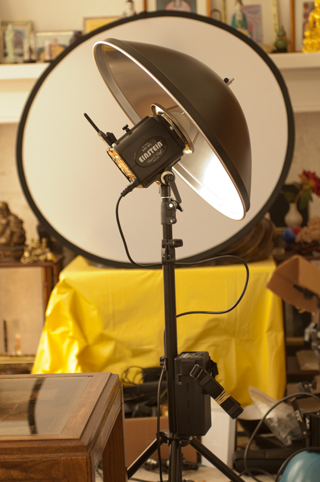
E640 head with Pocket Wizard radio
E640 with 51" PLM umbrella and diffuser inside view
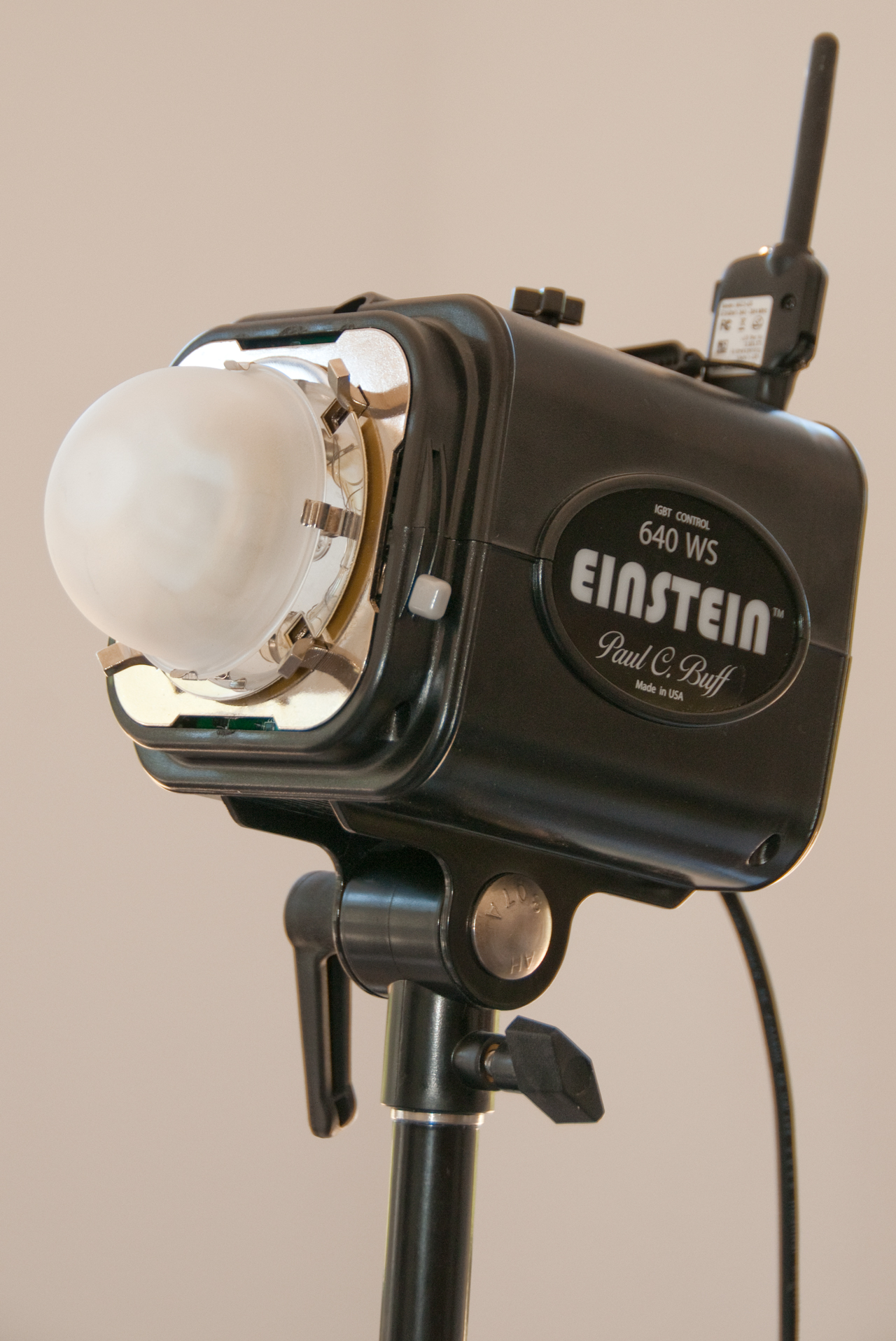
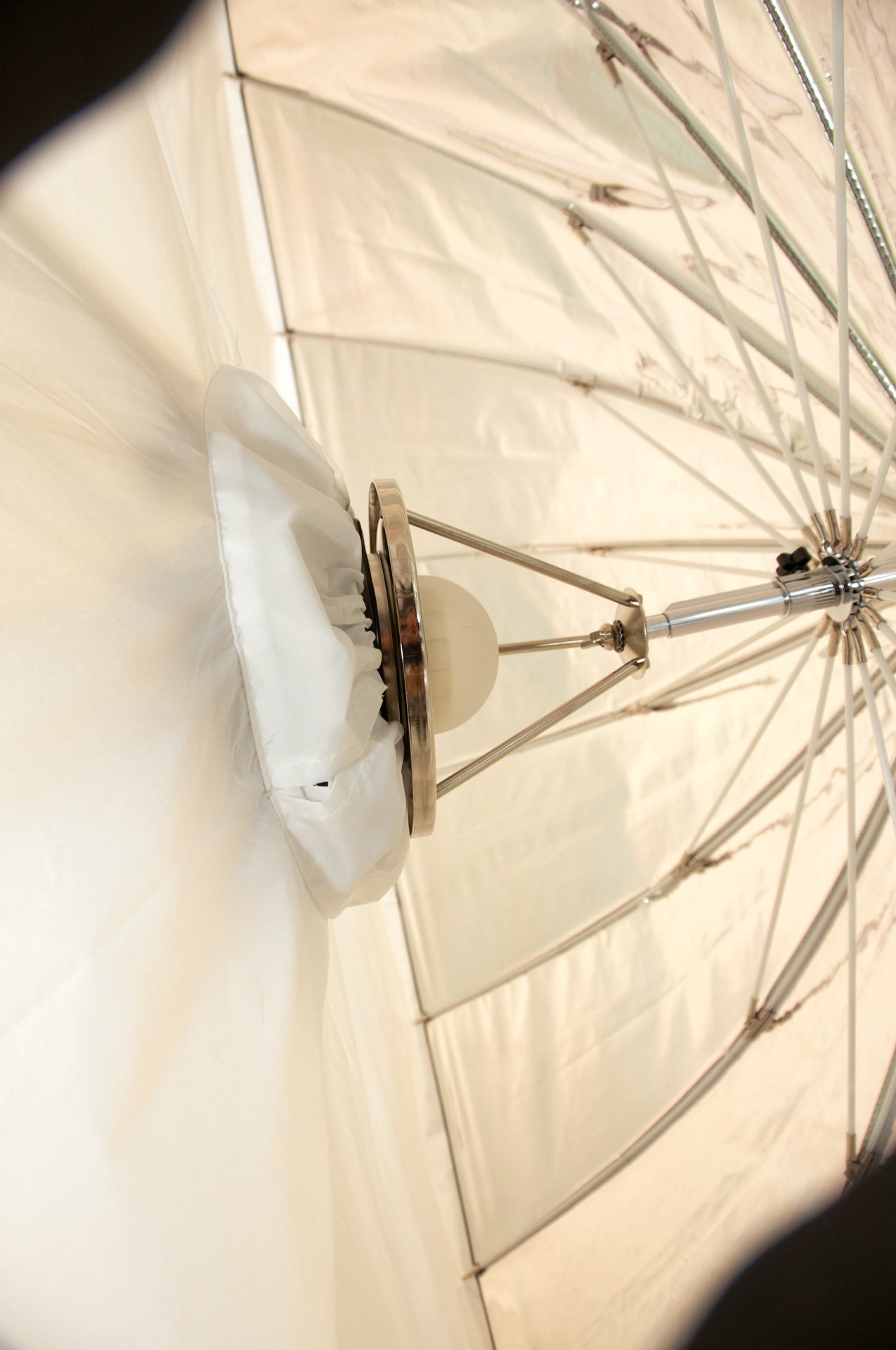
Triggering with Pocket Wizard MC2 receiver (one of the new advanced feature units) and FlexTT5 in the camera hot-shoe.
The 640 does not (and can not) support FP high speed sync like the Nikon SB-900 hot-shoe flash.
Vagabond Battery Power for E640
 |
 |
Battery with Power Pole
Connectors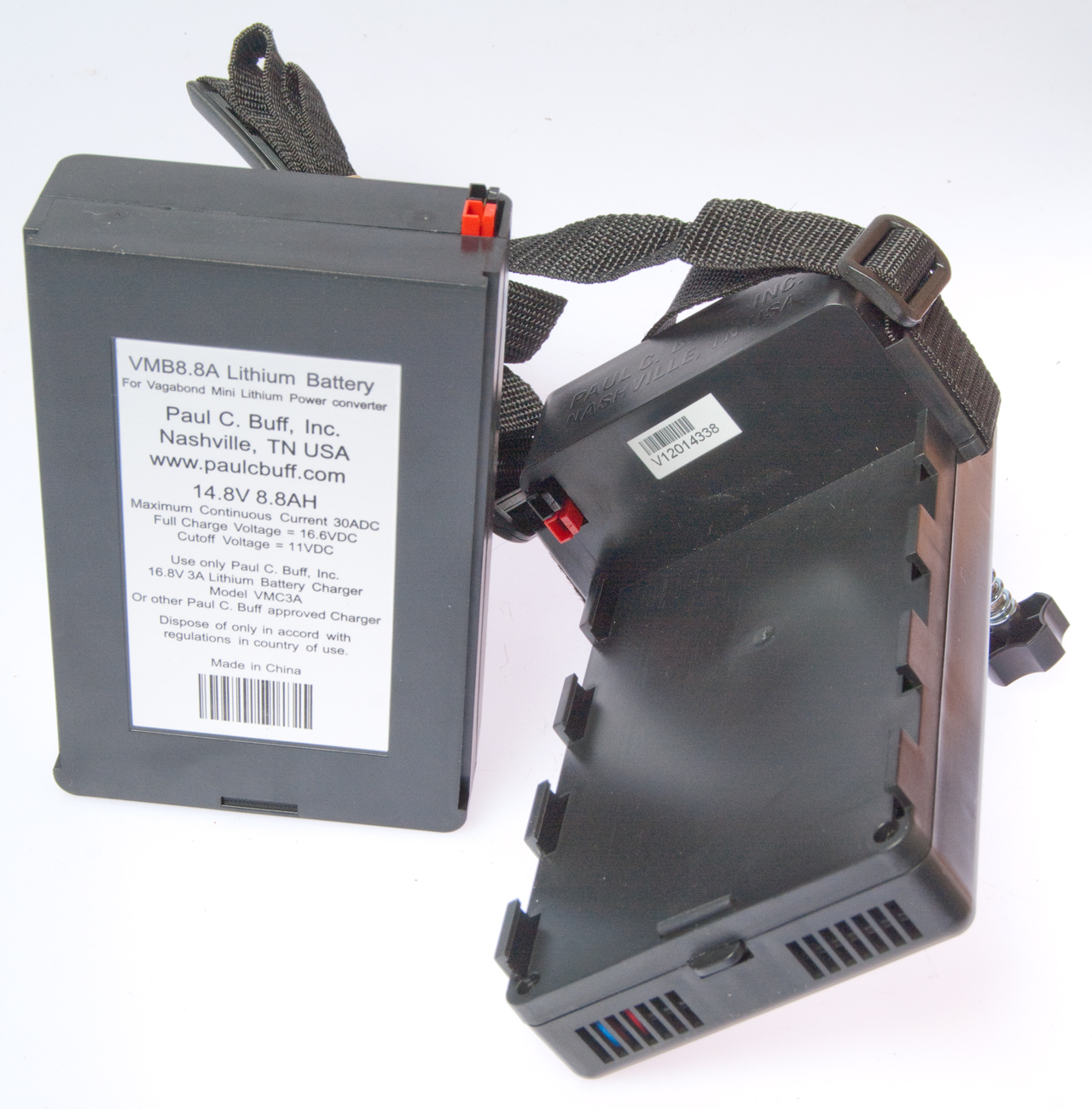 This is a "12 Volt" battery rated at 8.8 AH. The UBI-2590 (BB-2590) is only rated for 6.8 AH. |
Pocket Wizard PowerMC2 interface for the E640
Nikon SB-900 Speedlight
SC-28 Extension Cord
Diffuser
Yongnuo YN-565EX Flash
Light Modifiers
PLM Unbrella system
The hollow tube connected to the ring mount should be positioned so that it's far end is flush with the end of the short larger tube at the top of the umbrella, like if you pushed it aginst a wall.
51" PLM Umbrella
 Notice light on floor is much larger than umbrella diameter. |
 |
86" PLM Umbrella
There are some shadows.
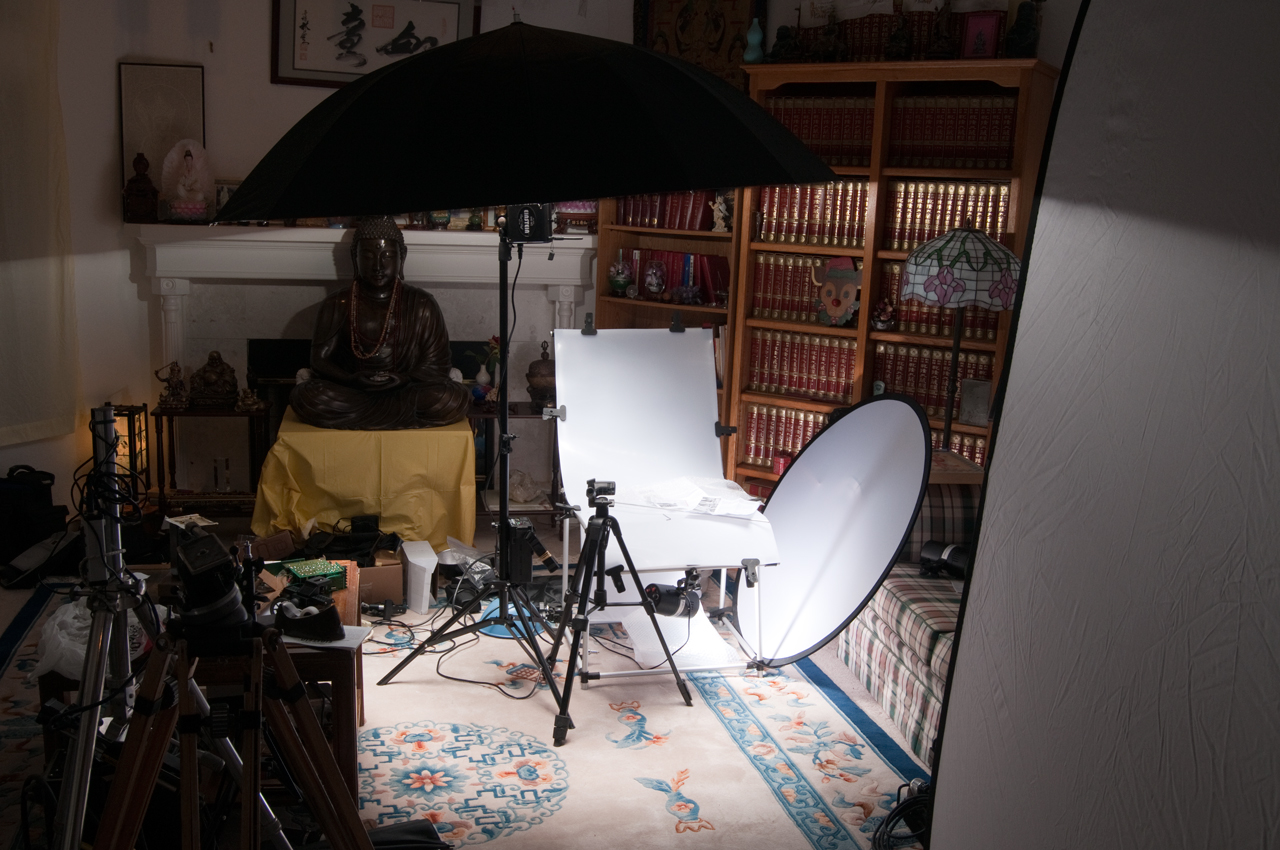
22-inch Retro Laser
The box attached to the light stand is the Paul Buff Vagabond battery powered 120 VAC power supply. When the line cord is plugged into this supply the studio strobe can be used outdoors.
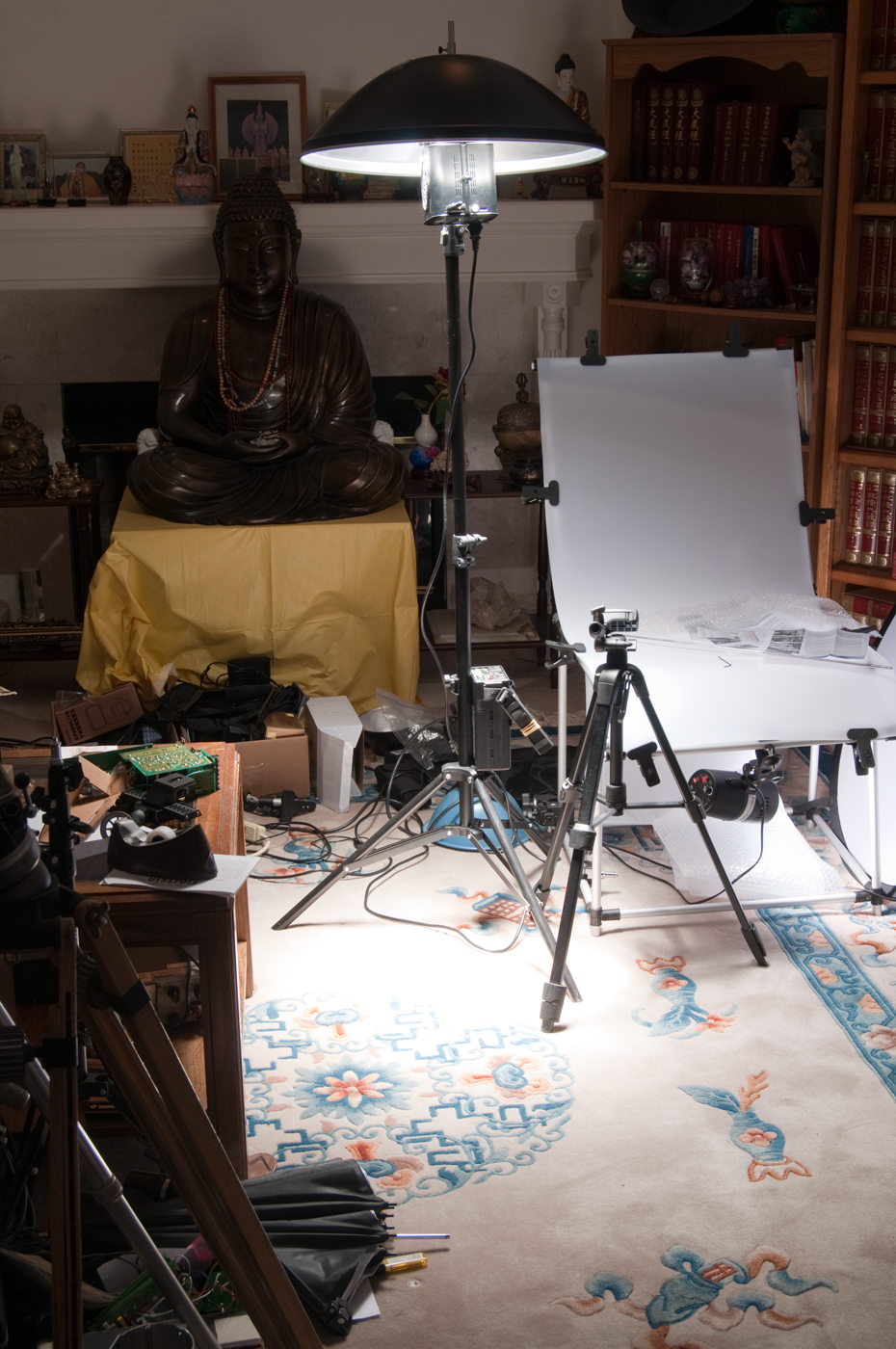

8.5-inch High Output Reflector
Accessories
Balancing Flash & Other Illumination
The exposure from the flash depends on the f/stop and flash brightness since the duration of the flash is very short so changing the shutter speed has little effect.
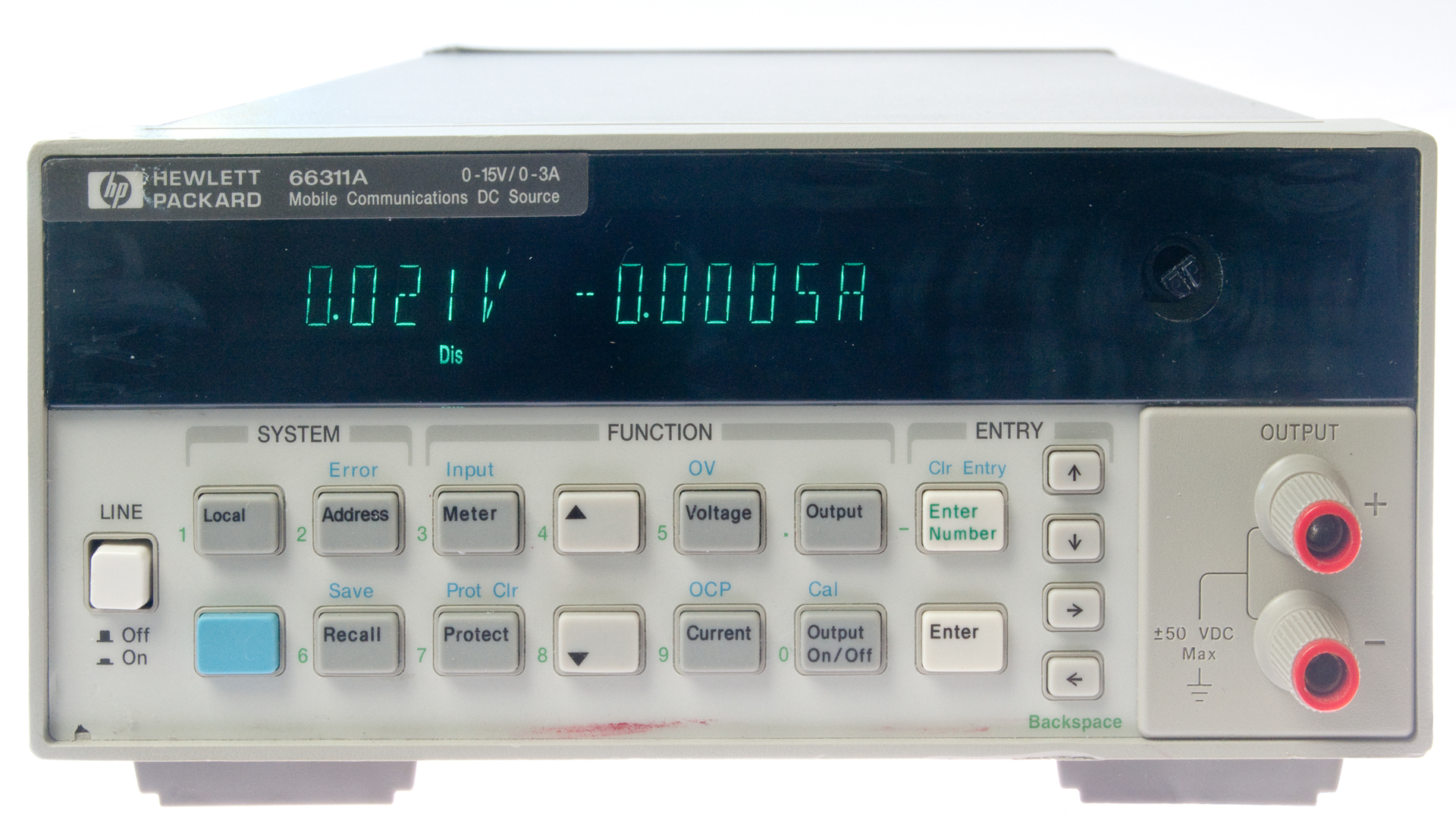
So, when there are two different light sources you can set the flash exposure independently of the other source. An example of this is when photographing test equipment (HP 66311A) where there is a self illuminating front panel display. First the flash exposure is determined then the shutter speed is slowed down until the display can be seen. In this case f/22 @ 1/2.5.
Metering
Patents
Thomas Strobemeter Model 1B |
 |
| 3049050
Exposure Meter for Photography, Frederick A. Thomas,
Aug 14, 1962, 356/215; 250/206; 250/214.00P;
355/68; 356/225 - Calls:
2360082 Method for Determining the Breaking Time of Stratus and Fog, N.C. Stone (Pasadena Res. Found), Oct 10, 1944, 356/72; 73/170.27; 250/214.00R; 250/573; 356/3; 356/215; 356/434; 361/175 - Photocell measures
light to predict when stratus clouds or fog will
clear
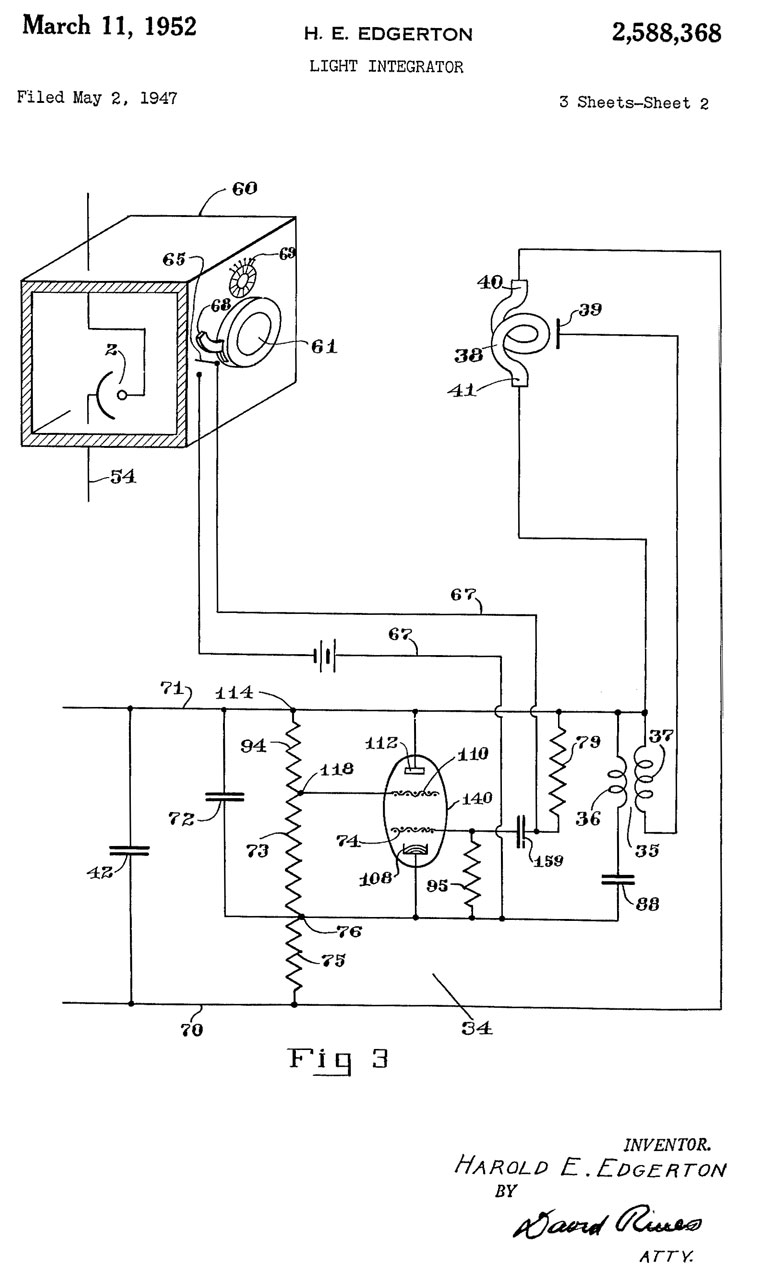
2588368
Light Integrator, H.E. Edgerton, Mar 11, 1952,
356/215; 73/1.56; 250/214.00R; 250/225; 250/229;
324/102 - 2633784 Photographic Printer, P.C. Cofield, Apr 7, 1953, 355/83; 356/443 - dumb idea to control
light source when printing. According to
Ansel Adams (Minor White Zone System Manual) the exposure
is that required to print film base as black.
|
GR 1501 Light Meter
This meter was designed specifically to measure the light
output of strobe flash tubes (like the GR
Strobotac), also invented by Harold
"Doc" Edgerton. The third page of figures shows
it also being used to measure the output of a flash bulb.
GR 1501 photos courtesy of Jason Hathcock.
Fig 1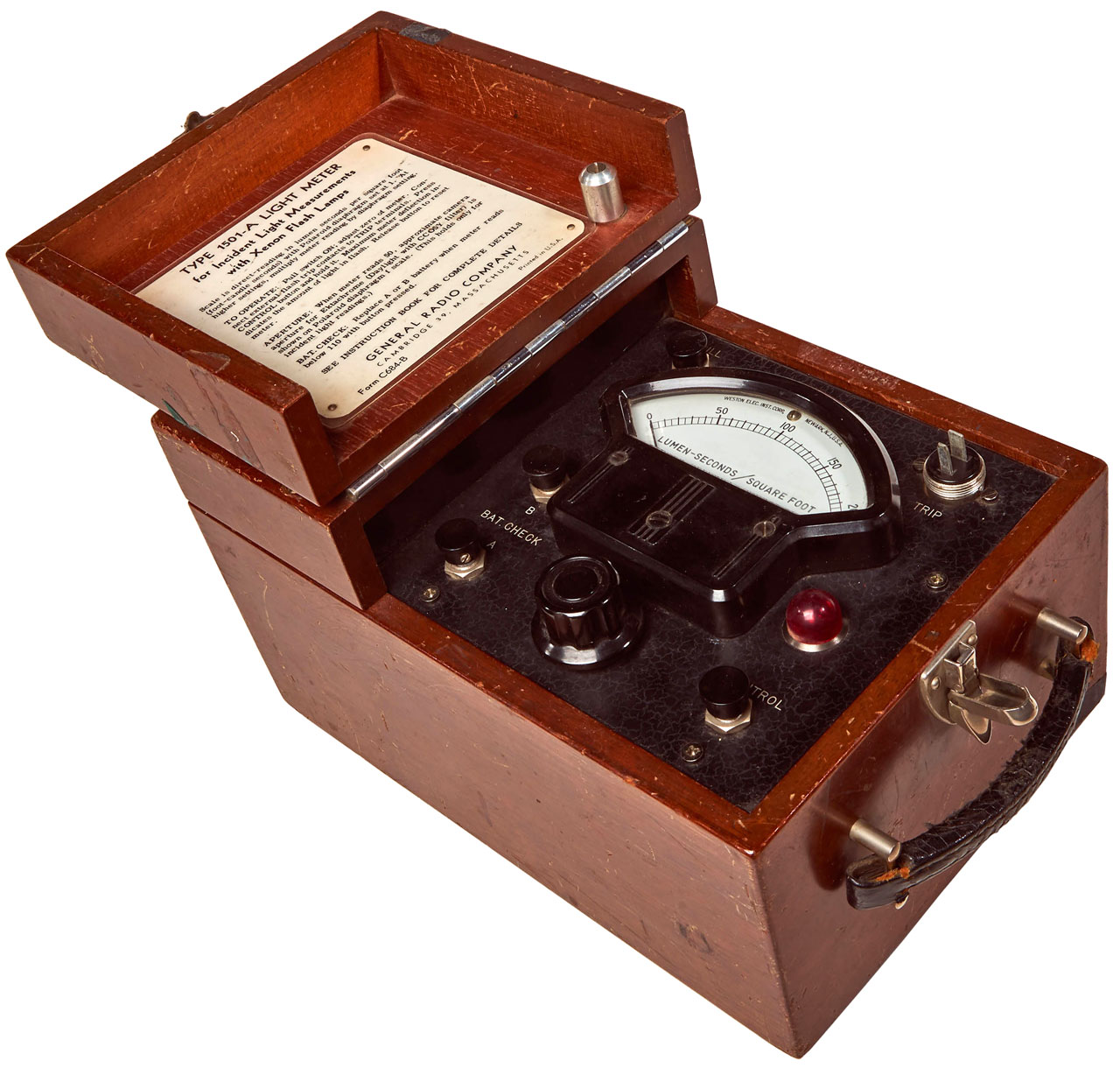 |
Fig 2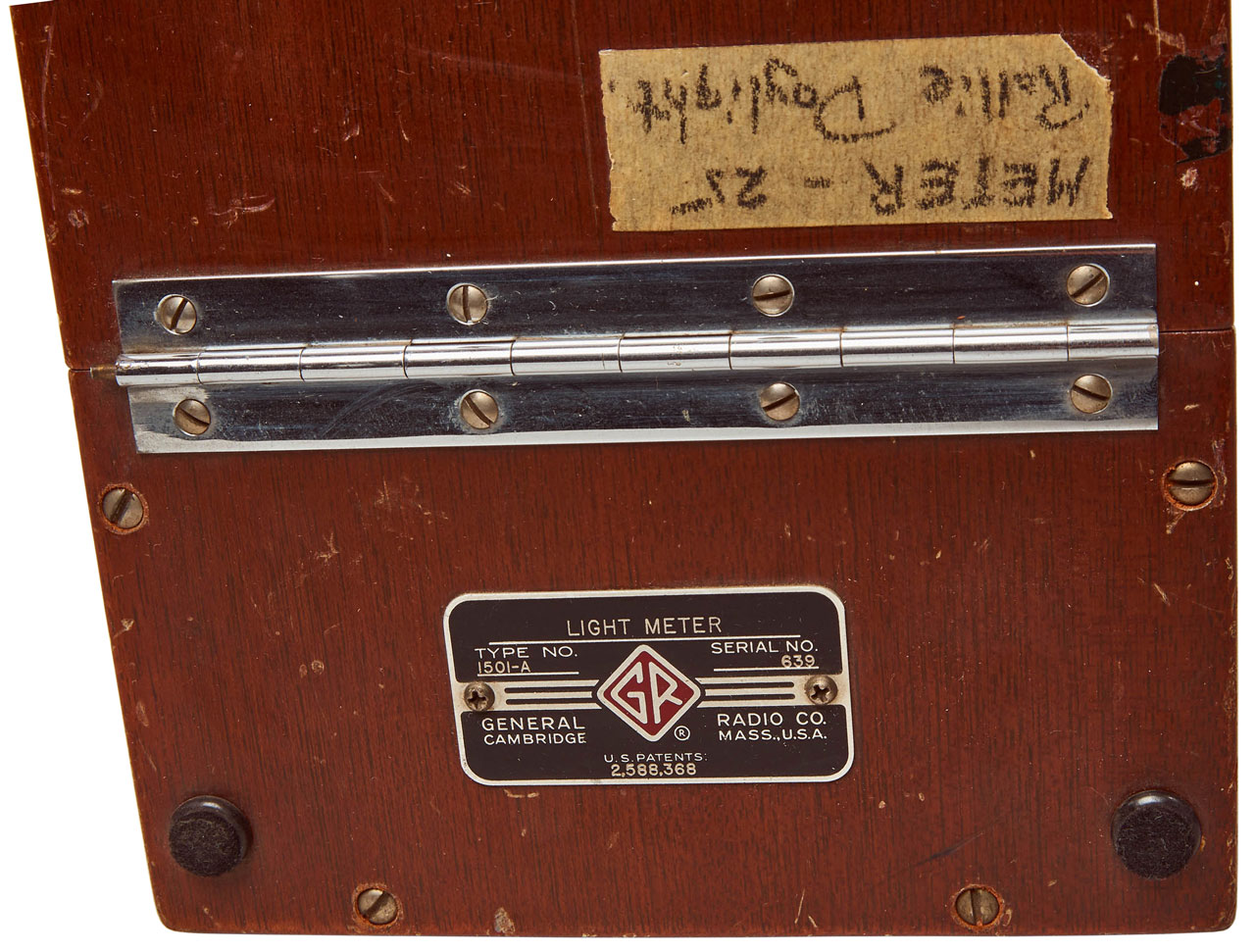 |
Fig 3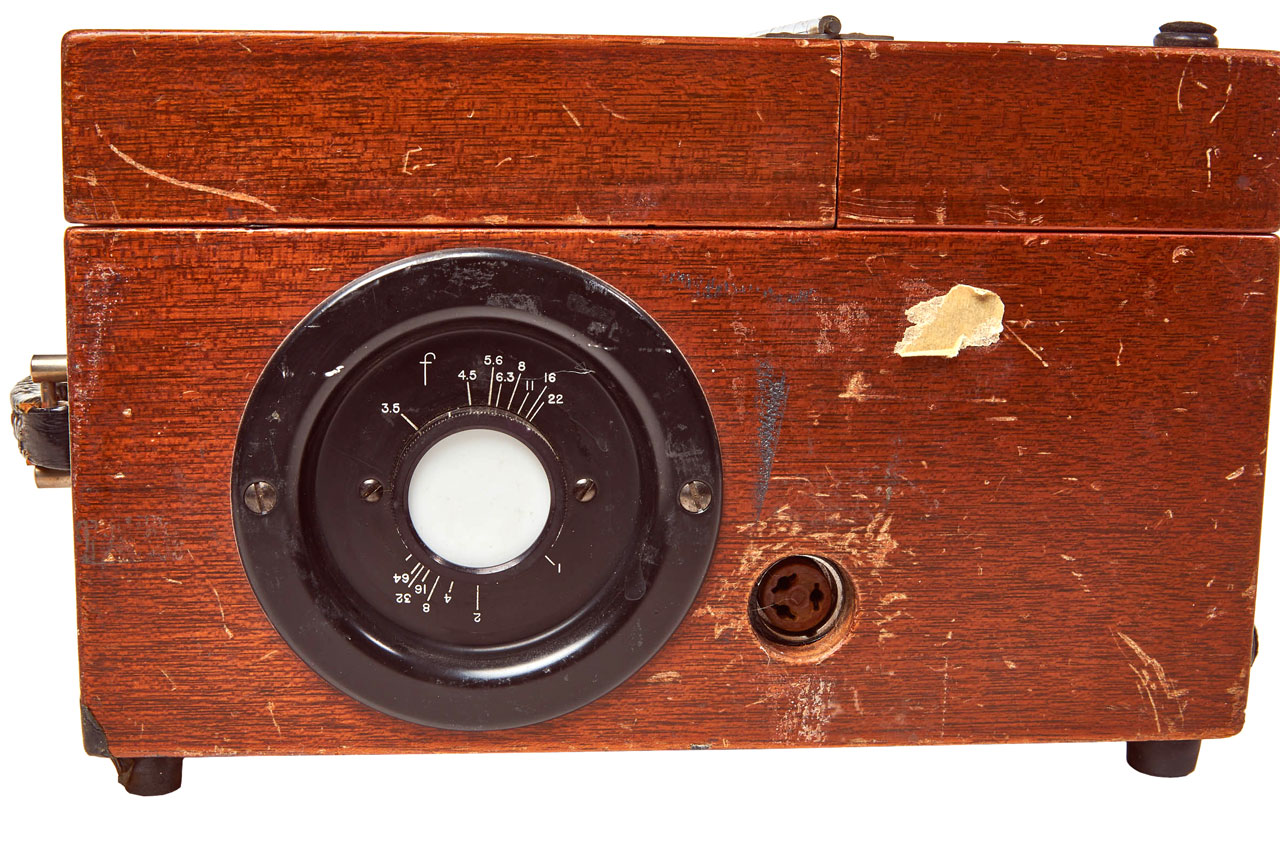 |
Fig 4 1P39
Cold Cathode Photocell |
| Fig 5 3 ea No. 455 = 3*45V = 135V. 1 ea No. 742 = 1.5 V (maybe 4 parallel "F" cells)  |
|||
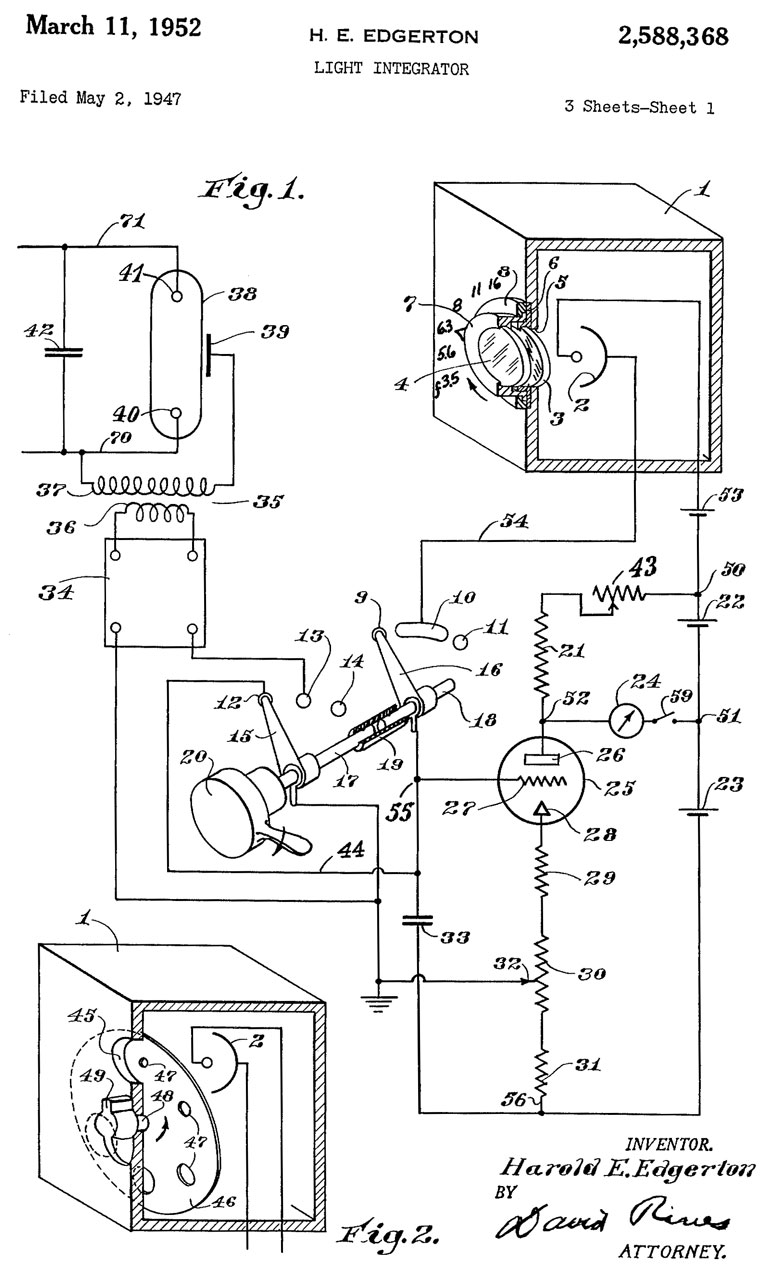 |
 |
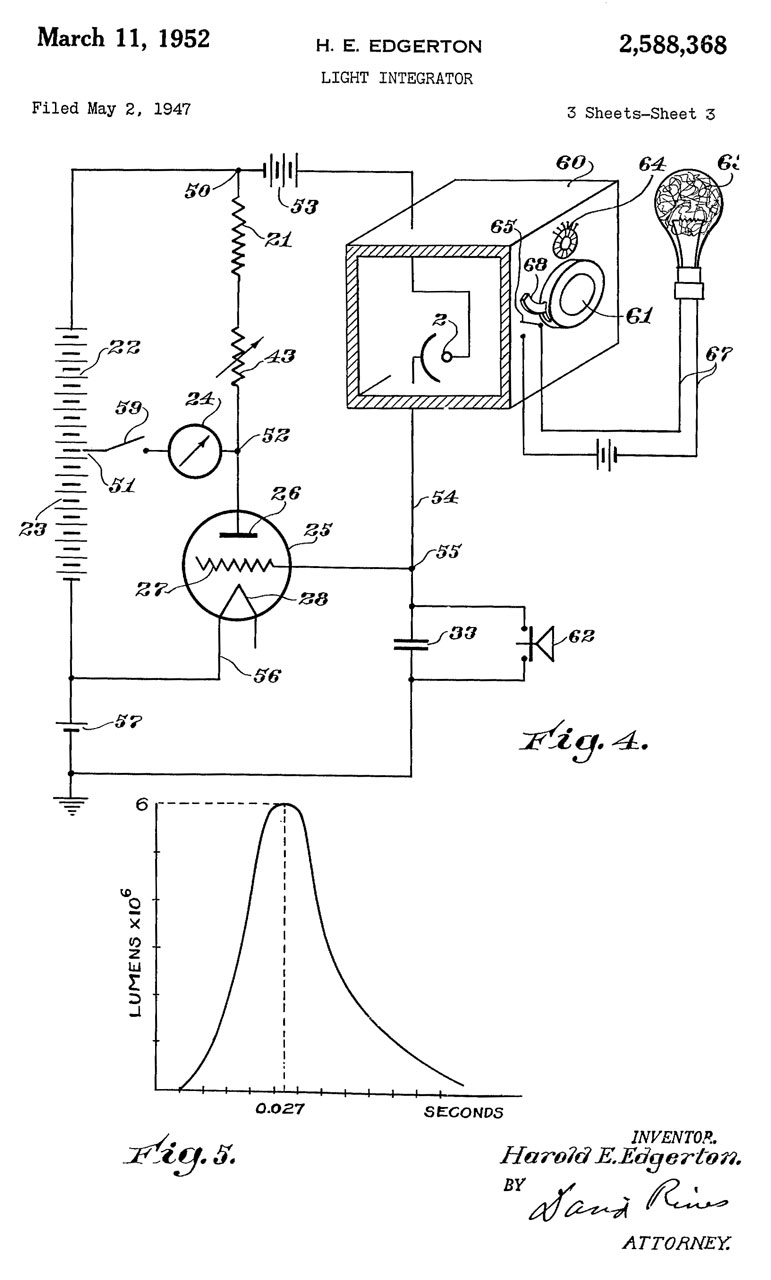 |
2588368
Light intergrator, Harold
E Edgerton, Filed: 1947-05-02, Pub: 1952-03-11,
356/215; 73/1.56; 250/229;
250/214R; 250/225; 324/102- Also see: Harold "Doc" Edgerton - inventor of the strobe tube & Strobotac GR Strobotac, Sonar & Krytron - 631 & 1531 Strobotac (patent for 1531 is close to the 1501 patent) Graflex Stroboflash IV - Egerton involved in design |
Related
Digital Photography 201: Stacking Images
Digital Photography 202: Close-Up, Macro & Micro
Digital Photography 203: Color Management
GR Strobotac, Sonar & Krytron
Harold "Doc" Edgerton - inventor of the strobe tube
Optics
Photography - general historical
Photoflash - historical Electronic flashes for still cameras
Nikon - cameras, flash, lenses, etc.
Nikon SB-25 Ceiling bounce and light box
Tripods
Ukiah - a number of photos
Ultraviolet
Weston Model 594 Photronic Cell & many other light meters
Foot Notes
Some comments:
1) When I download the complete manual as a pdf file there are a number of places I see html code and in all those cases it appears to be related to a video, but the code is not a valid URL so there's no way for me to see the video. You might consider making these links to you web videos.
2) I can not get remote shutter release to work. Tried updating both units to the latest firmware version. But I don't see a way to confirm what firmware version they have. You might consider displaying the firmware version when connecting to a device.
3) I tried to do an on line registration, but was not able to because the form requires the dealer city and state. You might consider an "About" tab on your web page with your address that way I could fill out the form and be registered. A better thing to do is provide an option for the dealer that includes an on line purchase directly from you.
4) I tried to use your Wiki, but it requires registration, which means I can't access it (see 3 above).
5) I tried to phone you, but there was no answer. You might consider posting the days and hours when phone support is available.
6) Utility program (ver 1.35) displays the firmware version in a format that's different than what's displayed in the literature and when downloading new versions.
7) Most of the press releases on the PW web page do not have release dates.
8) The LED on the MC2 receiver for the E640 (a) is hard to see if it's blinking, (b) is a TEST button, but there's no description of what it does.
9) the effect of holding the TEST button on the FlexTT5-Nikon then powering up and waiting for the 1, 2, 4 LED blink sequence is not clear. I think it reverts the units to factory default settings, i.e. channel 1.
3. The Einstein E640, battery power supply and a few light modifiers arrived. The MC2 does not work at all. At least the light on the FlexTT5 blinks when trying to use a pair of them for remote shutter release. Called Pocket Wizard at 6am California time, again was routed operator -> service -> answering machine with just a beep. Again requested a call back. Sent a backup email and later received an anwer pointing me to their web pages, pretty all of which I've now read and think have complied with.
It's 4:30 pm Tuesday and still no useful help.
11) is FP-sync supported with the E640