Computer
© Brooke Clarke,
N6GCE 2000 - 2025
also see HP Rocky
Mountain Basic (RMB) instrument controllers (computers -
calculators)
USB vs. PS/2 Keyboards & Mice
Tube Circuits
Microprocessor
Microcontroller
Military
SWTP Kit
Operating System
ASR33 TTY
ADM-3A Glass TTY Kit
Sirus Cybernetics VGA-1
Ferro Resonant Power
Transformer
Intel 2102 Static RAM Memory
Audio Cassette Tape Data
Storage
8" Floppy disk DMAF1
5 1/4" Floppy Disk
3.5" Floppy Disk SSSD
Don Lancaster TV Typewriter Kit
Lear Siegler ADM-3A Dumb
Terminal (Glass TTY) Kit
TI 810 Dot Matrix Printer
Epson FX80 Dot Matrix Printer
Wood Cased Version
Home Brew Computer Club
Computer called the Apple
Motorola Assembler and Editor
San Francisco Computer Show
Tiny Basic
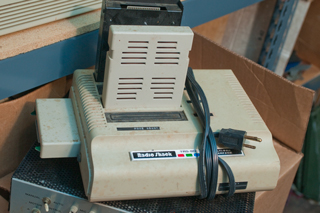
Radio Shack Color Computer
What's in a Name?
Displays
Lamp
Neon
Nixie
LED
LCD
Memory Chips & Programmers
GQ-4X
Byte Shop
Calculators
HP 9100
HP 35
HP 41
HP 48G
HP 80
Series
TI Speak & Spell
Versions
Photos
Power Supply
Keyboard
Miniature Electronic Calculator
(TI-1400)
Keyboard Patents
Chips
Patents
Federal Screw Works Votrax
Magnetic Storage
Curta Calculator
Patents
Links
USB vs. PS/2 Keyboards & Mice
March 15 2008 - I have a KVM switch
connected to the
HP 4395A, an HP
Pavilion computer and my working computer via PS/2 and 15 pin
Video cables.
For the last two days I've been trying to replace the mouse
(sometimes does not send signal even though it "clicked", or sends
two signals for a single click) and keyboard (some keys don't
always send a signal).
First tried a "Wireless Desktop" thinking it would be nice to
eliminate the mouse wire. There were two problems:
1) there is only one common unit with a USB connector.
Plugging that into a USB to PS/2 adapter allowed the mouse to
work, but since nothing was plugged into the keyboard socket on
the KVM switch, not keyboard. OK, my plan then was to just
get a wired keyboard and keep the wireless mouse. But after
a while it was clear that the mouse hangs up when the computer CPU
is working hard OR if the common unit is near almost anything
electronic, like a WRT350 wireless router or a Maha AA battery
charger. So back to wires for both keyboard and mouse.
Next tried wired Logitech Wave keyboard and Microsoft Comfort
Optical Mouse 3000. The mouse came with a single piece green
PS/2 to USB adapter and plugged right into the KVM switch and
worked.
The keyboard did not come with an adapter, but I already was using
one of the green ones identical to the one on the mouse port so
tried it. No luck the keyboard will no communicate with the
computer.
A SOLUTION: Instead of just rebooting the computer it was
powered down then brought back up. It found the keyboard and
now it's working.
Tube Circuits were First
During W.W.II there was secret work
in the UK and US that used tubes to speed up the process of
cracking German
ciphers. Later
tubes were used in
counting circuits
which led naturally to tube circuits that could do mathematical
operations. This led to general purpose computers based on
tube technology.
I don't know if there were computers built using descrete
transistors since very shortly after the transistor was invented
Fairchild started making RTL digital logic ICs and TI started
making TTL logic ICs. Both of these were used to make all
kinds of things including computers.
If tubes had not come about then relay based logic might have been
the first technology used for a general purpose computer.
Intel is just down the road from Fairchild in Silicon
Valley. There is a street in Santa Clara, California ( a
couple of cities away from Mountain View where Fairchild started)
that has liquid Nitrogen pipes in the street and is a utility like
water and electric.
Microprocesor
A microprocessor is a computer on a chip. It has:
- data bus
- address bus
- control lines
The Intel 4004 was the first chip that had general purpose
capability. It was made for use in a hand held 4 function
calculator and/or for use as a traffic light controller. It
used 4 bit words, enough for numbers but not enough for 8 bit
ASCII characters. The 8008 then 8080 chips were 8 bit data
word chips.
The microprocessor works like a Turing machine
(Wiki)
in that it stores data and instructions in the same memory (Wiki:
Computer architecture).
Microcontroller
The microcontroller is a much more
modern part. Instead of having the classic address and
data buss I/O pins it has register pins that can be digital
I/Os, analog inputs/outputs, serial buss signals, or other
things that relate directly to hardware interfacing. These
are typically used in embedded control applications not for
general purpose computing. The PIC line from
Microchip is a typical
example (
16F88).
The PIC family of microcontrollers uses the
Harvard
architecture (
Wiki)
where there are separate memories for data and
instructions. This not only prevents reading data as
instructions or storing data in locations that are for
instructions but also makes for faster operation.
Military
Black
Diamond (company external web page) - Modular Tactical
System (MTS)
This was my first personal computer. It came as a kit and
there was no software available when I got it. It came with
the Motorola 6800 pocket hex instruction card.
The 6800 has a Von Newman architecture (Wiki)
both in terms of software and hardware. That's to say
the RAM contains both instructions and data and the hardware uses
memory mapping for the hardware interfacing. This is
different than the early Intel microprocessor chips that had
separate electrical terminals for external hardware. It's
also different from the Harvard architecture (Wiki)
used with the PIC micro controllers (PC6,
LED1PC2, PICpkg,
PIC16F88, PClock,
Precicion Clock #4).
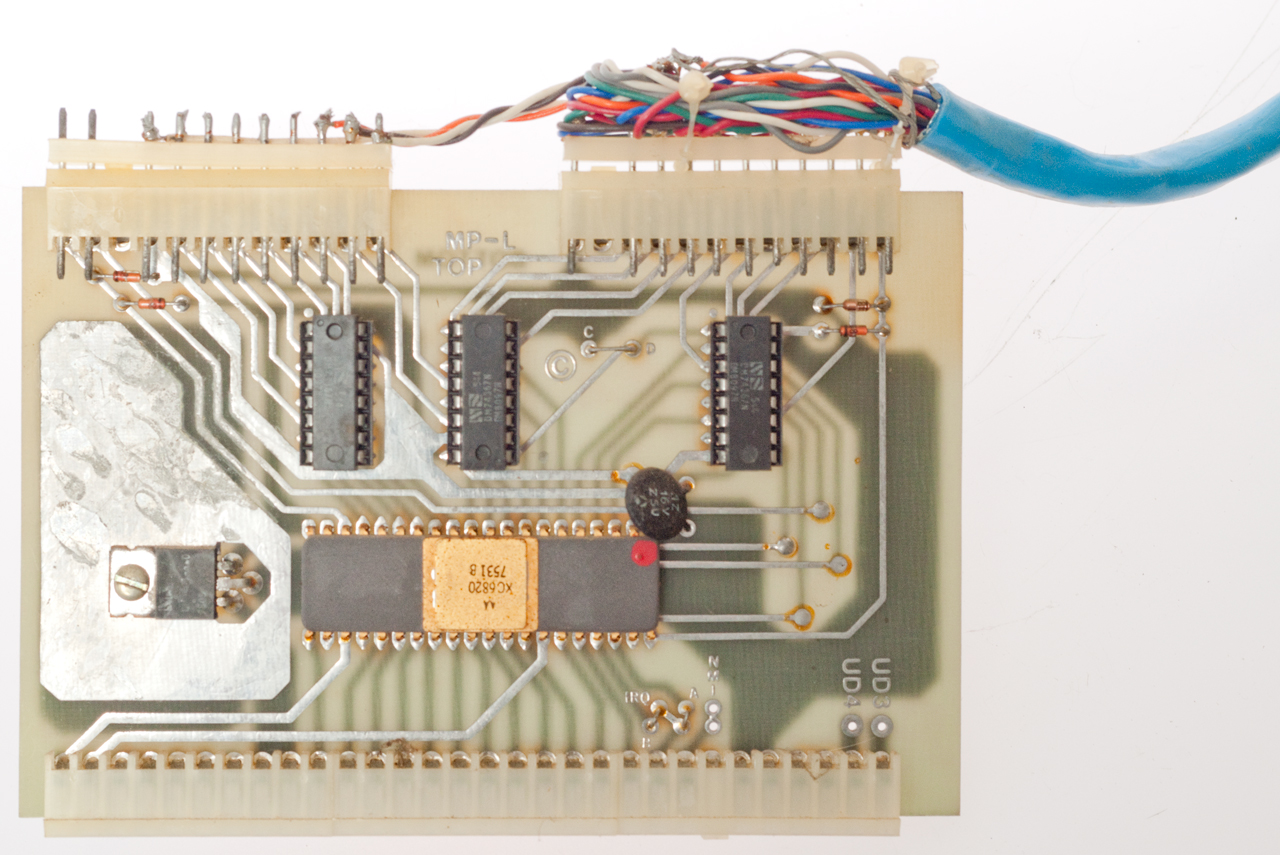
The 7 SWTP mother board slots each have the same 50 buss
lines. The mother board includes address decoding for the 8
I/O slots. This means that the I/O boards do not need
address decoding since they are already memory mapped. Note
the early Intel based home computers, like the Altair 8800 (Wiki) used
the "S-100" buss that had twice the number of connections and no
address decoding so all the cards had 100 connections making them
much more expensive.
YouTube: The 8-bit home computer
from 1975 you've never heard of, 30:12, March 26, 2022 -
YouTube: deramp5113: SWTP
6800 - Teletype
-

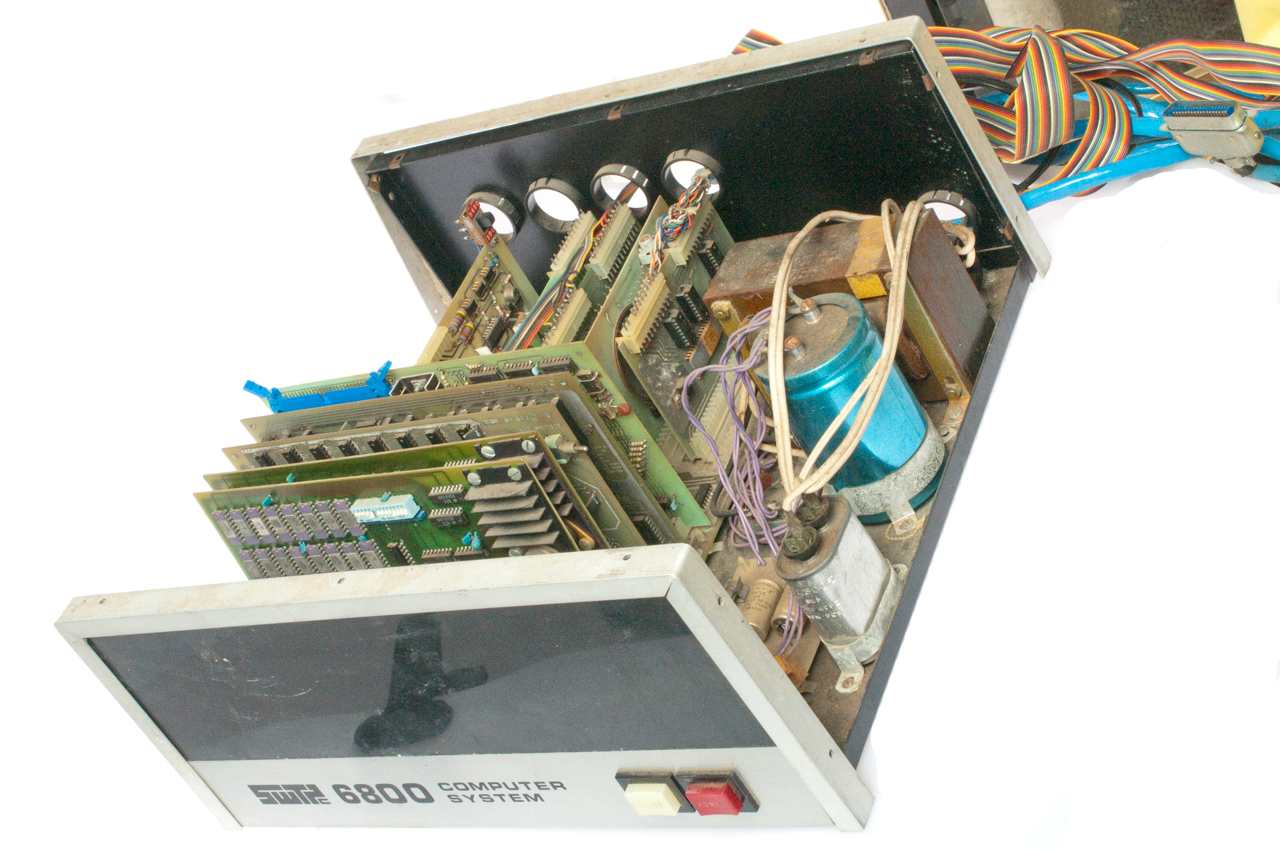
Fig 1 Shown with front and back trip strips just sitting
in place.
The expanded metal top/side cover is not shown.
|

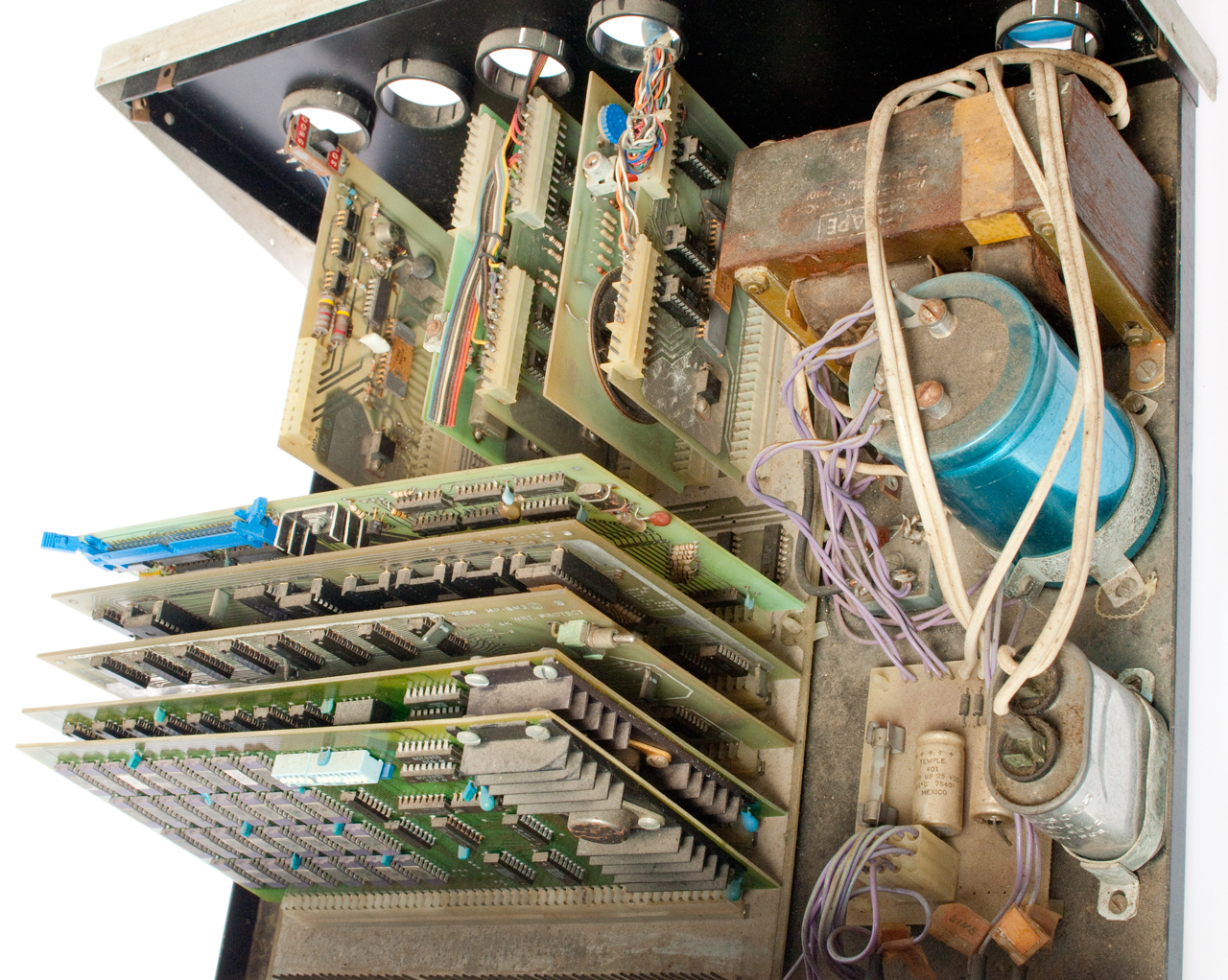
Fig 2 The silver can cap on the right with white line cord
wiring reasonates with a transformer winding.
|
Fig 3 MP-B Motherboard

|
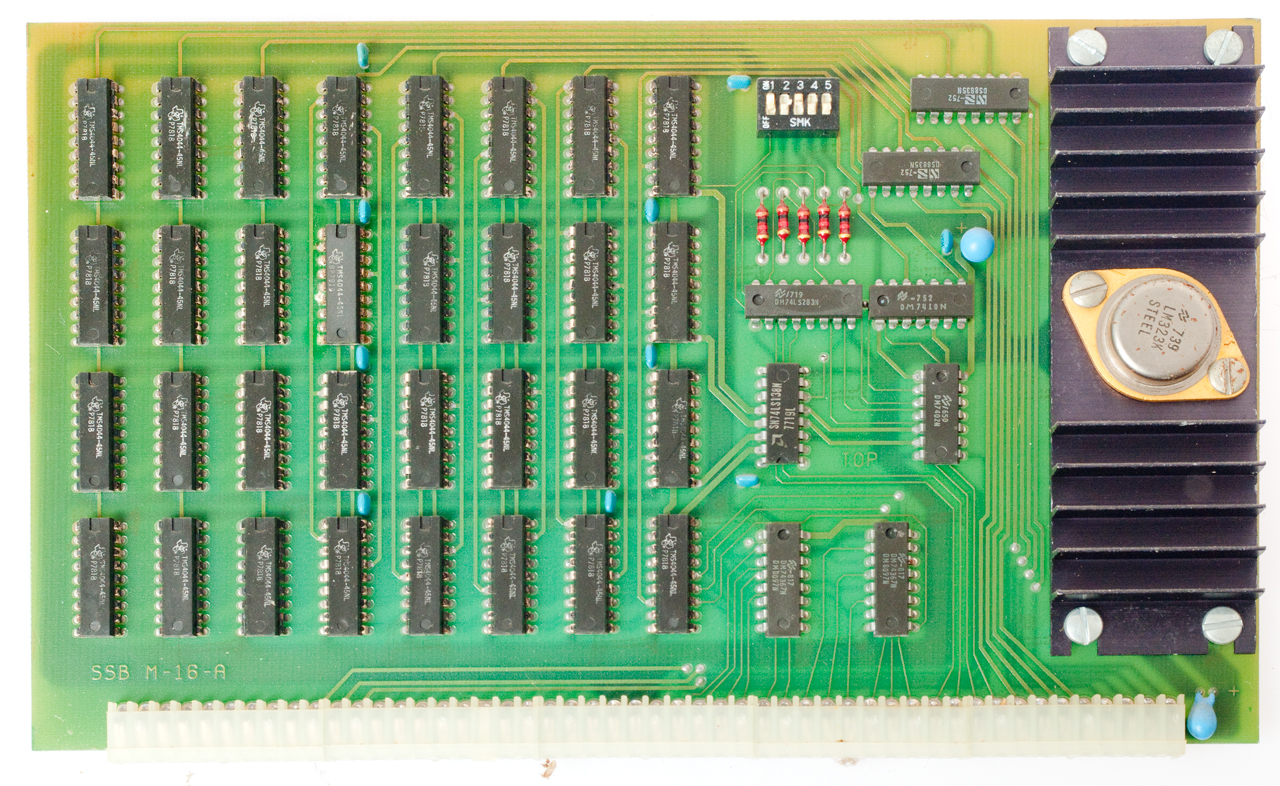
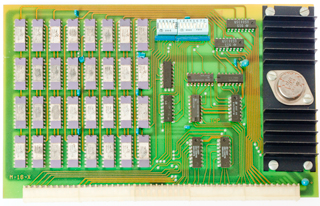
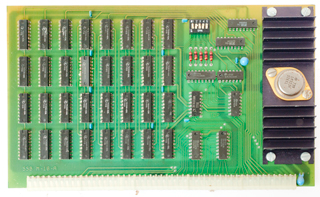
Fig 4 50-Pin RAM
Notice that the2102 static memory chips are soldered
directly to the board. Sockets were not reliable and
so
caused problems.
I had a similar problem with plug-in hard drives.
i.e. the socket caused a disk crash.
|
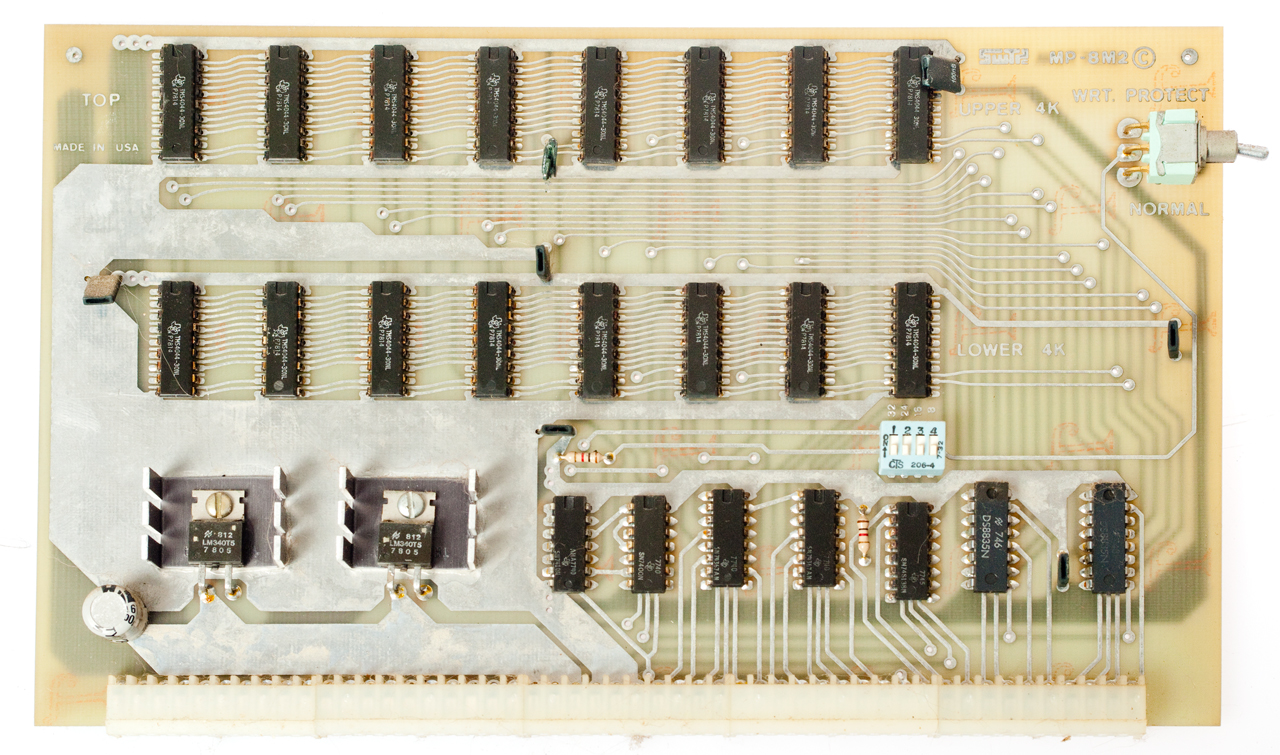
Fig 5 50-Pin RAM
|
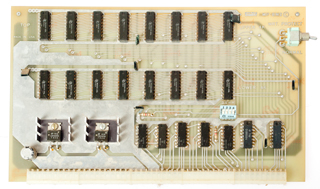
Fig 6 50-Pin RAM
This is the SWTP RAM board,
the others are after market.
|
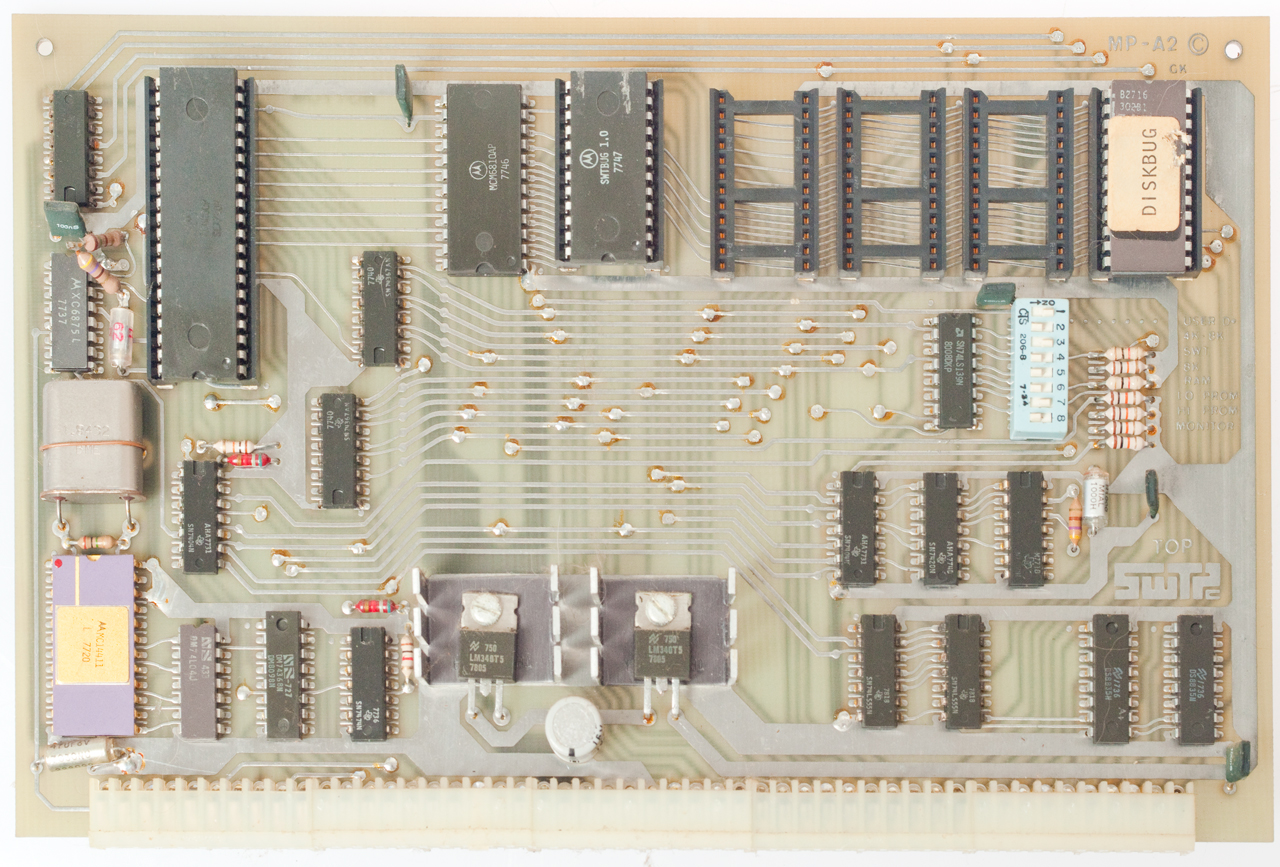
Fig 7 50-Pin MP-A CPU

|
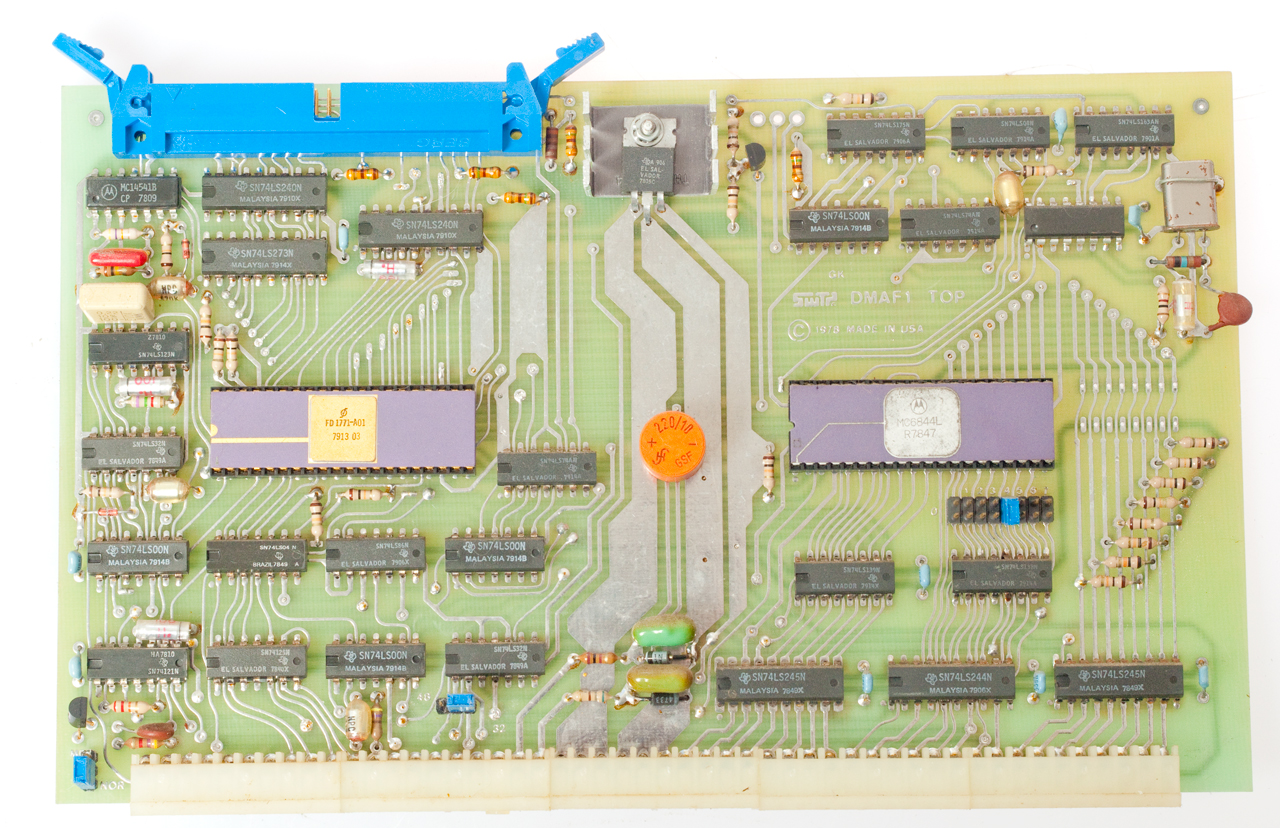
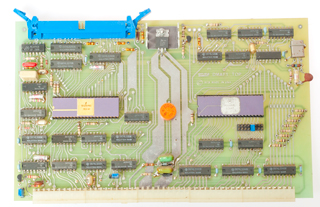
Fig 8 50-Pin DMAF1 Dual
Drive DS Floppy Disk I/O
|
Fig 9 MP-S Serial

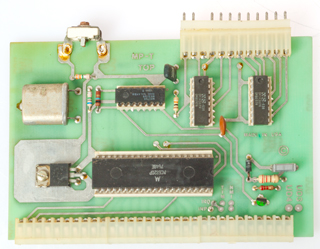
|
Fig 10 MP-T Timer
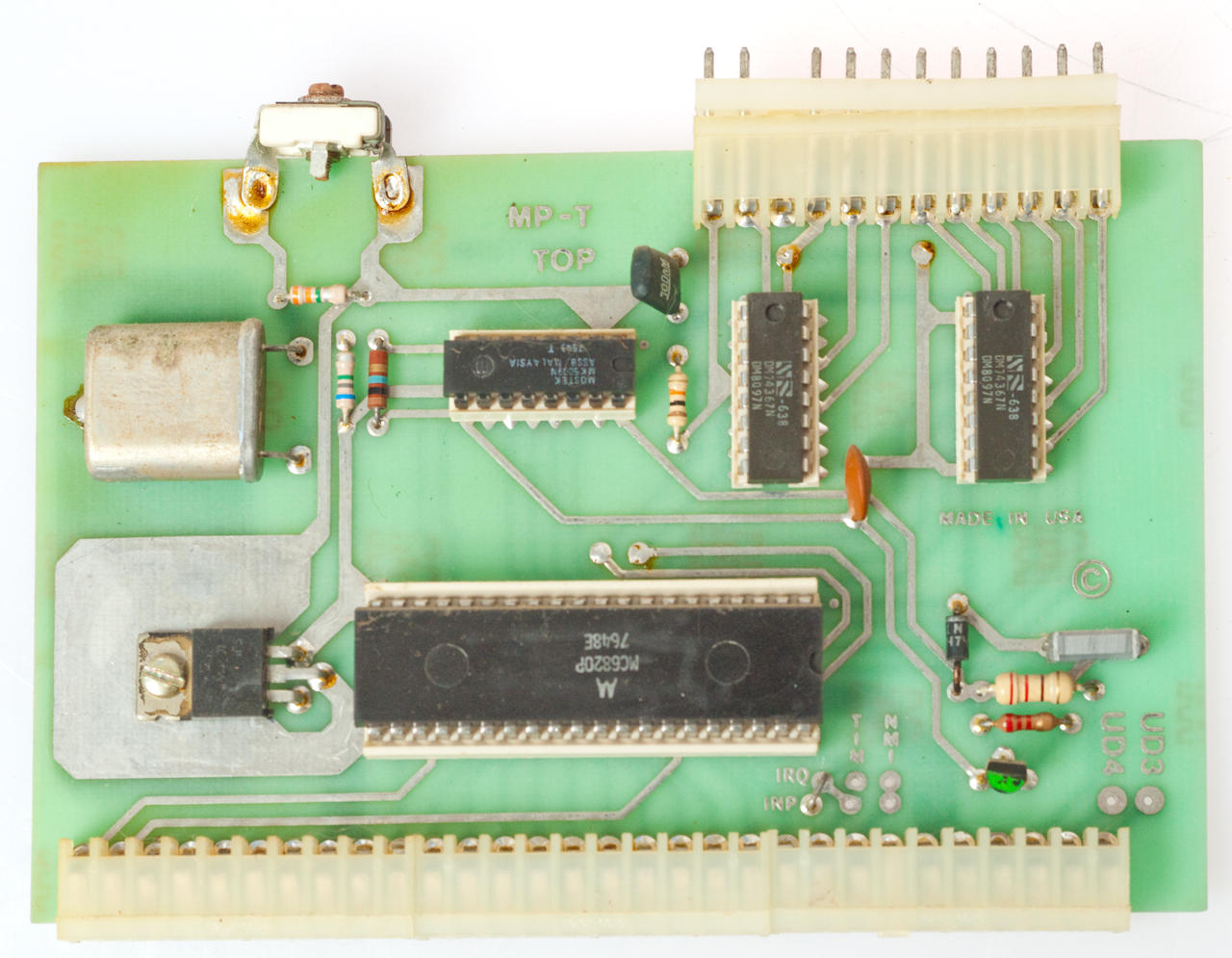
|
Fig 11 MP-LA
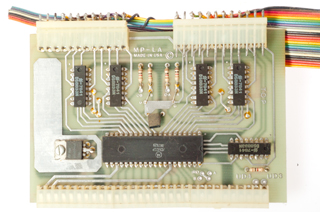
|
Fig 12 Sound (resistor
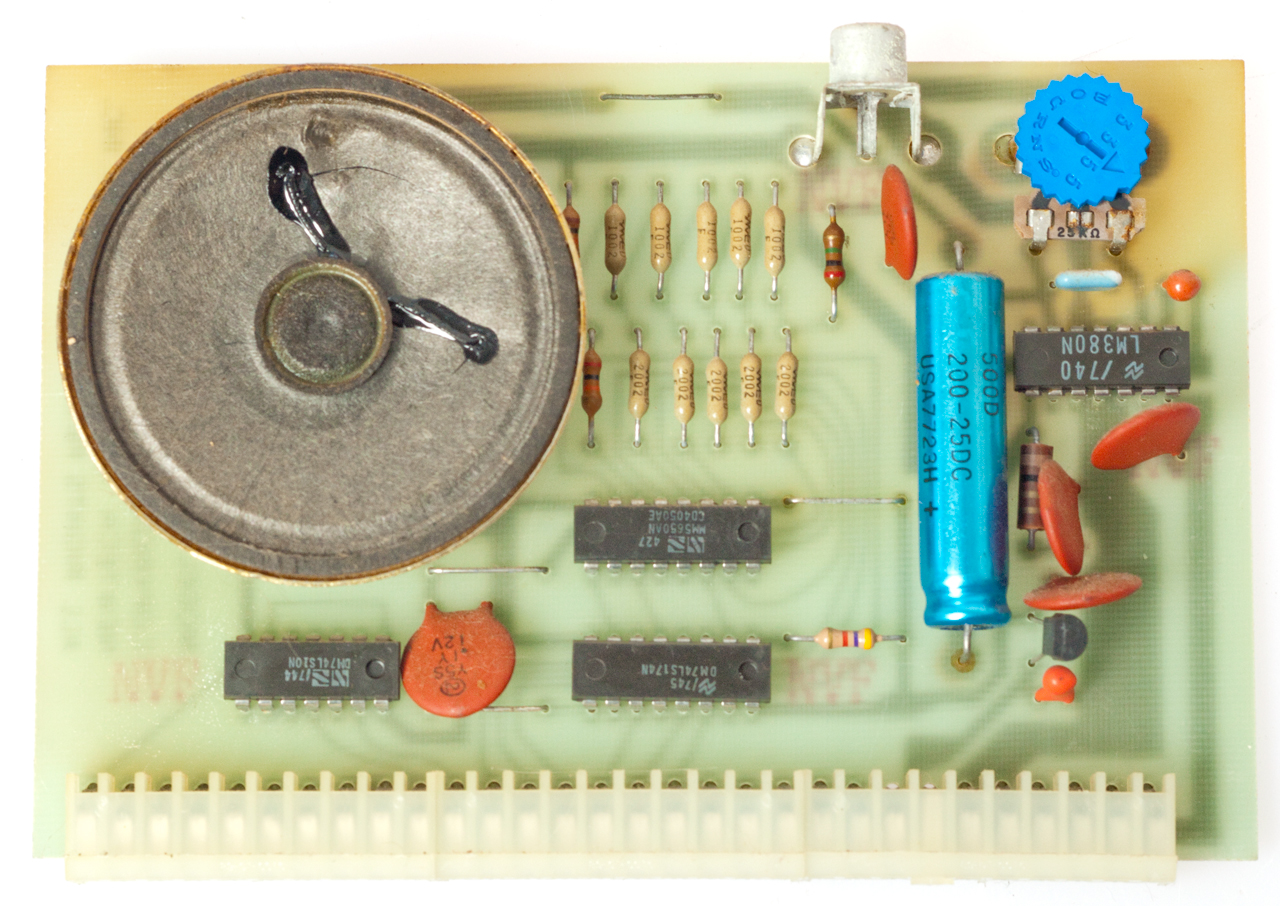
ladder & LM380)

|
Fig 13 MP-L Parallel Printer
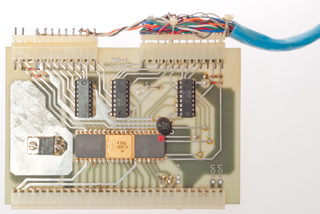
|
Fig 14 Dual YE-Data 8" Floppy Drives
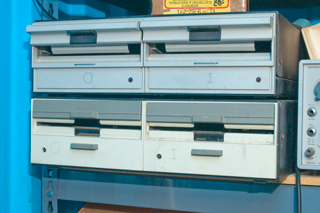
|
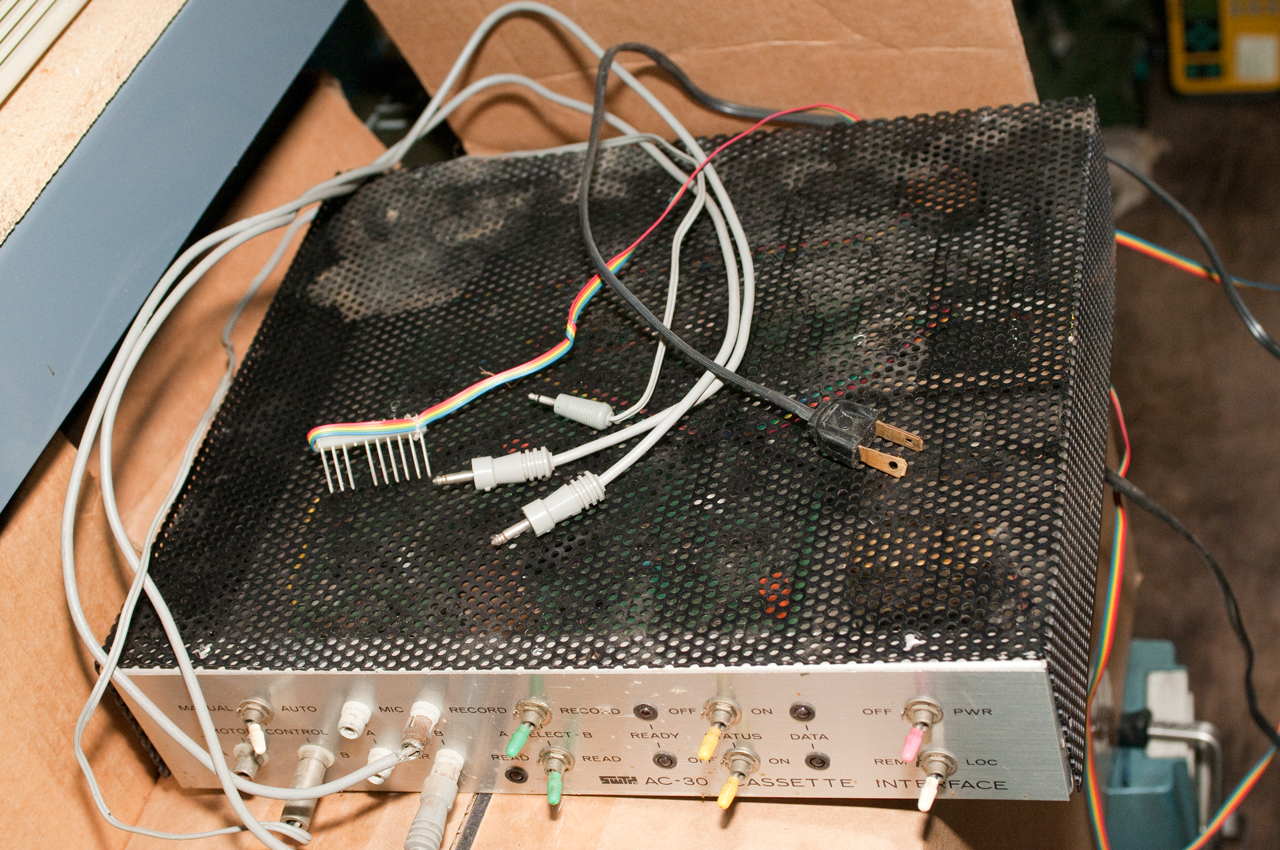
Fig 15 Audio Cassette Data
Interface
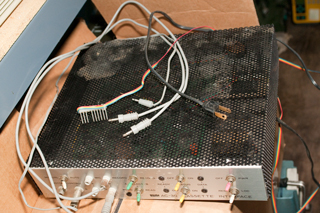
|
Fig 16 Works with two
cassette drives,
one for writing & one for reading.

|
|
|
I started with the Motorola 6800 in a SWTP (South West Technical
Products) kit. The kit came with NO software and there was
no software on the open market.
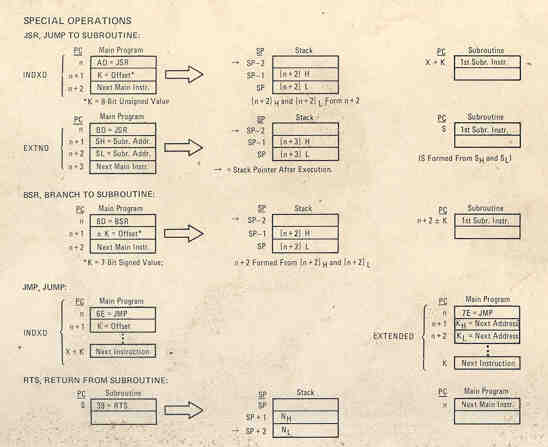
It did come with the folding Motorola wallet size machine language
instruction list. I learned how to program directly in hex
machine code. This was difficult because if you added or
subtracted an instruction inside a loop you need to recompute the
loop jump distance.
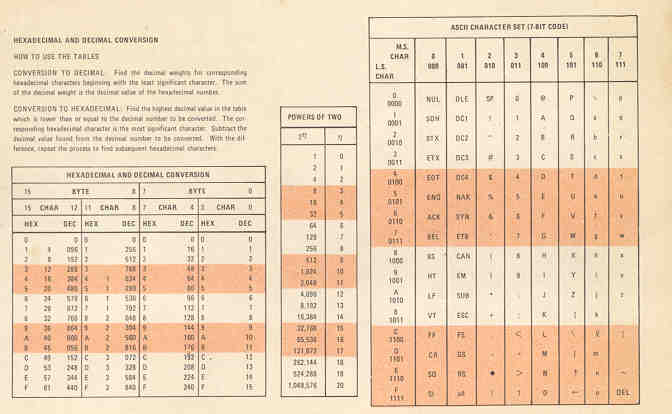
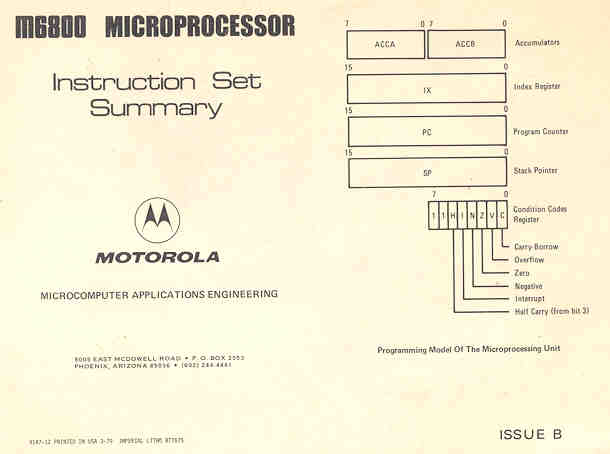
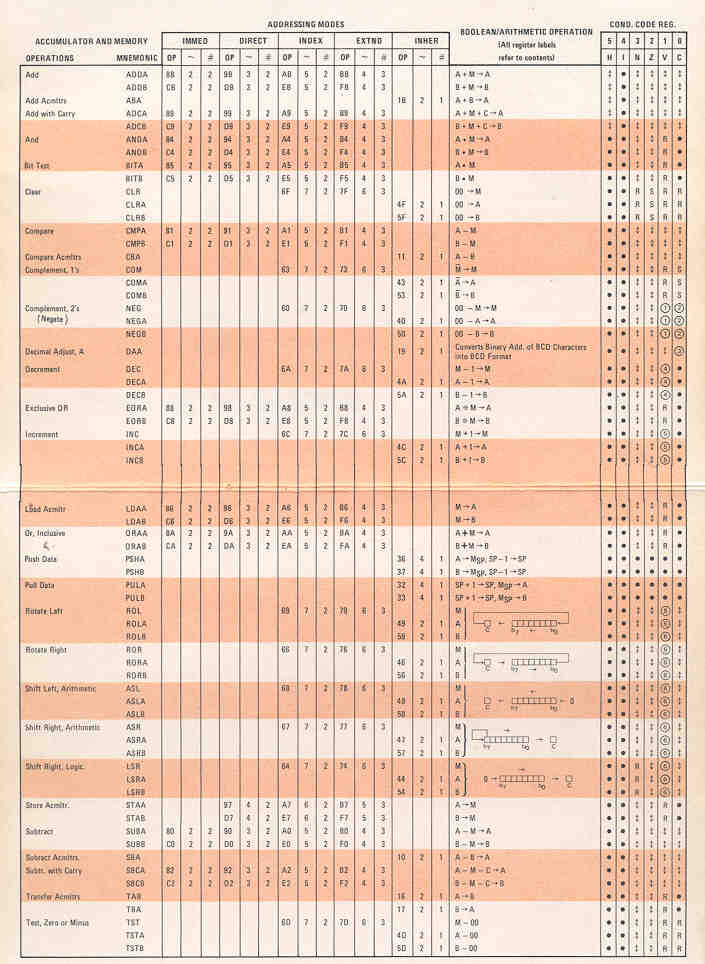
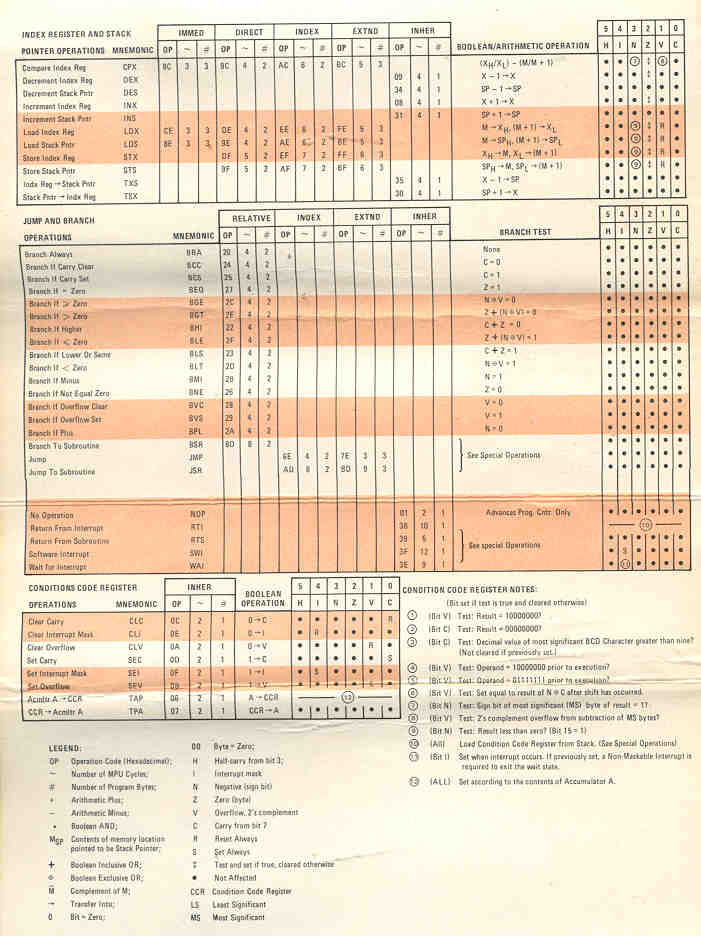
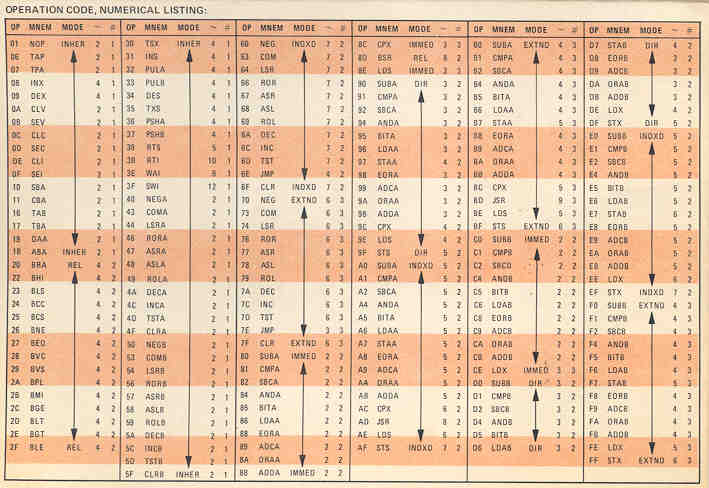
Motorola folding Pocket 6800 Instruction Set Card (Issue B):
Teletype Pocket Card with 8-level punched tape
data format - you can read paper tape by eye Front Side - Table Side (at 2X magnification)
Between bits 3 and 4 there is a row of small sprocket holes.
The special USASCII (X3.4-1967) characters are:
- NULL - no holes punched the same as reading no tape (RUBOUT
= all holes punched)
- SOH - Start of Heading
- ETX - End Of Text
- EOT - End Of Transmission
- ENQ - ENQuiry
- ACK - ACKnoldege
- BELL - rings the bell
- HT - Horizontal Tab a long string
- BS - Back Space, can be used with rubout to fix a typing
error.
- LF - Line Feed only rotates the platen one line (does NOT
move carriage)
- VT - Vertical Tab
- FF - Form Feed
- CR - Carriage Return. This command takes the most time to
complete. Therefore send CR followed by LF and maybe a couple
of rubouts to be sure the carriage has returned.
People that didn't know would send LF CR and the first
letter of the next sentence would be printed in the middle of
the page.
- SO - Shift Out
- SI - Shift In
- DLE - Data Link Escape
- DC1 - Device Control 1
- DC2 - Device Control 2
- DC3 - Device Control 3
- DC4 - Device COntrol 4
- NAK - Not AcKnoledge - a handshake method where either NAK
or ACK is always returned
- SYN - Synchronous Idle
- ETB - End of Transmission Block
- CAN - Cancel
- EM - End of Medium
- SUB - Substitute
- ESC - ESCape
- FS - File Seperator
- GS - Group Seperator
- RS - Record Seperator
- US - Unit Seperator
Motorola published the M6800 Microprocessor
Applications
Manual,
an 8.5 x 11" book about 1.5" thick. It contained sample code
for many applications that may have been parts of a point of sale
terminal. This was a handy reference to learn many "tricks
of the trade". My copy has seen a lot of use.
21 Aug 2004 - Shortly after getting my SWTP 6800 kit and building
it I started learning Motorola assembly language from the pocket
card and the 81/2 x 11 x 2" book that included a lot of source
code and schematics. Note there are only 2 buttons on the
front of the SWTP 6800 On-Off and Reset. When either of them
is activated the 6800 either goes to a cold or warm start address
in the operating system ROM and boots itself. The 6800 has
an instruction that is a relative 8 bit jump and it was this
instruction that allowed Microware
to create their Real Time operating system ROM chip to replace the
stock Motorola ROM used in the SWTP 6800. Motorola, AMI and
other vendors were big on the idea that you could write code that
could be:
- Relocated anywhere in the address space. This could
NOT be done with the intel chips. The idea of
- Recursive execution of code was also needed, that is to say
that the variables associated with some routine would not be
stored at some hard memory address, but would be stored using
a stack. This way the same routine can be called time
after time without corrupting that data. The calls would
be from different routines.
- Re-entrant - means that the code can call itself. For
example a factorial routine.
The big advantage of Re-locatable Recursive code is that the
routine does not need to be re-written when it's used in a
different location allowing a library of routines to be built and
called as needed. When the 6800 uP came out it was common to
write self modifying code (it is a Von Newman architecture where
code and data share the same address space). The PIC uC
chips use a Harvard architecture where code and data spaces are
separated thereby forbidding self modifying code.
This RT68 operating system evolved into OS-9 which was a very
sophisticated op system with features that even today (OS-9000)
are great. It depends on the ability to have Relocatable
Recursive code.
I remember when the 6809 came out in the Color Computer and I went
to a local Silicon Valley meeting to see what some hackers had
found. One of the most interesting things about the 6809 as
implemented in the CoCo was that although the operating
system/Basic language was stored in ROM, it was moved into RAM for
execution. This means that other operating systems, I used
OS-9 on my COlor Compugter, could be loaded and run. The
demo was to display on the TV screen the machine code in a dynamic
way, page after page. A Motorola app note for the 6809
contained the schematic for the CoCo.
Motorola had a program where if you contributed some 6800 assembly
code to a pool of code you would be allowed to get code for the
pool for free. This pool of code was analyzed by Motorola
and the 6809 had a more orthogonal instruction set as a
result. The 68000 also had a long relative jump making it
easier to write relocatable code. The 6809 probably had the
long jump.
The Altair kit had a front panel with a lot of switches and
lights that were used to manually define a loader program so
that the computer could be started, very time consuming.
The SWTP front panel has just two buttons: Power on/off and
Reset. It contains a ROM chip with the bootstrap program,
a simple debugger, and a way to enter programs in Motorola "S9"
format.
The Altair kit has a mother board that has a 100 pin buss (with
a hard to get connector) and no chips. Each plug-in board
needs to decode the full buss making the boards cost more than
needed. The SWTP has two buss structures, one "SS-50"
50-pin for RAM, DMA (Direct Memory Access), etc. (that used easy
to get Molex type connectors) and one narrow I/O buss where the
motherboard has already decoded some addresses to allow a simple
I/O card to be used. Many years later the IBM PC followed
the SWTP lead using a separate I/O buss.
Operating System
I replaced the Motorola ROM with the first product from Microware called RTOS
(Real Time Operating System). The key to this was that the
6800 had instructions to allow jumping to an address RELATIVE to
the current program counter. The Intel chips only had
instructions that pointed to fixed addresses. The
availability of a relative address instruction allows code to be
written in modules that could be relocated in the address
space. Relocatable code is much easier to use than code
that must be loaded in a fixed location. Reentrant, Recursive,
and some other R words characterize much of the code written for
Motorola chips at that time.
Later there was a Flex Disk Operating System. I think it
supported a flavor of Basic so you could write programs in a
much easier way than using hex or assembly.
FLEX User Group -
ASR33 TTY
(Automatic Send Receive)
This is a Teletype (brand name) machine that is 8 level (meaning
that it worked with 8 bit data). There were a lot of
surplus 5 level machines available that would not work with 8
bit microcomputers. The neat thing about the ASR33 was
that it could do four things:
- Print on paper (this was before CRT displays existed)
- Keyboard for data entry
- Punch paper tape for data storage (this was before
magnetic tape & disk storage)
- Read paper tape (some programs may take 30 minutes to
load, so you leave the computer turned on all the time)
The interface was 20 mA current loop with ASCII data
format. There was an RS-232 I/O card for those who could
afford an acoustic coupled modem. (At that time AT&T
had all of the phone system and it was a crime to connect
directly to the phone lines.)
It could use pin drive or friction feed paper. Friction
feed allows the use of lower cost paper in rolls with no
sprocket holes. The nicer paper that has a perforation
every 11 inches needs to have sprocket holes so that you can
do a "Form Feed" to get to the top of a page. You could
get multipart paper for the ASR33 since it was an impact
printer. The printing head is a cylinder that moves up
and down and rotates to get to the character needed.
100 Words per minute is 500 characters per minute or 8.333
characters per second. In 30 minutes you could read
15,000 characters and the tape would about about 125 feet
long. If wound on a 1" core the paper tape spool would
be about 5" in diameter. I had a drafting 115VAC powered
electric eraser and an attachment with a flat face and some
pins that would wind up a 100 foot tape in under a
minute. Some care was needed to not tangle the tape and
avoid a paper cut.
The one illustrated at http://www.nadcomm.com/33asr.htm
has a rotary dial and built in modem that was not present on
mine.
TTYPUNCH:
punch
a perforated ITA2 TTY tape -
BROOKE CLARKE HTTP://WWW.PRC68.COM
B R O O
K E
C L A R K E
H T T
P
://
W W W
.
P R C 6
8
.
C O M

There's something wrong with the TTY Punch program.
When a character that's not in it's alphabet something strange
happens. The input was 34 characters and the output is 40
characters.
Also see:
HP 2748B High
Speed Rack Mount Paper Tape Reader -
Tape-ARD®
Paper Tape Key Punch Model 173A
Telegraph - Teletype
KD-100 Key Tape
Disintegrator
ADM-3A Glass TTY Kit (Wiki)
The PCB is on a diagonal which is at the hing line between
the top (white) and bottom (Blue). In the kit version
that PCB was filled with ICs. There was a later version
with the same size PCB, but it had maybe a couple of ICs and
the rest was just blank space.
Sirus Cybernetics VGA-1 50-Pin Printed Circuit
Board
This was part of a kit to add a VGA color display instead of
using an I/O board to drive a TTY machine (real or glass).
The PCB is dated 1980 and is raw, i.e. no parts have been
installed. Maybe it required an expensive chip.
Ferro Resonant Power Transformer
I replaced the stock power transformer with a ferro resonant
model. This involved also adding an oil filled cap that
connects to an extra winding on the transformer. The idea
is that the resonant circuit rejects narrow spikes and dropouts
and also supplies some energy for short brown outs.
Intel 2102 Static RAM Memory
The large type card for the SWTP computer could be purchased
that were all covered with 2102 memory chips. They made a
point of NOT using sockets because the reliability of the socket
was lower than the chip.
2 pins for power, 4 control pins (DO, DI, /CD and R/W) and 10
address pins for a total of 16 pins. It has a capacity of
1 bit x 1024 = 1k bits.
AC-30 Audio Cassette Tape Data Storage
The next innovation was a box made by SWTP that allowed storing
data on audio cassettes by means of tones, very similar to the
1200/2400 Hz modems that were starting to appear.
Wiki: Kansas
City standard. This required the SWTP AC-30
interface box. Two common portable cassette tape recorders
and three cables going to each recorder: Mike, Earphone &
Motor control. You need two recorders so copy from one to
the other. While it can be done with one recorder it takes
much more time.
8" Floppy disk DMAF1
This was a big improvement on the cassette tape system.
The 8" data transfer rate (500 k bits/sec: IBM
8-Inch) was too high for the microcontroller to bit-bang (Wiki), so
a wide SWTP card with DMA (Wiki: Direct
Memory Access) was used to move data directly to/from RAM
to the floppy disk. Motorola has a chip (6844?) just for
doing the DMA operations that could also be programmed to move
data in the RAM space.
The early 8" disks were single sided and later there was a
double sided 8" disk and SWTP packaged two of these side by
side. You need a way to copy from disk to disk and using
two drives is much easier than buffering the data and manually
installing and removing disks. The same applies today to
DVD and Blueray disks.
YouTube: CouriousMarc: All
you never wanted to know about 8 inch floppy drives,
37:40 -
AFAICR the data rate was 500 k bits per second or 2 microseconds
between bits or 16 microseconds between bytes after a serial to
parallel chip converted the data.
My next door neighbor was Reed Anderson (Wiki)
founder and president of Information Terminals Corp (formerly Anderson Jacobson Inc (Patents
1971 - 1984) (Wiki)),
maker of telephone modems and floppy disks (later renamed
Verbatim). He told me about the 8" double sided YE-Data
floppy drives. I bought his 8" disks and talked to him
about what drives were available. One day he brought
Victor Borge (Wiki), YouTube:
1:38:40) to my house so that he could see a home application of
the floppy disks. Later Victor did commercials for
Verbatim disks. Reed Anderson was a very class act and
gentleman.
YouTube: CuriousMarc: More
about 8" floppies: recovering data from odd diskette formats I
didn't even know existed!, 15:59 -
5 1/4" Floppy Disk
Replaced the 8" disk with a pair of 5-1/4" disks because they
were smaller and ran at half the speed allowing for bit-banging,
thus greatly lowering the cost. These had a slower data
rate so the microcontroller could handle the data without
needing the complexity of DMA. At 250 k bits per second or
32 microseconds between bytes there's enough time to bang bytes
with a 6800 chip.
3.5" Floppy Disk SSSD
Replaced the 5-1/4" disks because of even smaller size and more
rugged because of the hard plastic shell. Replaced the use
of tape for write protection on the 8" and 5-1/4" disks and
instead used a sliding plastic door that could be read by an
optical sensor.
These started as Single Sided Single Density and had the same
interface as the 5 1/4" Floppy disks. They progressed
through Double Sided and finally Double Density. (I paid
$50 for a box of 10 DSDD disks from HP when they were
introduced.)
Don Lancaster TV Typewriter Kit
This is a way to use a standard NTSC TV monitor as a display
device. The problem is that with a TV bandwidth you can
not display a line of 80 characters. I have the book but
didn't make it. Prior to this the main interface was a
Teletype ASR 33.
Lear Siegler ADM-3A Dumb Terminal
(Glass TTY) Kit
This is just a keyboard and CRT to replace the TTY keyboard and
paper printer (but not the paper tape punch & reader).
24 Rows by 80 Columns. Punched cards have 80 columns so
the display works for input and output of data that may have
been formatted for cards. It has no graphics capability,
only alphanumeric text. Came as a kit that uses what seems like
a hundred ICs. Later Glass TTY terminals used only a
handful of custom IC chips and cost much less.
You could do graphics the same way they did for the Teletype
machines, i.e. by printing characters in a graphics pattern. A
period has a small amount of ink in a character space while a
letter M has a lot of ink. It was a tedious process to
make up a still image in this way but was popular around
Christmas time.
TI 810 Dot Matrix Printer
This floor standing dot matrix text only printer takes fan
folded 132 column paper and has pin drive. A later version
had graphics capability. I seem to remember that is cost
something like $2,000 back when a dollar was worth something.
Epson FX80 Dot Matrix Printer
This pin drive printer takes 8.5" wide paper and has graphics
capability. Mine has a special add on chip that increases
it's capability.
Wood Cased Version
I installed the boards into a custom wood case rather than
keep using the factory SWTP case. Note I seemed to
always have the cover off the SWTP case in order to get access
to do hardware hacks.
Home Brew Computer Club (Wiki)
The meetings were held at the auditorium at the Stanford Linear
Accelerator Center (SLAC) on Page Mill Rd. in Palo Alto, a few
minutes drive from where I lived in Los Altos Hills.
The auditorium had each row of seats about 1 foot higher than the
row in front so that everyone could easily see the black boards,
speaker, etc. I think it's built on the side of a hill.
The format would be:
- General Announcements (Lee Felsenstein Wiki)
- Guest speaker or speakers
- audience members would pose questions or offer things
- Random Access where we would interact.
At one of the meetings a couple of kids with greasy hair had a
card table at the auditorium door showing off their computer on a
board that had a built in video display, built in basic as well as
a tape interface, they called it the Apple. Many of the
Silicon Valley microcomputer types were attending these meetings.
It was here that Tom Pitmam (Wiki, Itty
Bitty Computers) found me. I had a SWTP 6800 computer
and a Model 33 Teletype. At the meeting I got two paper
tapes, one for a 6800 editor program and the other for a 6800
assembler. I had already coded a hex a disassembler that
would read Motorola 6800 machine code and print out a pseudo
assembly listing. This allowed Tom and myself to figure out
how to use the undocumented paper tapes. This allowed Tom to
write Tiny Basic (Wiki) based
on an article in the Computer Journal about a basic language with
a metaphor about layers of a onion. Because I was interested
in using my SWTP 6800 computer to interface hardware one of the
things I asked for were instructions for PEEK and POKE to allow
looking at or modifying any memory location. This was a
capability of the HP RMB language.
At this time I was going to the Home Brew Computer Club meeting at
the Stanford Linear Accelerator Center (SLAC) auditorium on Page
Mill Road in Palo Alto. Inside they would have a guest
lecturer, and time for questions, wants, etc. then a Random Access
time when you could go to someone with a question, want, etc. and
talk one (or many) to one.
Computer called the Apple
There would be an exhibit at the entrance door. One time
it was a couple of kids showing their computer, on a card table,
that was all on one board, included a basic language in ROM and
had a TV interface, they were calling it the "Apple". I
think it used the 6502 chip that was very similar to the 6800
but with some enhancements (color display and sound). This
was a raw board, no cabinet.
Motorola Assembler and Editor
At another one of the Home Brew Computer Club meetings someone
had the paper tapes for the Motorola Editor and Assembler
(that's 2 separate programs). And I got the tapes, no
documentation or anything else. By this time I had written
a source code generator program. It would read a machine
language paper tape and print out the source code and machine
language mnemonics. This allowed me to reverse engineer
the editor and assembler to find out how they were handling the
I/O. It turned out they were written by a professional and
had a header where the I/O ports were defined. It was a
simple matter to reassign the ports to match the SWTP TTY I/O
port. This was a great tool, now you could write code
without worrying about recomputing loop jump addresses.
Later a generic assembly language became popular called
"C". "C" is a low level language it's just a little bit
removed form assembly language where the language is very
closely tied to the registers of the target chip.
I think most (all?) of the computers that use the 68xxx chips
use the same method so it's straight forward to have one box
emulate another box.
A very high level language is
LabVIEW by National Instruments.
San Francisco Computer Fair (Wiki)
There was an annual show that was for small home type computers
in SF. Jim Warren (Wiki)
put it on and used roller skates to cover the large area of the
show floor. There were papers given and exhibits.
Those two kids with their Apple computer had a booth.
Tiny Basic
Tom
Pittman wanted to develop a version of Tiny Basic as
written up in Doctor Dobbs
Journal. He used my computer by working into the wee
hours for a number of days. When he was done I got a
copy. I also asked him to include hooks (PEEK & POKE)
to allow the language to bang bits so that it could be used to
control hardware, not just be used as software.
Radio Shack Color Computer (Wiki)
CoCo Computer
|
Multi Port Adapter
|
|
|
This was based on the Motorola 6809E Chip. The Microware OS9
operating system was available for this computer. It used a
color TV as an output device and can be used to make titles for
video tape. Motorola has an app note on the 6809 chip with
the design of the COCO. This was a low cost computer with a
lot of capability.
The way the CoCo was made the operating system is stored in ROM,
but at power on it is transferred into RAM. This means that
you can write code to replace the operating system. Since
the standard TV display is just a part of memory you can change
the start address of the display map and that allows you to look
at any RAM address dynamically.
There was a company in Sunnyvale that was buying the COCO from
Radio Shack, removing the case and embedding it into a
commercial product that was involved in routing telephone calls
(like to a doctor's office after hours).
When the 6800 chip came out Motorola had a firmware program
where if you donated some code you could access their 6800
library of other donated code. They analyzed that code and
based on what they found improved the orthogonality of the 6809
code as well as that for the 68000 series.
Multiport Adapter
By plugging this into the game slot, you could have 4 game slots
available. There were a number of after market products
that fit the game slots, like a Glass TTY type display that
would drive a wide bandwidth monitor to allow 80 characters per
line which is more that you can get with a TV display.
One of the cards in the display adapter is to drive a CRT
monitor so that I can display 80 characters in one line (way
more than the TV display allows).
What's in a Name?
Some learning experiences got me
thinking "What's in a Name".
First when getting the Motorola 6800 Editor & Assembler to
work on the SWTP 6800 computer it was discovered that at the
beginning of the program there was a jump table to the hardware
I/O address. (Motorola 6800 and 68000 series hardware uses
memory mapped I/O unlike the Intel 8080 series CPUs) So by
simply making one change for each of these the software would run
on the SWTP computer. It was not necessary to go through all
the code making changes.
The HP Diskless Node Unix Workstation could be used as an
HP Rocky Mountain Basic computer.
These sold for a lot less than products advertised as "RMB
Workstations". But the boot ROM in both the
Diskless Node and the RMB Workstation are very similar, allowing
the Diskless Node to load the RMB Workstation software.
Atari had a game computer that was Motorola 68000 based. It
was possible to install Apple MacIntosh ROMs in a game cartridge
and when the game machine booted up is was a Mac computer. I
started looking into using the Atari as a RMB workstation, but
didn't get a round Tuit so never tried it.
Displays
With the advent of electronic
counting the older
Veeder-Root
mechanical counters (like a car odometer) or counters that
used incandescent bulbs were not fast enough. So there was a
need for a visual display that could keep up with electronic
counting needs.
The
Dekatron and the
Neon lamp were the first electronic
counter displays I remember. See the story of breaking the 4-rotor
Enigma machine by
NCR.
Lamp
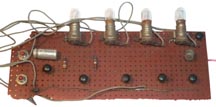
This is a binary counter made using Fairchild RTL ICs.
I lived in Mountain View, California at this time and
Fairchild started out on Ellis St. A local phone call would
get a BIG three ring binder full of RTL data sheets. Some
surplus stores sold seconds that did not have labels but instead a
color stripe and these were lower in cost than the official
parts. One button increments the count and the other is the
reset.
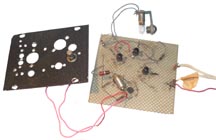
This is a
prototype Johnson (Twisted Ring) Counter (
Wiki).
The lamp indicates a divide by ten, i.e. is the carry out. A
push button mounted in the drilled steel practice panel increments
the count.
A Johnson counter may be the fastest counter you can make since
the toggle rate for each IC is much lower than the input unlike a
straight binary counter where the input stage is toggled at the
input rate.
Neon
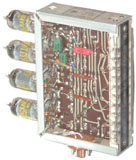 |
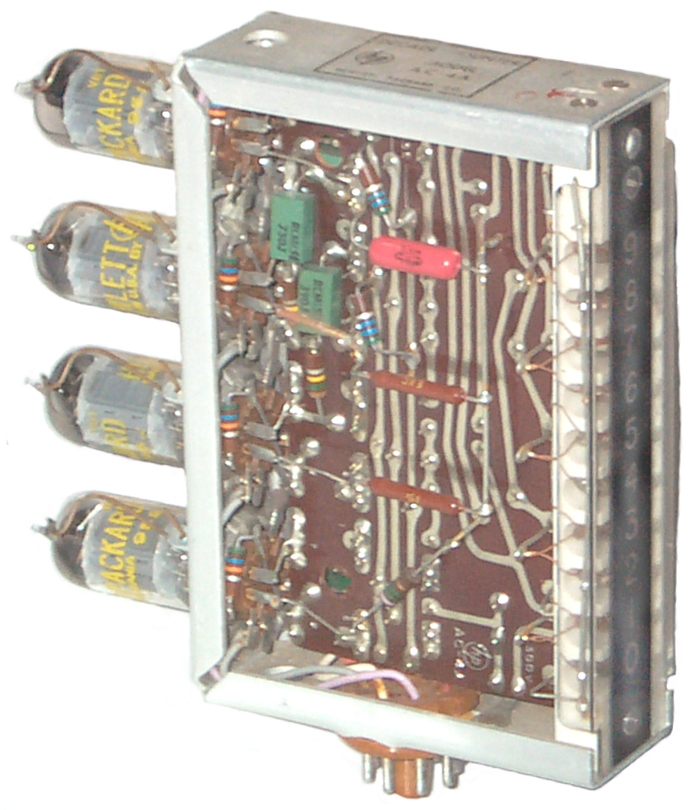
A group of 10 NE-2 Neon bulbs were arranged
in a row with a photographic film overlay showing the
Arabic digits 0 through 9 in a straight line. This AC-4
used 4 dual triode vacuum tubes. |
Nixie
A Nixie tube (
Wiki)
has the Arabic digits formed by shaping wires and they are all
stacked front to back inside a Neon filled glass tube. You
only see the digit that's on.
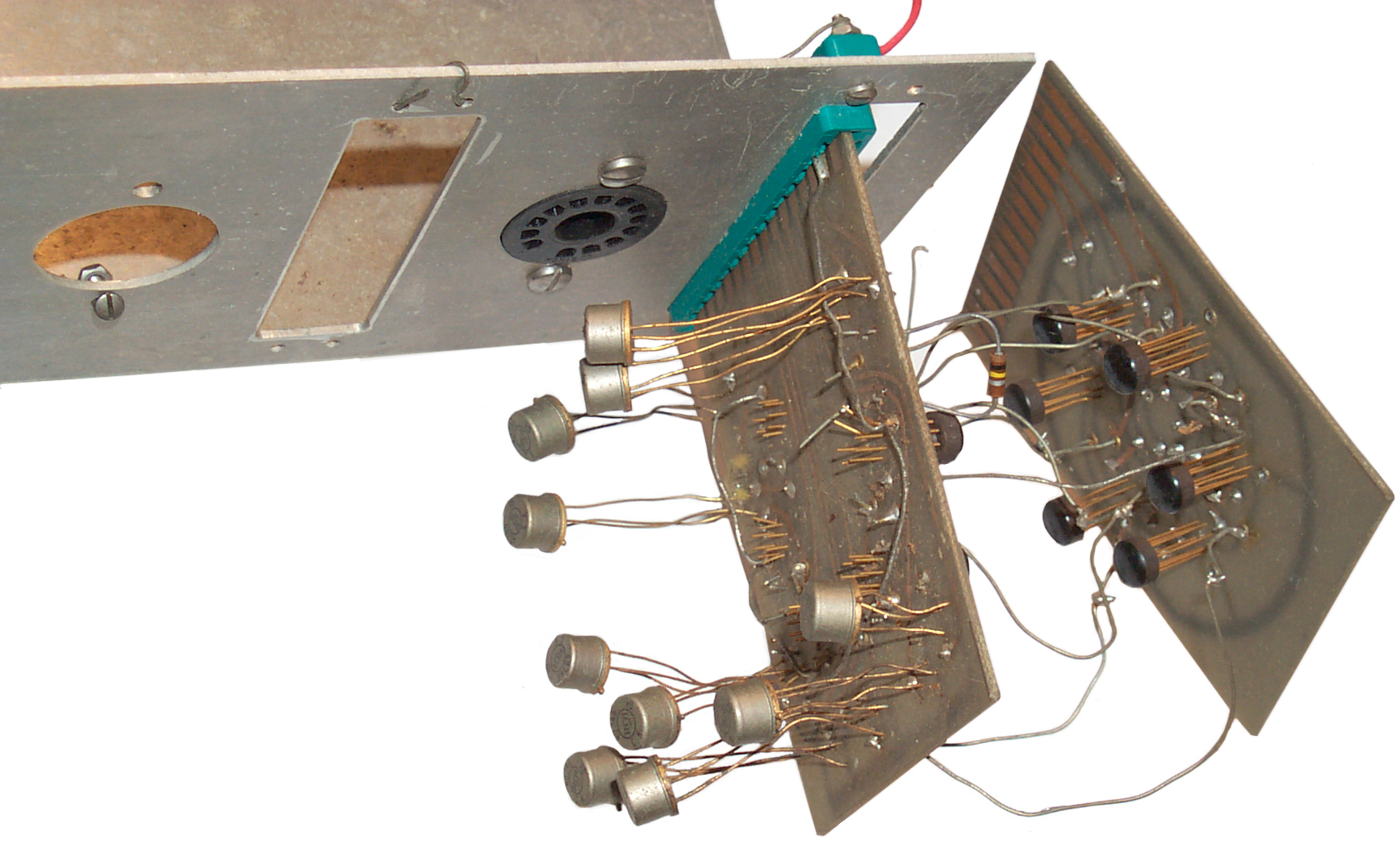
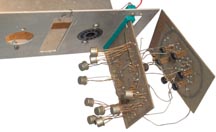
I made a Johnson ring counter using 5 Fairchild 923 RTL Flip-Flops
(
Semi
Museum) on one Printed Circuit Board (on the
right). A decoder PCB has RTL gates on the back.
These only need to have two inputs since decoding a 5 stage
Johnson counter (Wiki:
Twisted Ring
Counter) is much easier than a binary counter. Each
gate output drives high voltage transistor that turns on a Nixie
element. The artwork was done using black tape on plastic
drafting sheets at 4 X life size. A blueprint shop then
makes a high resolution negative that's life sized. A PCB
etching house makes the single sided board.
The metal shop at
Aertech had some
machines that engineers were allowed to use (mess up) but most of
the machines were strictly off limits and rightfully so. The
manual punch press and sheet metal brake were fair game. So
it's possible I made the sheet metal part or that a machinist did
it in the late 1960s, or whenever RTL was introduced by
Fairchild. The sheet metal would hold a two digit Nixie
counter.
Nixie Tube Patent
Also see Patents
on the NCR web page.
2138197
Electric discharge lamp,
Pressler
Hermann,
Richter
Hans,
Radio
Patents Corp, 1938-11-29, - but not different symbols, this
is more like a neon sign.
2142106
Signaling System and Glow Lamps Therefore, Hans P. Boswau, Jan 3,
1939,
315/184 ; 235/23; 313/245; 313/250; 313/257;
313/582; 315/167; 315/170; 315/299; 315/324; 315/DIG.1; 377/113 -
looks like Nixie tube, but has a problem described below
2618760
Glow tube anode construction, Robert D Hancock, Charles R
Williams, Glenn E Hagen, Chris S Andersen, Northrop Grumman Corp,
1952-11-18 - the only citation is to 2142106. "It is, therefore,
an object of the present invention to provide a means whereby the
distance between the cathode and anode of a multiple cathode ionic
glow tube or the the read-out type is maintained nearly uniform,
over` the entire length of the cathode, and for all of the
cathodes."
LED
One of the first solid state display devices was the Light
Emitting
Diode. A relative had a Bulova Accutron (Wiki)
watch with an LED display, but the
problem was that it took a lot of power and used up batteries
quickly. Later TI sold an LED wristwatch and when the
battery went dead it was cheaper to buy another watch than have
someone replace the battery which required special tools and
skill.
7 Segment Display (Wiki)
The
Numitron: An obvious idea that wasn't very bright, 23:20 -
683133
Interchangeable electric display apparatus, George
Lafayette Mason, Mason
Monogram Co, 1901-09-24
974943
Illuminated announcement and display signal, Frank
W Wood, Charles Cory & Son, 1910-11-08, -
2878418
Miniature filamentary numerical display, Alan
R Garfinkel, Biagio
A Spinelli, Munt
Irwin, Sperry
Rand, 1959-03-17, -
3564325
Display device including a point image,
Richard Arthur Bonnette, Norman
Lee Lindburg, RCA,
1971-02-16, - Numitron
LCD
The Liquid Crystal Display consumes a very small
amount of power and there is a type that only consumes power when
changes are made (see Kent below).
Kent Displays - Zero
Power LCD display
Memory Chips & Programmers
GQ-4X
 MCUmall
 GQ-4X programmer
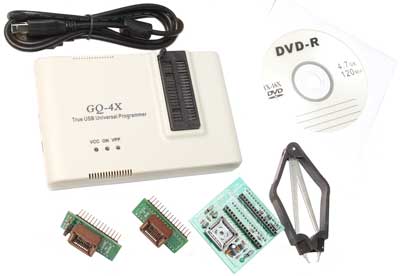
supports EPROM, EEPRO/Flash, Serial EPROM, MCU, SRAM,
GAL/CPLD devices. Purchased to read EEPROMs in old
Trimble GPS receiver and other
equipment that use memory chips.
ICD2 PIC In Circuit Programmer
PicStart Plus DIP Programmer
UV Eraser
Byte Shop (Wiki)
On the East side of El Camino in
Mountain view a small house was converted into a retail store
selling home type computers. It was called the Byte Shop.
Calculators
HP came up with a way to calculate hyperbolic functions
digitally to many decimal places of precision. This was the
first time that could be done and made books of tables obsolete.
3766370
Elementary floating point cordic function processor and shifter, J Walther, HP Inc, 1973-10-16, - "Three arithmetic
units including three shifters are operated in parallel and
controlled by a microprogram stored in a read-only memory to
provide an improved elementary function floating-point processor.
The microprogram includes a set of routines for calculating 20
elementary functions including arithmetic, exponential,
hyperbolic, logarithmic, square root, and trigonometric functions.
Each shifter is capable of reading a fixed plural number of
consecutive bits, beginning with any bit position, from an
associated data storage register."
Cordic Functions (Wiki).
3839630
Programmable calculator employing algebraic language, E Olander,
R James,
I Larson,
R Watson, F
Yockey, W
Covington, J Walden,
F
Wenninger, H Russell,
HP Inc,
1974-10-01, - HP
9810A
3859635
Programmable calculator, Robert
E Watson, Jack M
Walden, Charles
W Near, HP Inc,
1975-01-07, - HP
9810A
HP 9100 (Wiki)
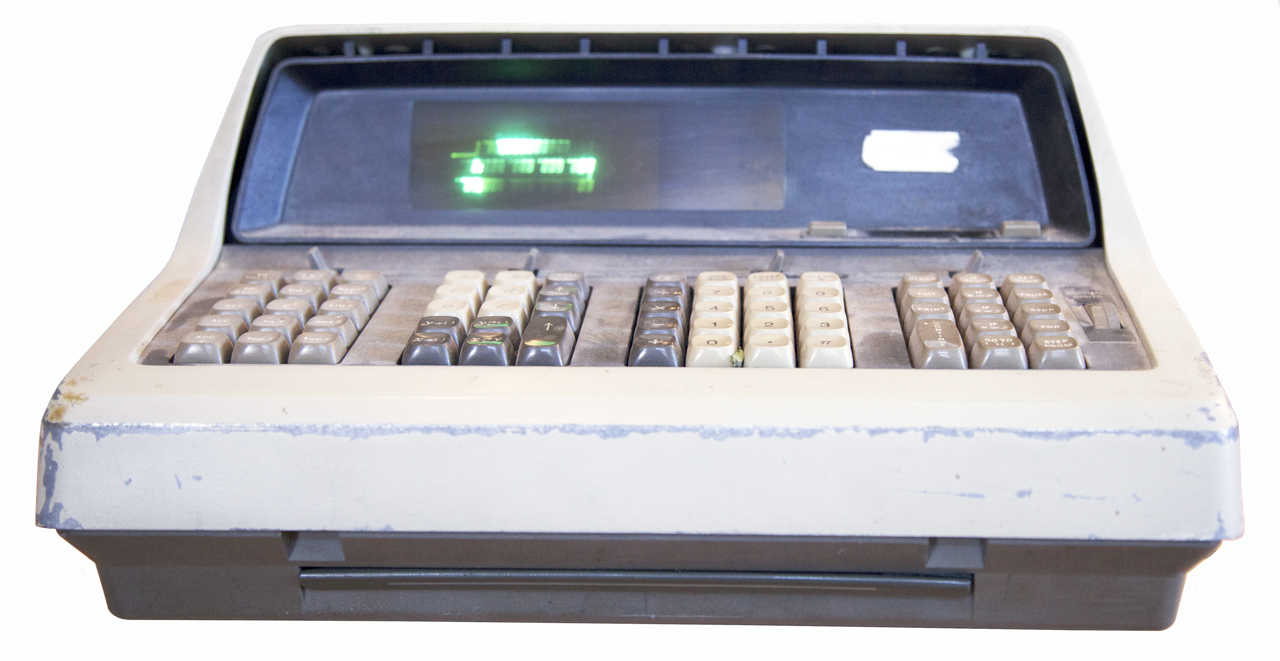
This was the first calculator that worked with things like
logs, trig functions, unlike the prior calculators that only did
add or subtract (and some could do multiply and divide or square
root based on adding and/or subtracting). The next
generation was the HP 35 (Wiki)
calculator. It had the same computing power but would fit
into a shirt pocket.

At Aertech in Mountain
View, California we hand made tunnel diodes. After the key
electrical parameters were measured on each diode the cutoff
frequency and another calculated parameters were needed.
The 9100 could do the calculations using a program that
was loaded into the calculator. Since it used core memory
the program was always there. We made a plywood top for a
typewriter cart that had countersunk holes for the feet of the
9100 and there was a strap holding the 9100 to the cart.
This way we could wheel it to the test station where it
was needed in a safe way. This calculator was made before
ICs were available. It was about this time that a start up
company called Fairchild, located in the same city, was offering
RTL logic in round plastic packages that ran on 3.3 Volts.
The display was a CRT which showed 4 lines of the stack
(as far as I can remember). This made using reverse polish
notation much easier for a beginner.
GB1197292
(eSpaceNet)
Calculator, Thomas
E Osborne, HP, App: 1967-06-21, Pub: 1970-07-01, -
About this time the sports car magazines were carrying ads for
the Curta
Calculator (Wiki)
that was a mechanical device that looked a lot like a pepper
mill. This was used for Time
& Distance Rallies.
3176144
Selective signaling system, Robert
O Gunderson, Edmund
F Klein, NCR,
1965-03-30, - related to program control and core memory so may
be related to the 9100?
YouTube: Interview
with Dave Cochran about the HP 35 Calculator, 1:01:56 -
This was the first hand held calculator that would do
scientific calculations and as an engineer working on microwave
products, some of which were bound for the Vietnam conflict, I
ordered an HP 35 with a DX-A2 priority, which meant HP had to
ship my calculator prior to any shipped for civilian use.
This calculator does not have any programming ability, you
can only use the canned functions. The LED numeric display
was a battery eater.
3855461
Calculator with key code association and display features, R
Stockwell, HP Inc,
App: 1973-08-30, Pub: 1974-12-17 -
3863060
General purpose calculator with capability for performing
interdisciplinary business calculations, France
Rode, Jr
William L Crowley, Alexander
D R Walker, David
S Cochran, HP Inc,1975-01-28
- HP 35
3892958
Inverse/complementary function prefix key, Chung
C Tung, HP Inc,
1975-07-01 -
4037092
Calculator having preprogrammed user-definable functions, Thomas
E. Osborne, Richard
Kent Stockwell, HP.
App: 1973-11-26, Pub: 1977-07-19, - HP41?
4099246
Calculator having merged key codes, Thomas
E. Osborne, Richard
Kent Stockwell, HP,
App: 1973-12-17, Pub: 1978-07-04, - for example [Arc]
[Sin]
The 41 uses an LCD alphanumeric display and can be
programmed or can use plug in ROM modules. Someone found a
bug in the HP 41 that would allow getting into the native
machine code. This allowed writing code in machine
language and the creation of the "Zen Rom" that has a huge
number of new routines. Printers, mag card readers and
bar-code readers can also be plugged into the module
slots. The alpha aspect of the display make this a very
powerful pocket computer.
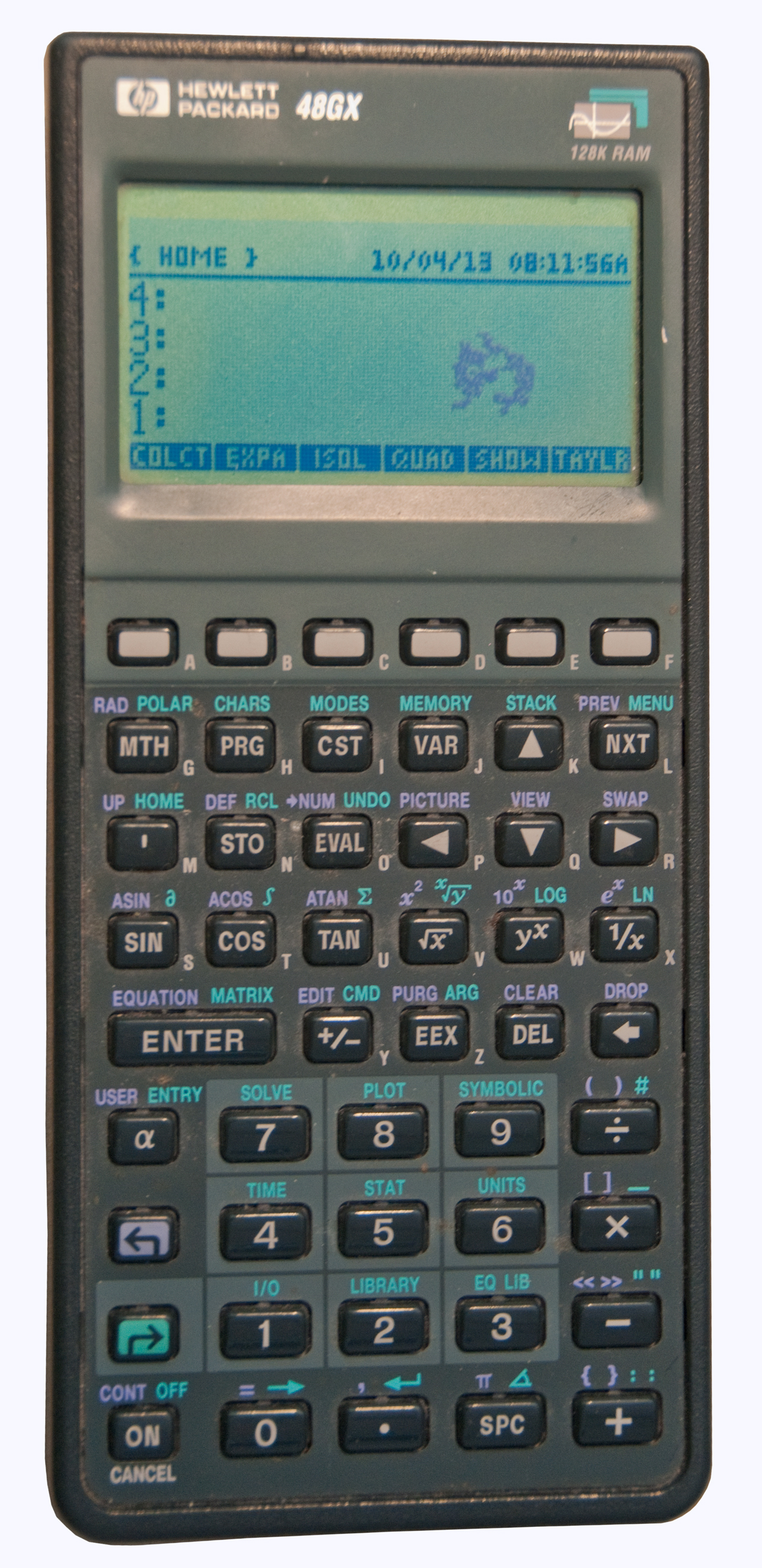
HP 48GX (Wiki)
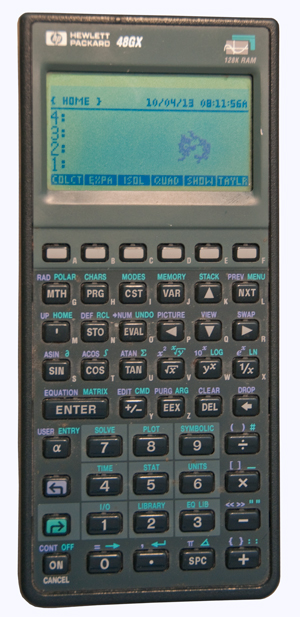
This is a later version HP scientific calculator that
also has an RS-232 port that I interfaced to a Motorola GPS receiver. Has a
graphic LCD display.
This is my everyday calculator, but early June 1023 the display
shows '(Greek symbol for Pi)' instead of the number 3.1415......
Pressing Purple Shift Clear causes CLEAR to be displayed.
Pushing <- (left arrow) seven times erases it.
So far have not been able to get back to normal operation.
Let me know
what's going on. Now fixed.
HP 80 Series Calculators
These were being sold during the time when the first
models of the IBM PC were being sold. The "C" in PC means
computer and there were a number of government contractors that
had strict rules about who could buy "computers". By
calling the 80 series machines "calculators" the purchasing
process was greatly simplified. These calculators have the
ability to control instruments using the HP-IB interface
allowing test automation. Had a CRT display but I don't
remember if it did graphics.
TI Speak & Spell (Wiki)
This was a very high technology item when first released in
1978. Made use of Linear Predictive Coded Speech chips (Wiki).
Versions
Ver 1. Round orange and red keys (no yellow keys), Chliclet
keyboard, Vacuum Florescent display, ,ti. logo in lower
right
Ver 2. Membrane keyboard, Vacuum Florescent display
Ver 3. 2019 Membrane keyboard, no ext power jack, no
headphone jack, LCD display with narrow viewing angle,
very small internal PCB.
Photos
Fig 1 Version 1, Round button Chiclet (Wiki)
keyboard (Wiki).
<ti> logo in lower right corner. No yellow
keys only orange and red. Extremely rare.

|
Fig 2 Box.
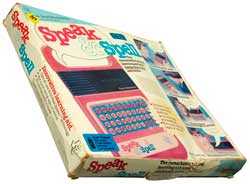 |
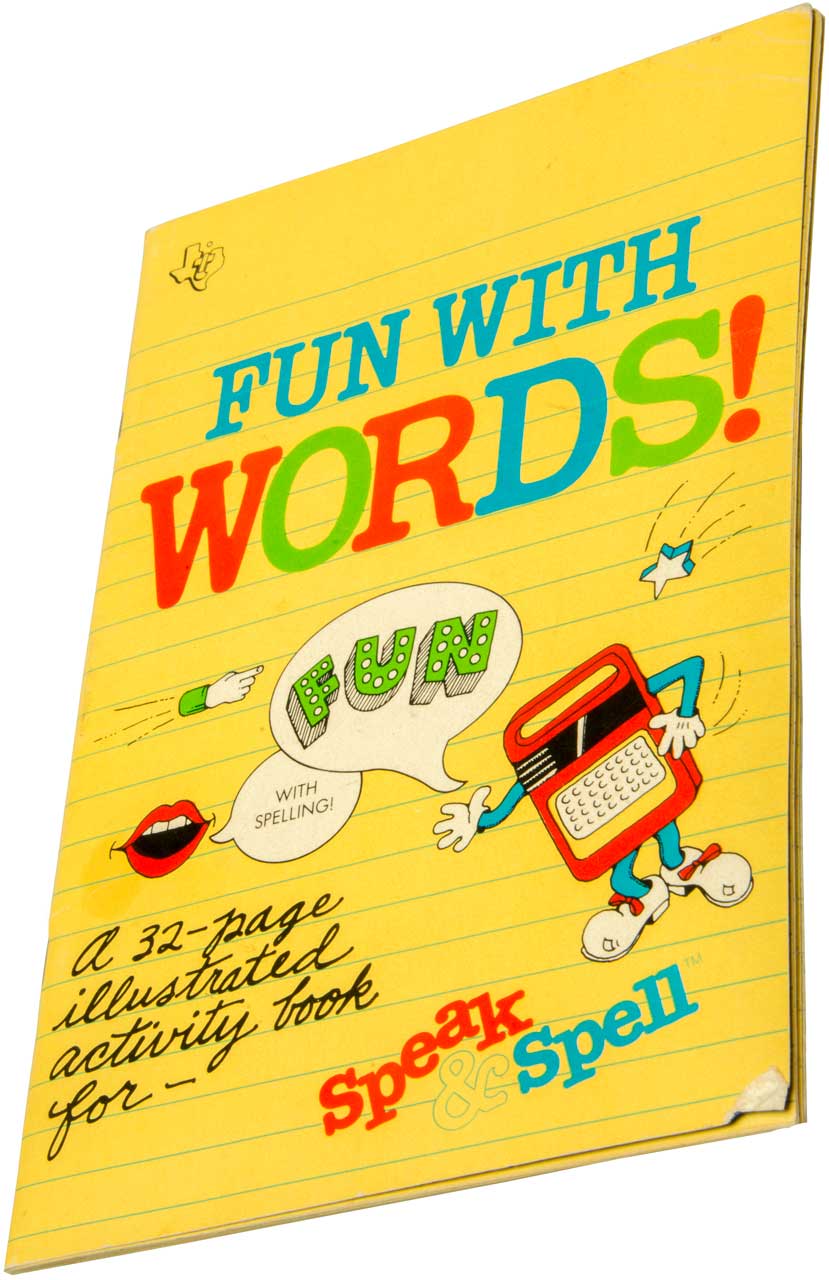
Fig 3 Fun with Words! book.
 |
Fig 4
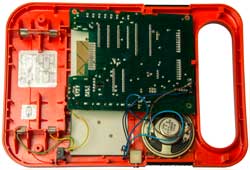 |
Fig 5
 |
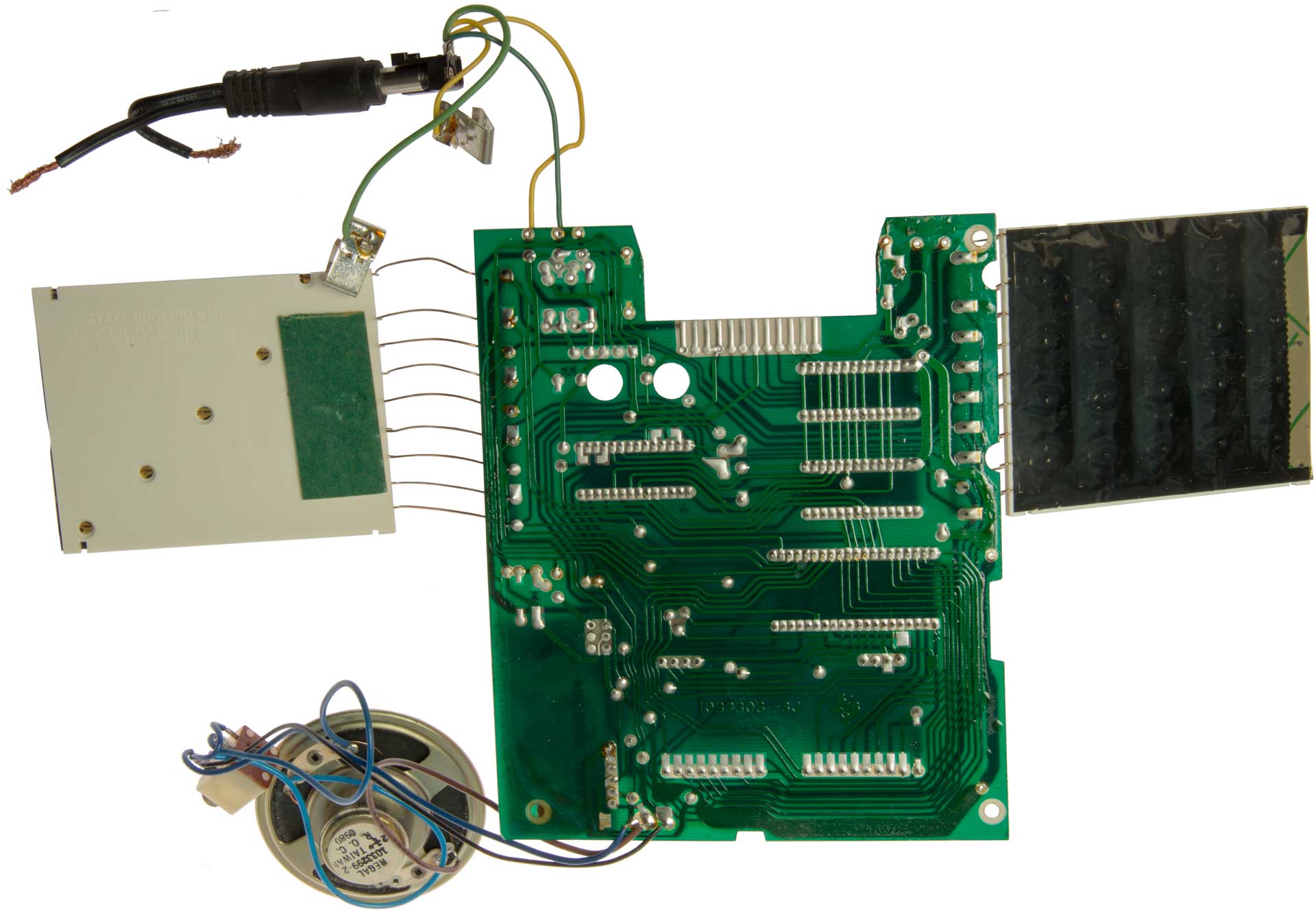
Fig 6 The daughter board is
probably the power supply
(Reddit: PSU)
and includes a VFD output.
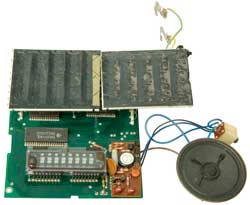 |
Fig 7
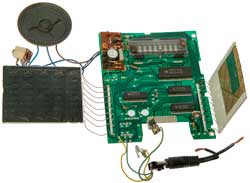 |
Fig 8 Each
of the two keyboards supports a 4x5 array of keys, i.e.
20 keys. Just like a TI hand held
calculator. So they used two calculator keyboards
in the Speak & Spell.
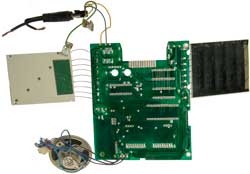 |
Fig 9 Power Supply
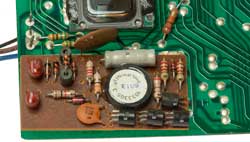
|
Fig 10 after replacing 3 caps
Still not working. Suspect active devices on
power supply board.
 |
|
|
Power Supply
First powered up using external power supply set to 6V and
current limited to 1 Amp. Grunge sound and bad ju-ju
smoke smell. This is very similar to the experience of
Reddit user TheMightyMadman (Speak
& Spell PSU). But because I used an external
HP power supply set to 6 Volts and with a current limit under
1 Amp the PCB was not turned to charcoal.
But my main board and the power supply daughter board
(1033305-3, date code 8013) are older than than the Reddit
main and daughter board (1033305-5, date code 8304). I'm
pretty sure this is the very first version.
The 8 connections to the daughter board shown are:
1. Speaker 1
2. Speaker 2
3. -3.5 Volts
4. -12 Volts
5. V battery (+6 V)
6. Ground
7. Start Up
8. Power Down
ESR
|
Axial/Radial
Tant/Electrolitic
|
Label
|
In
cit
Meas
|
Removed |
Replacement
|
C
|
V
|
C
|
ESR
|
C
|
ESR
|
|
C1
|
A/Elec
14mm x 5mm
|
4.7uF
|
25
|
------
|
32.5
|
0.0
|
----
(4M)
|
475TTA050M
4.7uf 50V
|
C2
|
R/Tant
3mm
|
4.7 uF
|
35
|
------
|
0.65
|
----
|
0.82
(0.5)
|
TAP475K050SCS
4.7uf 50V
|
C3
|
R/Tant
3mm
|
22 uF
|
16
|
27.7
|
3.8
|
27.8uF
|
--------
(20M)
|
TAP226K025SCS
22uF 25V
|
Fluke 87V Resistance shown in (). i.e. the 4.7uF Tant C2
was a dead short.
All three caps (C1, C2 & C3) appear to be bad.
Next remove and test stand alone and read C1 label.
Replacing C1, C2 & C3 did not fix it. Suspect problem
with Q1, Q2, Q3 and/or Q4.
Have 100 each SS8550 Silicon PNP transistors on order for under
$10 including shipping. (facing flat left to right: E, B,
C).
There is a complementary NPN, the SS8050.
Keyboard
The Speak & Spell has 4 Rows x 10 Keys = 40 keys
total. Implemented as two 4 x 5 (20) key
matrix. 4 row wires + 5 column wires = 9 wires per group
of 20 keys.
The white plastic for the group is marked (Fig 8) "Texas
Instruments, Incorporated, Pat. Pend."
The white plastic also has 5 test points on a diagonal.
Miniature
Electronic Calculator
TI handheld calculators (Wiki) with
a 4x5 (20 buttons) keyboard layout: TI-1000, TI-1200, TI-1400,
TI-1500, TI-1600 all probably use the same keyboard module.
|
3819921
minature electronic calculator, J
Kilby (Wiki),
J Merryman (Wiki)
Tassel
James Van, TI,
App: 1972-12-21, Pub: 1974-06-25, - the Prior art
calculators cited in the patent were the desk top size,
not hand held. But HP had it's patent application
in for the 9100
desktop calculator in 1967 and for the HP35 handheld
scientific calculator in 1974. The TI was the
first handheld four function calculator.
|
Fig 1 has 8 digit display.
 |
Fig 2 Note the back of the 4x5
keyboard
has the same look and feel as the Speak &
Spell Fig
8 above.
 |
Fig 3 It is the same 4x5
keyboard.
IC: TMS0972NL
 |
|
Keyboard Patents
|
3684842
Pushbutton keyboard switch assembly with improved over
center diaphragm contact, Henry
J Boulanger, TI,
App: 1970-07-01, Pub: 1972-08-15, -
|
|
3725907
Pushbutton keyboard system, H Boulanger, TI, App:
1971-06-01, Pub: 1973-04-03, - 4x5 Chicklet using
staples as contacts
|
|
3767875
Diaphragm type pushbutton setting switch with fixed
contact semiconductor substrate support, P
Schneikart, R
Murdock, J
Day, TI, 1973-10-23, -
|
|
3783205
Keyboard switch matrix assembly with improved guide
means for reducing transfer of bounding motion to
movable conductor, H Boulanger, TI, App: 1971-10-27,
Pub: 1974-01-01, -
|

|
3959611
Pushbutton keyboard system having plural level wire-like
contact, Herbert R. Greene, Charles W. Balser, TI, App:
1975-01-10, Pub: 1976-05-25, - 4x5 Chicklet,
improved staples are more reliable,
Fig 1: Note all wires come off one edge of keyboard
assembly.
Fig 2. Note Chicklet keys with staples below metal dome
as contacts.
Used in TI handheld calculators that have less than or
equal to 20 buttons as well as Speak & Spell.
|
Chips
Computer on a Chip TMC0271-N2L (a TMS1000 (Wiki),
Data_Manaul.pdf)
variant); data code 8022;
Speech Synthesier TMC0281
TMC035INL (2ea) ROMs.
Converting speech into an electrical signal and converting an
electrical back to speech is very important in the field of
voice cryptography,
machines.
Patents
Patent numbers on Speak & Spell (but related to
calculators)
|
3921142
Electronic calculator chip having test input and output,
John
D Bryant, Glenn
A Hartsell, TI,
1975-11-18, -
|
|
3934233
Read-only-memory for electronic calculator, Roger
J. Fisher, Gerald
D. Rogers, TI,
1976-01-20, -
|
|
3955181
Self-refreshing random access memory cell, Joseph
H. Raymond, Jr., TI,
1976-05-04, -
|
|
3987416
Electronic calculator with display and keyboard scanning
signal generator in data memory, Jerry
L. Vandierendonck, Roger
J. Fisher, Glenn
A. Hartsell, TI,
1976-10-19, -
|
|
3988604
Electronic calculator or digital processor chip having
multiple function arithmetic unit output, Joseph
H. Raymond, Jr., Individual, 1976-10-26, -
|
|
3989939
Electronic calculator or digital processor chip with
combined functions for constant, keyboard and control
bit, Joseph
H. Raymond, Jr., Individual, 1976-11-02, -
|
|
3991305
Electronic calculator or digital processor chip with
multiple code combinations of display and keyboard scan
outputs, Edward
R. Caudel, Joseph
H. Raymond, Jr., individuals, 1976-11-09, -
|
|
4005293
Pushbutton keyboard switch assembly having individual
concave-convex contacts integrally attached to conductor
strips, Henry
J. Boulanger, TI,
1977-01-25, - Phosphor bronze dome
|
|
4064554
Microcomputer with code conversion, Graham
S. Tubbs, TI, 1977-12-20, - to save memory space
|
|
4073006
Digital processor system with simultaneous branch and OP
code function, Graham
S. Tubbs, TI, 1978-02-07, -
|
|
4074355
Digital microprocessor system with shared decode, Graham
S. Tubbs, TI, 1978-02-14, -
|
Speak & Spell and Related Patents
|
4188626
Method for scanning a keyboard and for actuating a
display device via common conductors, Gene
A. Frantz, George
L. Brantingham, TI,
1980-02-12, -
|
|
4209844
Lattice filter for waveform or speech synthesis circuits
using digital logic, George
L. Brantingham, Richard
H. Wiggins, Jr., TI, 1980-06-24, -
|
|
4295181
Module for an integrated circuit system, Richard R.
Chang, Gene A. Frantz, William R. Hawkins, TI,
1981-10-13, - ROM module
|
|
4310831
Pulse width modulated, push/pull digital to analog
converter, Alva E. Henderson, Gene A. Frantz, TI,
1982-01-12. - 30 pages or figures - |
|
4357489
Low voltage speech synthesis system with pulse width
digital-to-analog converter, Alva E. Henderson, Gene A.
Frantz, TI, 1982-11-02, - Speak&Spell - 30 pages or
figures -
|
|
4398059
Speech producing system, Kun-Shan Lin, Kathleen M.
Goudie, Gene A. Frantz, TI, 1983-08-09, - uses 127
Allophones (Wiki)
in a Linear Predictive Coding scheme.
|
|
4380371
Liquid crystal display device, Gene A. Frantz, TI,
1983-04-19, - not Vacuum Fluorescent Display?
|
|
4403965
Electronic teaching apparatus, William
R. Hawkins, TI, 1983-09-13, - Touch and Tell |
|
4507750
Electronic apparatus from a host language, Gene A.
Frantz, Kun-Shan Lin, TI, 1985-03-26, - Speech to Text
|
|
4516260
Electronic learning aid or game having synthesized
speech, Paul
S. Breedlove, James
H. Moore, TI,
1985-05-07, -
|
|
4624012
Method and apparatus for converting voice
characteristics of synthesized speech, Kun-Shan Lin,
Alva E. Henderson, Gene A. Frantz, TI, 1986-11-18, -
adds age and sex to speaker's voice.
|
|
4631748
Electronic handheld translator having miniature
electronic speech synthesis chip, Paul
S. Breedlove, James
H. Moore, George
L. Brantingham, Richard
H. Wiggins, Jr., TI,
1986-12-23, - Touch and Tell |
|
4685135
Text-to-speech synthesis system, Kun-Shan Lin, Kathleen
M. Goudie, Gene A. Frantz, TI, 1987-08-04, - 39 pages of
rules for LPC
|
|
4731847
Electronic apparatus for simulating singing of song,
Gilbert A. Lybrook, Kun-Shan Lin, Gene A. Frantz, TI,
1988-03-15, - one version box has 12 note keyboard -
adds pitch to speach
|
|
4749353
Talking electronic learning aid for improvement of
spelling with operator-controlled word list, Paul
S. Breedlove, TI,
1988-06-07, - |
|
4970659
Learning aid or game having miniature electronic speech
synthesis chip, Paul S. Breedlove, James H. Moore,
George L. Brantingham, Richard H. Wiggins, Jr., TI, App:
1978-04-28, Pub: 1990-11-13, -
|
|
7006995
Secure distribution of digital data, Roy I. Edenson,
Peter F. van KesselGregory J. Hewlett, Paul S.
Breedlove, William B. Werner, Keith H. Elliott, TI,
2006-02-28, - TIRIS Registration and Identification
System for optical disks (copyright protection).
|
References
Vintage Computing and Gaming: 30
Years Later, Richard Wiggins Talks Speak & Spell
Development -
Paul Breedlove: Originated the idea of a learning
aid for spelling.
Gene Frantz: Responsible for the overall product design;
spelling words, case design, display, and operation.
Larry Brantingham: IC designer.
Richard Wiggins: Voice processing algorithms.
Retroist: A History
of the Speak & Spell;
Circuit Bending Wiki: Speak
& Spell -
TI Voice Synthesis System manual (S%26S_IC_datasheet.pdf)
Reddit: Speak
& Spell PSU
YouTube: Speak
& Spell, Then & Now, 26:02 - 1033305-3 power
supply
YouTube: EEVblog
1601 - How VFD (Vacuum Fluorescent) Displays Work,
10:05 - Speak&Spell uses CMOS uC to drive VFD at 6V from
battery, and SMPS for maybe 35V for anodes.
Federal Screw Works
Votrax (Wiki)
This was a phoneme-based speech synthesizer IC used in arcade
games, amateur radio stuff & much more. SC-01 was the first
one.
Herb Caen, writing in the San Francisco Chronicle (Wiki), would
mention the sign for Bay City Screw & Bolt (Wiki)
and this company name reminds me of it.
|
3836717
Speech synthesizer responsive to a digital command input,
R
Gagnon, Scitronix
Corp, 1974-09-17, - - 32 phonemes
|
|
3908085
Voice synthesizer, Richard
T Gagnon, Individual, 1975-09-23, - 64 phonemes |
|
4128737
Voice synthesizer, Mark
V. Dorais, Federal
Screw Works, 1978-12-05, - - 128 phonemes |
|
4130730
Voice synthesizer, Carl
L. Ostrowski, Federal
Screw Works, 1978-12-19, - 64 phonemes
RE30991
|
|
4264783
Digital speech synthesizer having an analog delay line
vocal tract, Richard
T Gagnon, Federal
Screw Works, 1981-04-28, - 64 phonemes |
|
4301328
Voice synthesizer, Mark
V. Dorais, Federal
Screw Works, 1981-11-17, - 128 phonemes |
|
4433210
Integrated circuit phoneme-based speech synthesizer, Carl
L. Ostrowski, Bertram
White, Federal
Screw Works, 1984-02-21, - 64 phonemes |
|
4470150
Voice synthesizer with automatic pitch and speech rate
modulation, Carl
L. Ostrowski, Federal
Screw Works, 1984-09-04, - 64 phonemes |
|
4532495
Speech digitization system, Richard
T. Gagnon, VOTRAX,
1985-07-30, - speech encoding system - AD7520
12 bit D/A converter,
|
|
4829573
Speech synthesizer, Richard
T. Gagnon, Duane
W. Houck, VOTRAX,
- 64 phonemes |
These came long before the PC and were typically used to
control instruments using HP-IB, although some Computer Aided
Drafting (Wiki: CAD)
packages were written for them as well as other scientific
uses. Based on the Motorola 68000 series uP. HP used
their RMB workstations with their own CAD software to design HP
products.
When working in the 1970 we could buy direct from the
government surplus equipment. One of the things offered was
a drum memory. Never did get it, but it's a very early
example of magnetic data storage.
2862199
Magnetic drum storage system, John
E Scott, Sperry Rand, 1958-11-25, -
Later while at HP/Agilent I worked on the Hard Disk Spin
Stand used to test heads and media. I used air
bearings. But there was a design flaw, i.e. you can not use
50 Ohm coax cables to drive a write head. They are OK for
the read head.
Curta Calculator (Wiki)
YouTube: Adam Savage's Curta
Calculator Gets CT Scanned!, 19:56 - first part is ad for
scanning company.
@11:09
Visualization
The rest is mostly an ad.
YouTube: AT&T Tech Channel: Tech
Icons: Cliff Stoll - The Curta Calculator, 9:42 -
Patents
|
 |
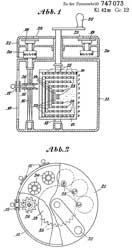
DE747073C/en
Calculating machine with a single staggered roller
surrounded by setting wheels, Herzstark
Curt, App: 1938-08-19, W.W>II, Pub: 1944-09-06, -
|
|
|
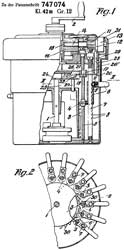
DE747074C/en
Calculating machine with only one staggered roller, Herzstark
Curt, App: 1939-04-13, W.W.II, Pub: 1944-09-06, -
|
|
|
CH266406A/en
Adding machine, Herzstark
Curt, 1950-01-31, -
|
|
|
2533372
Zeroizing Mechanism, C. Herzstark, Contina, 1950-12-12, -
RE23553
Zeroizing Mechanism, C.
Herzstark, Contina, 1950-09-30, -
Same as DE873000C/en |
|
|
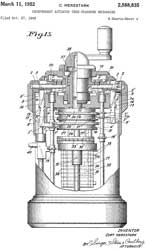
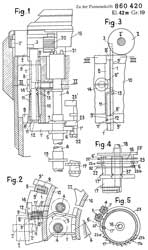
2588835
Independent Actuator Tens-transfer Mechanism, C.
Herzstark, Contina, 1952-03-11 -
DE860420C/en
Ten switching device, Herzstark
Curt, Contina
Ag, 1952-12-22, - uses Fig instead of Abb so
there's a US version of this patent. Found it.
|
|
|
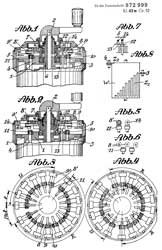
DE872999C/en
Small format calculating machine, Herzstark
Curt, Contina
Ag, 1953-04-09, -Type 2
|
|
|
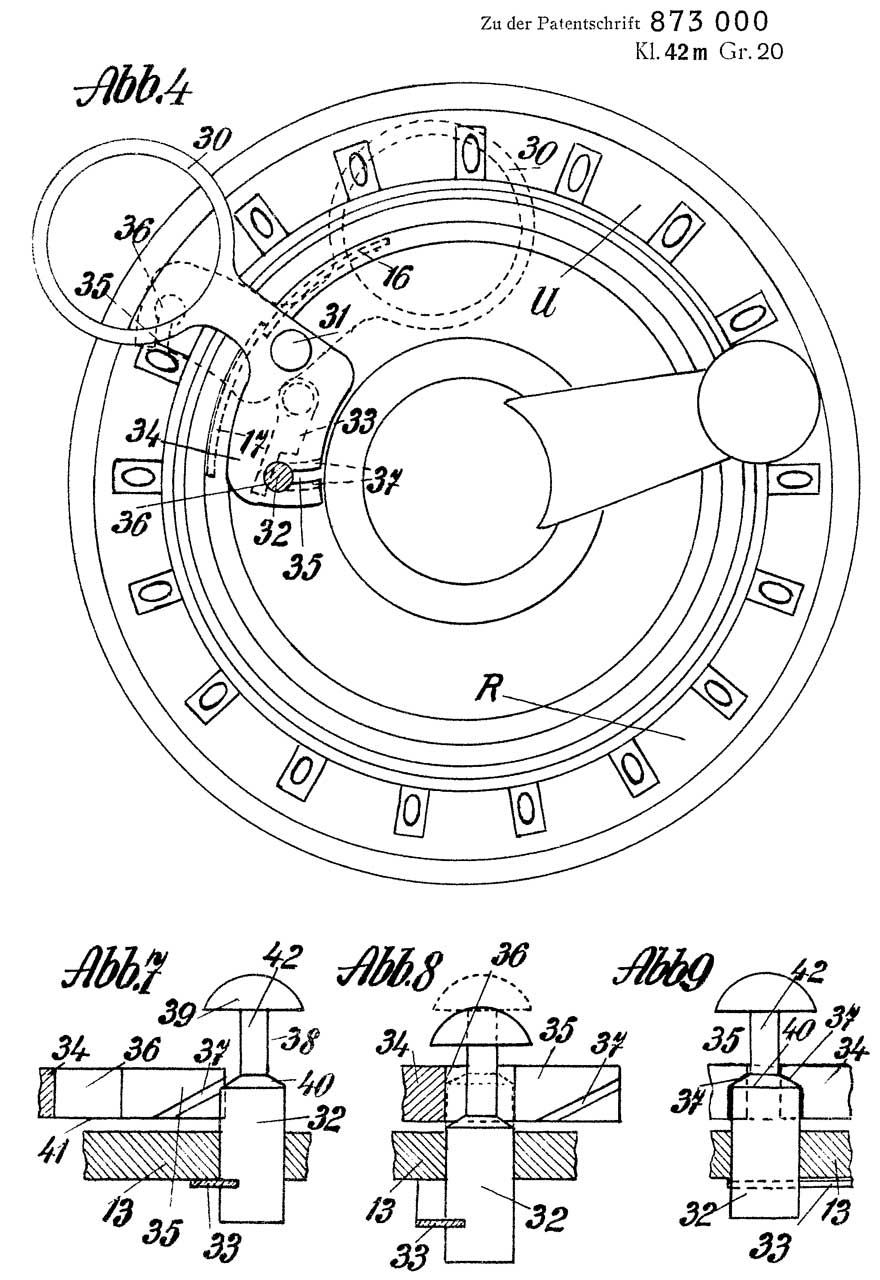
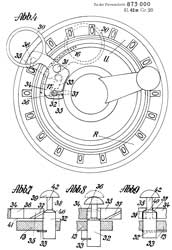
DE873000C/en
Counter clearer for calculating machines, especially
miniature calculating machines, Herzstark
Curt, Contina
Ag, 1953-04-09, - Type 2 |
|
|
|
YouTube
1950
Curta Calculator, 4:48 - Model 1, some example
computations
How the
CURTA Works, 13:10 -
Web Pages
Curtamania.com
- Type
and Age of your Curta -
Patents
Delay Lines (Wiki)
date to the 1920s (Wiki).
Mercury delay lines were developed for RADAR in W.W. II (Wiki)
2629827
Memory system, Jr
John Presper Eckert, John
W Mauchly, Eckert
Mauchly Comp Corp, Oct 31, 1947 -
digital data in Mercury
Magnetic Drum Memory dates to 1932 (Wiki).
2611813
Magnetic data storage system
(disk drive), Jr
Edwin S Eichert, Thomas
K Sharpless, Technitrol
Engineering Company, May 26, 1948, 360/49, 192/84.1, 360/72.1, 360/98.1 - first disk drive patent?
4571456
Portable computer, David C. Paulsen, Glenn T. Edens, Karl S.
Nakamura, David M. Gallatin, Stephen R. Hobson, William G.
Moggridge, GRiD
Systems (Wiki),
App: 1982-10-18, Pub: 1995-08-15, - Laptop
Links
Back to Brooke's Electronics, home - page
[an error occurred while processing this directive] page created 30 Sep 2000